

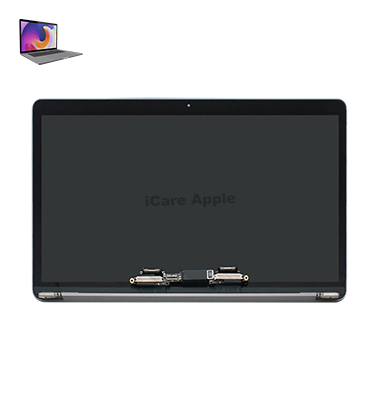
MacBook Pro (2016) A1707 Display
At iCare Apple, we provide expert MacBook Pro (2016) A1707 Display repair and replacement services in Bangladesh. Whether your screen is cracked, damaged, or experiencing Display issues, we ensure fast, efficient service with high-quality replacement parts. Trust us for reliable solutions to restore your MacBook’s Display performance.
How to Identify When Your MacBook Pro (2016) A1707 Display Needs Replacement
Here are four signs that your MacBook Pro (2016) A1707 Display may need replacement:
Flickering or Flashing Screen:
Continuous flickering or random screen flashes indicate possible display issues.
Distorted Colors:
Persistent color distortion or strange lines on the screen may signal a failing display.
No Display or Black Screen:
The screen remains completely black despite the MacBook being powered on.
Cracks or Physical Damage:
Visible cracks, scratches, or damage on the screen require a display replacement.
Our MacBook Pro (2016) A1707 Display Replacement Process
1. Diagnosis:
Our expert technicians perform a thorough diagnosis to identify the exact issue with your Display.
2. Estimate:
We provide a transparent cost estimate, including parts and labor.
3. Replacement:
Using high-quality, genuine parts, we replace your MacBook’s Display with precision and care.
4. Testing & Quality Check:
After replacement, we rigorously test the Display to ensure it functions perfectly.

Choose iCare Apple for MacBook Pro (2016) A1707 Display repair and replacement for our expert technicians, high-quality parts, and fast, reliable service. We ensure precise diagnostics, transparent pricing, and a commitment to restoring your device to its optimal performance. Trust us for your MacBook’s Display repair needs!
✌️Top Benefits of MacBook Pro (2016) A1707 Display Repair & Replacement at iCare Apple
Certified Technicians
Our technicians are certified and highly skilled, ensure repairs for your MacBook Pro (2016) A1707. We guarantee top-notch service for all Display replacements.
Original & High-Quality Parts
We use genuine Apple parts for MacBook Display replacements, ensuring optimal performance, durability, and preserving your MacBook's original quality for long-lasting results.
Quick and Efficient Service
At iCare Apple, we prioritize quick and efficient service, minimizing downtime. Our experienced team provides rapid, reliable Display repairs, so you can get back to using your MacBook without delay.

Tips & Tricks for MacBook Pro (2016) A1707 Display
👍 Adjust Display Brightness:
Adjust the brightness of the Display according to your environment. Lower the brightness in dimly lit environments to reduce eye strain, and increase it in well-lit areas for better visibility.
👍 Use Night Shift:
Enable Night Shift mode to reduce blue light emission from the Display during evening hours. This can help improve sleep quality by minimizing the disruption of your circadian rhythm.
👍 Calibrate Color Settings:
Calibrate the color settings of the Display to ensure accurate color reproduction. Use built-in calibration tools or third-party software to adjust color temperature, gamma, and saturation according to your preferences.
👍 Enable True Tone:
If available, enable True Tone technology to automatically adjust the color temperature of the Display based on ambient lighting conditions. This can help reduce eye strain and provide a more comfortable viewing experience.
👍 Clean the Display Regularly:
Keep the Display clean by gently wiping it with a microfiber cloth to remove dust, fingerprints, and smudges. Avoid using harsh chemicals or abrasive materials that could damage the screen.
👍 Use Display Scaling:
Adjust the Display scaling settings to increase or decrease the size of on-screen elements according to your preferences. This can improve readability and usability, especially on high-resolution Displays.
👍 Customize Display Resolution:
Customize the Display resolution to optimize screen real estate and clarity. Choose a resolution that balances sharpness and performance based on your workflow and usage requirements.
👍 Avoid Static Images for Prolonged Periods:
Avoid Displaying static images or elements on the screen for extended periods to prevent image retention or burn-in. Use screensavers or set the Display to sleep mode when not in use to prevent static image persistence.
👍 Use External Displays Effectively:
If using external Displays, configure Display settings to extend or mirror the desktop, adjust resolution and scaling preferences, and calibrate color settings for consistency across multiple monitors.
👍 Check for Dead Pixels:
Periodically check for dead pixels on the Display by running pixel-checking tests or using online tools. Dead pixels can appear as tiny black or colored dots and may require professional attention if present.
By following these tips and tricks, you can optimize the Display settings and usage of your MacBook Pro (2016) A1707, ensuring a comfortable and visually pleasing experience for all your computing needs.
What Our Customers Are Saying About Our MacBook Pro (2016) A1707 Display Replacement Service
Rajib Ahmed
The team at iCare Apple quickly replaced my MacBook Display and it looks as good as new.
Sultana Begum
Very satisfied with the Display repair process at iCare Apple, professional service and fast turnaround.
Shakil Hasan
iCare Apple did an excellent job with my MacBook’s Display replacement, highly recommended!
Anika Rahman
The technicians at iCare Apple made the Display replacement process smooth and hassle-free, amazing service!
Your Trust is Our Strength
Why Timely MacBook Display Repair & Replacement is Essential
Timely repair and replacement of your MacBook Pro (2016) A1707 Display is crucial to prevent further damage, improve productivity, and maintain optimal screen performance. Delaying the repair could lead to more severe issues, including costly repairs and compromised visual experience, affecting your overall device functionality.
Visit iCare Apple in Dhaka for Professional MacBook Repairs
Located at the heart of Dhaka, iCare Apple offers top-notch repair services for all MacBook models. Our team is committed to providing quality repairs, and we stand by our work. So, if your MacBook Pro (2016) A1707 needs a Display repair & replacement, visit iCare Apple and experience professional service from trusted experts.
Ensure the longevity and performance of your MacBook Pro (2016) A1707 by opting for quality Display repair & replacement services at iCare Apple.
FAQ
1. How do I know if my MacBook Pro A1707 Display needs replacement?
If you see dead pixels, flickering, discoloration, or cracks, it’s time for a replacement.
2. How much does it cost for a Display replacement?
The cost varies depending on the issue, so we provide a quote after inspection.
3. Is it better to repair or replace the Display?
Replacing the Display is often more cost-effective and ensures better long-term performance.
4. What if my MacBook Pro’s Display is still under warranty?
If it’s under Apple’s warranty, we suggest contacting an authorized service provider for repairs.
5. Is the replacement Display original?
Yes, we use high-quality, original parts for all MacBook Pro Display replacements.
6. Can the screen be repaired instead of replaced?
Depending on the damage, we may be able to repair the screen, but replacement is often the best solution.
7. Will I lose any settings or apps after the Display replacement?
No, replacing the Display doesn’t affect your settings or applications.
8. Can the Display replacement fix color issues or image distortion?
Yes, a new Display can resolve color issues, flickering, or image distortion.