
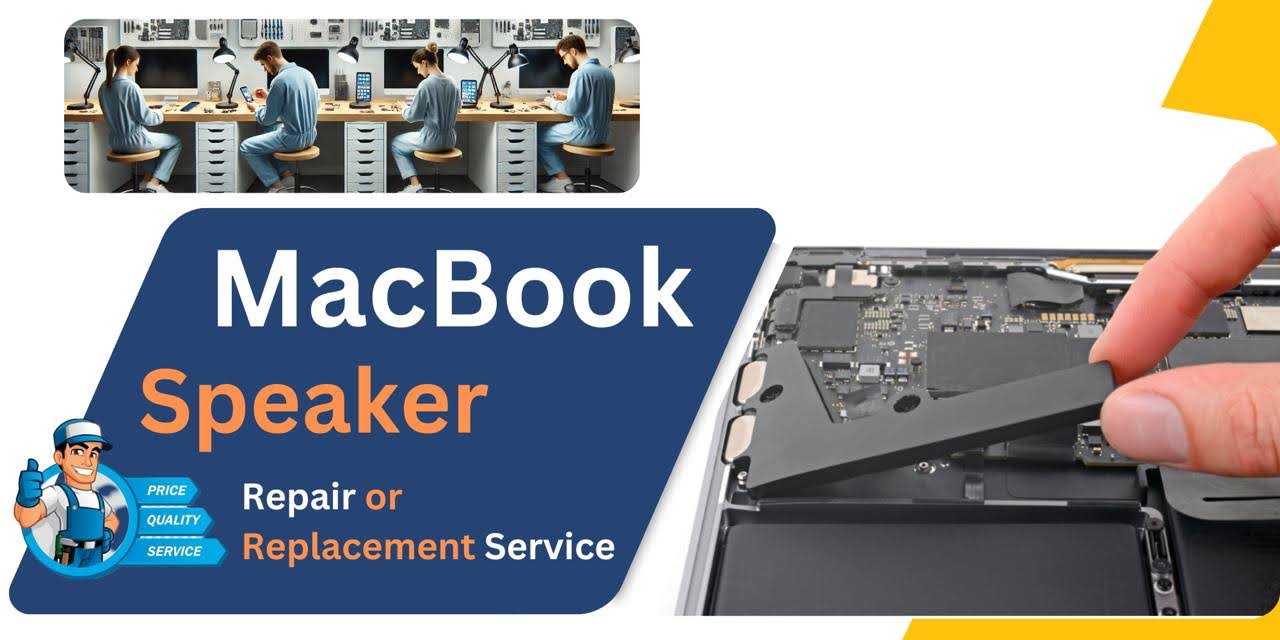
MacBook Pro (2018) A1990 Speaker
We offer expert MacBook Pro (2018) A1990 Speaker replacement service at iCare Apple in Bangladesh. If your MacBook’s sound is distorted, low, or completely silent, our skilled technicians provide fast and reliable solutions using high-quality parts. Enjoy clear, crisp audio again with our professional and affordable repair service.
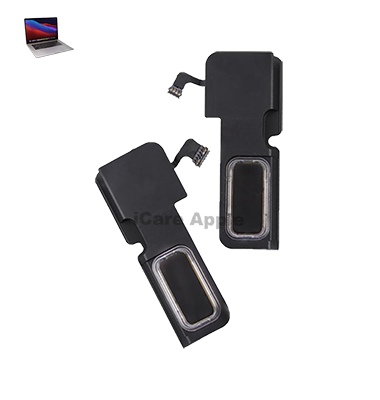
How to Identify When Your MacBook Pro (2018) A1990 Speaker Needs Replacement
Here are four signs that your MacBook Pro (2018) A1990 Speaker may need replacement:
Distorted Sound:
Crackling, buzzing, or muffled audio even at low volume signals Speaker damage.
Low Volume Output:
Noticeably reduced sound levels despite volume settings being high.
No Sound:
Complete audio failure even when other devices play sound properly.
Rattling Noise:
Unusual vibrations or rattling inside the MacBook when playing audio.
Our MacBook Pro (2018) A1990 Speaker Replacement Process
1. Diagnosis:
Our experts thoroughly inspect your MacBook to confirm Speaker issues like distortion, low volume, or no sound.
2. Estimate & Approval:
We provide a clear cost estimate and proceed only after your approval.
3. Speaker Replacement:
Using high-quality parts, we carefully replace the faulty Speaker to ensure perfect sound quality.
4. Testing & Quality Check:
After replacement, we run detailed tests to confirm the audio works flawlessly before handing your device back.

Choose iCare Apple for MacBook Pro (2018) A1990 Speaker replacement because we offer expert service, high-quality parts, and fast turnaround times. Our skilled technicians ensure your MacBook’s sound is restored perfectly. We focus on customer satisfaction, providing reliable and affordable repair solutions you can trust.
✌️Top Benefits of MacBook Pro (2018) A1990 Speaker Replacement at iCare Apple
Certified Technicians
Our technicians are certified and highly skilled, ensure repairs for your MacBook Pro (2018) A1990. We guarantee top-notch service for all Speaker replacements.
Original & High-Quality Parts
We use genuine Apple parts for MacBook Speaker replacements, ensuring optimal performance, durability, and preserving your MacBook's original quality for long-lasting results.
Quick and Efficient Service
At iCare Apple, we prioritize quick and efficient service, minimizing downtime. Our experienced team provides rapid, reliable Speaker repairs, so you can get back to using your MacBook without delay.

Tips & Tricks for MacBook Pro (2018) A1990 Speaker
👍 Adjust Sound Settings:
Customize sound settings in System Preferences to suit your preferences and environment. You can adjust volume, balance, and equalizer settings to enhance audio playback.
👍 Use Audio Enhancements:
Explore built-in audio enhancements, such as dynamic range compression and equalization, to improve sound quality and clarity. These features can help optimize audio playback for different types of content.
👍 Optimize Speaker Placement:
Place your MacBook Pro on a stable surface to ensure optimal Speaker performance. Avoid blocking Speaker grilles or covering them with objects to allow sound to travel freely.
👍 Keep Speakers Clean:
Regularly clean Speaker grilles and surrounding areas to prevent dust and debris buildup. Use a soft brush or compressed air to gently remove particles that may affect sound quality.
👍 Avoid Maximum Volume:
While the Speakers of the MacBook Pro (2018) A1990 can deliver powerful sound, avoid listening at maximum volume for extended periods to prevent distortion and potential damage to the Speakers.
👍 Use External Speakers:
Consider connecting external Speakers or headphones for enhanced audio quality and volume. External Speakers can provide a richer sound experience for music, movies, and multimedia content.
👍 Enable Sound Balance:
Adjust sound balance settings to ensure equal distribution of audio between the left and right Speakers. This can help improve stereo imaging and create a more immersive listening experience.
👍 Update Audio Drivers:
Keep audio drivers and system software up to date to ensure compatibility, stability, and performance improvements. Software updates may also address known issues and enhance Speaker functionality.
👍 Optimize Audio Sources:
Use high-quality audio sources, such as lossless music files or high-definition video content, to maximize Speaker performance. Higher-quality audio sources can result in clearer and more detailed sound reproduction.
👍 Experiment with EQ Settings:
Experiment with different equalizer settings to customize sound output according to your preferences and listening environment. Adjust bass, treble, and midrange frequencies to tailor sound to your liking.
By following these tips and incorporating them into your audio setup, you can optimize the performance of the Speakers on your MacBook Pro (2018) A1990 and enjoy a richer and more immersive audio experience.
What Our Customers Are Saying About Our MacBook Pro (2018) A1990 Speaker Replacement Service
Bijoy Saha
iCare Apple replaced my MacBook Pro’s Speaker quickly and perfectly. The sound quality is back to crystal clear!
Fariya Nusrat
Excellent service! My MacBook’s Speaker issue was resolved fast, and the audio is better than ever.
Saif Rahman
I’m really happy with iCare Apple’s Speaker replacement service. Professional, fast, and very affordable!
Tania Afrin
The team at iCare Apple did an amazing job fixing my MacBook’s Speaker. Now it sounds brand new again!
Your Trust is Our Strength
Why Timely MacBook Speaker Replacement is Essential
Timely MacBook Pro (2018) A1990 Speaker replacement is essential to maintain clear audio quality and prevent further internal damage. Ignoring sound issues like distortion or no output can affect your overall user experience and indicate deeper hardware problems. Quick replacement ensures your MacBook stays in perfect working condition.
Visit iCare Apple in Dhaka for Professional MacBook Repairs
Located at the heart of Dhaka, iCare Apple offers top-notch repair services for all MacBook models. Our team is committed to providing quality repairs, and we stand by our work. So, if your MacBook Pro (2018) A1990 needs a Speaker replacement, visit iCare Apple and experience professional service from trusted experts.
Ensure the longevity and performance of your MacBook Pro (2018) A1990 by opting for quality Speaker replacement services at iCare Apple.
FAQ
1. How do I know if my MacBook Pro (2018) A1990 Speaker needs replacement?
If you hear distorted, low, or no sound, your Speaker likely needs replacement.
2. How long does the Speaker replacement take?
Speaker replacement usually takes few hours depending on availability.
3. Do you use original Speakers for replacement?
We use high-quality, compatible parts to ensure top audio performance.
4. Will my MacBook’s sound quality be the same after replacement?
Yes, we ensure your MacBook’s sound is fully restored to its original clarity.
5. Is there a warranty on Speaker replacement?
Yes, we offer a warranty on our Speaker replacement service for your peace of mind.
6. What causes MacBook Speakers to get damaged?
Frequent high volume, liquid spills, or internal hardware issues can damage Speakers.
7. Do I need to back up my data before Speaker replacement?
It’s not required, but we always recommend backing up your data for safety.
8. Can I continue using my MacBook with a faulty Speaker?
You can, but it’s best to replace it early to avoid further hardware damage.