

MacBook Pro (2019) A1990 Display
At iCare Apple, we offer expert MacBook Pro (2019) A1990 Display Repair & Replacement services in Bangladesh. Our skilled technicians provide quick and reliable solutions for cracked screens, Display malfunctions, and other issues. Trust us to restore your MacBook’s Display to its original quality with top-notch service.
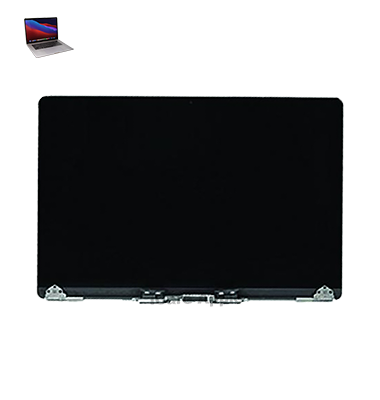
How to Identify When Your MacBook Pro (2019) A1990 Display Needs Replacement
Here are four signs that your MacBook Pro (2019) A1990 Display may need replacement:
Flickering or Lines on Screen:
Persistent screen flickering or colored lines indicate potential Display failure.
Cracked or Broken Screen:
Physical damage, like cracks or shattered glass, calls for replacement.
Dim or Dead Pixels:
Unresponsive pixels or areas that remain black can signal Display issues.
Distorted Color or Image:
Unusual colors or distorted images may indicate a malfunctioning Display.
Our MacBook Pro (2019) A1990 Display Replacement Process
1. Diagnosis
Our technicians perform a thorough check to identify the issue with your MacBook Pro’s Display.
2. Part Sourcing
We source genuine replacement parts to ensure optimal performance and quality.
3. Repair or Replacement
We carefully repair or replace the Display, depending on the issue identified.
4. Quality Test
After replacement, we test the new Display to ensure it functions perfectly before returning your MacBook.

Choose iCare Apple for your MacBook Pro (2019) A1990 Display repair and replacement because we provide expert service, use high-quality parts, offer quick turnaround, and ensure customer satisfaction. Our skilled technicians handle your device with care, delivering reliable and affordable solutions in Dhaka, Bangladesh.
✌️Top Benefits of MacBook Pro (2019) A1990 Display Replacement at iCare Apple
Certified Technicians
Our technicians are certified and highly skilled, ensure repairs for your MacBook Pro (2019) A1990. We guarantee top-notch service for all Display replacements.
Original & High-Quality Parts
We use genuine Apple parts for MacBook Display replacements, ensuring optimal performance, durability, and preserving your MacBook's original quality for long-lasting results.
Quick and Efficient Service
At iCare Apple, we prioritize quick and efficient service, minimizing downtime. Our experienced team provides rapid, reliable Display repairs, so you can get back to using your MacBook without delay.

Tips & Tricks for MacBook Pro (2019) A1990 Display
👍 Enable True Tone:
Take advantage of True Tone technology on your MacBook Pro (2019) A1990 to automatically adjust the color temperature of the Display based on ambient lighting conditions. This provides a more natural viewing experience and reduces eye strain.
👍 Customize Display Resolution:
Adjust the Display resolution settings in System Preferences to optimize the balance between screen real estate and text/image clarity on your MacBook Pro (2019) A1990. Choose a resolution that suits your workflow and preferences.
👍 Utilize Night Shift:
Activate Night Shift mode on your MacBook Pro (2019) A1990 to reduce blue light emissions from the Display during evening hours. This helps promote better sleep quality by minimizing disruptions to your circadian rhythm.
👍 Calibrate Display Color:
Calibrate the color profile of your MacBook Pro (2019) A1990 Display using built-in calibration tools or third-party software to ensure accurate color reproduction for professional tasks such as photo editing or graphic design.
👍 Adjust Brightness and Contrast:
Fine-tune the brightness and contrast settings of your MacBook Pro (2019) A1990 Display to suit your viewing environment and personal preferences. Lower brightness levels in dimly lit environments to reduce eye strain.
👍 Clean the Display Regularly:
Keep the Display of your MacBook Pro (2019) A1990 clean by gently wiping it with a microfiber cloth to remove dust, smudges, and fingerprints. Avoid using harsh chemicals or abrasive materials that may damage the Display coating.
👍 Use Dark Mode:
Switch to Dark Mode in System Preferences to invert the color scheme of your MacBook Pro (2019) A1990 Display, reducing eye strain and enhancing visibility in low-light environments. Dark Mode can also help conserve Battery power on OLED-equipped models.
👍 Maximize Screen Real Estate:
Take advantage of full-screen mode and split-screen multitasking features on your MacBook Pro (2019) A1990 to maximize screen real estate and multitask more efficiently. Use Mission Control to organize and navigate between multiple desktops and applications.
👍 Invest in External Displays:
Expand your workspace and productivity by connecting external Displays to your MacBook Pro (2019) A1990. Choose high-resolution Displays with accurate color reproduction and ergonomic adjustments to complement your workflow.
👍 Protect the Display:
Use a screen protector or carry case to protect the Display of your MacBook Pro (2019) A1990 from scratches, dents, and other physical damage. Handle the laptop with care to avoid accidental drops or impacts that could damage the Display panel.
What Our Customers Are Saying About Our MacBook Pro (2019) A1990 Display Replacement Service
Esha Akter
I’m very impressed with iCare Apple’s quick and professional Display replacement service for my MacBook. The quality is exceptional!
Minhaz Alvi
My MacBook’s Display was fixed within a day, and it looks as good as new. I’m so happy with the service at iCare Apple.
Khondokar Bashir
The Display repair at iCare Apple was flawless, and the staff was very helpful throughout the process. Highly recommended!
Miftahul Jannat
iCare Apple’s team replaced my MacBook’s Display efficiently and at a great price. I’m thoroughly satisfied with their service.
Your Trust is Our Strength
Why Timely MacBook Display Replacement is Essential
Timely repair and replacement of your MacBook Pro (2019) A1990 Display is crucial to maintain screen functionality, prevent further damage, and avoid costly repairs. A damaged Display can affect productivity and user experience. Addressing issues quickly ensures optimal performance and helps protect other components from potential harm.
Visit iCare Apple in Dhaka for Professional MacBook Repairs
Located at the heart of Dhaka, iCare Apple offers top-notch repair services for all Macbook models. Our team is committed to providing quality repairs, and we stand by our work. So, if your MacBook Pro (2019) A1990
needs a Display replacement, visit iCare Apple and experience professional service from trusted experts.
Ensure the longevity and performance of your MacBook Pro (2019) A1990
by opting for quality Display replacement services at iCare Apple.
FAQ
1. How do I know if my MacBook Pro (2019) A1990 Display needs replacement?
If you notice screen flickering, dead pixels, or cracks, it may need replacement.
2. What is the cost of Display repair or replacement?
The cost varies depending on the extent of the damage; please contact us for a quote.
3. How long does it take to repair or replace the Display?
Typically, repairs take 1-2 days, depending on the issue and availability of parts.
4. Will my data be safe during the repair?
Yes, your data will remain secure throughout the repair process.
5. Is the replacement screen genuine?
We use high-quality, original screens for all replacements.
6. Do you offer a warranty on the Display replacement?
Yes, we provide a warranty on all our repair and replacement services.
7. Do I need to back up my data before bringing in my device?
While it’s always recommended, we take precautions to ensure your data is safe.
8. Can I get an estimate before replacing the Display?
Yes, we provide an initial diagnosis and cost estimate before proceeding.