
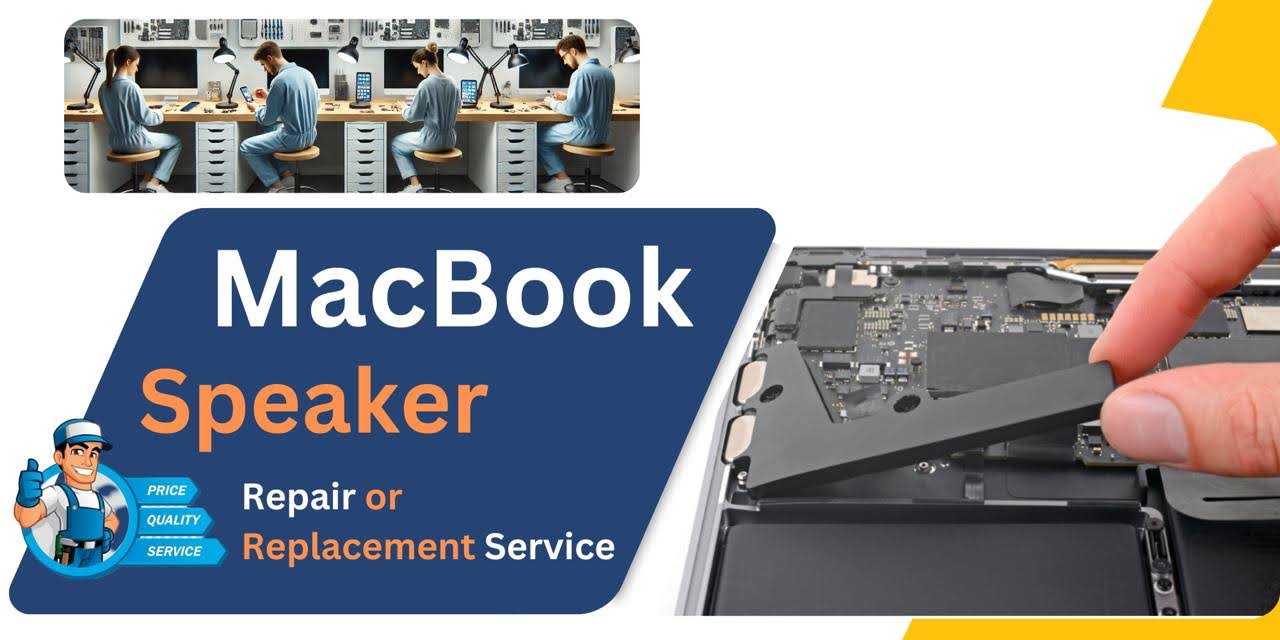
MacBook Pro (2019) A1990 Speaker
At iCare Apple, we offer expert MacBook Pro (2019) A1990 Speaker replacement services in Bangladesh. Our skilled technicians use high-quality parts to restore crystal-clear sound quality to your device. Whether it’s muffled sound or complete Speaker failure, trust us for reliable and efficient repairs to get your MacBook back to its best.
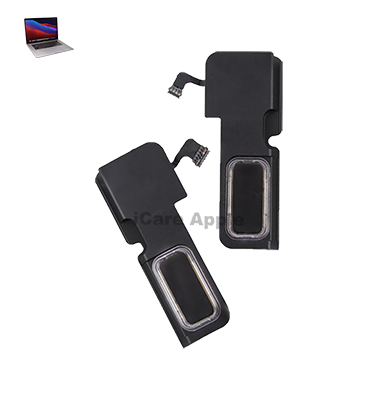
How to Identify When Your MacBook Pro (2019) A1990 Speaker Needs Replacement
Here are four signs that your MacBook Pro (2019) A1990 Speaker may need replacement:
Muffled or Distorted Sound:
The audio becomes unclear or distorted, even at high volume.
No Sound Output:
The Speaker produces no sound, even when the volume is turned up.
Crackling or Static Noise:
You hear crackling or static noises when playing audio.
Low or Inconsistent Volume:
The sound volume fluctuates or is very low, even at maximum settings.
Our MacBook Pro (2019) A1990 Speaker Replacement Process
1. Diagnosis:
We thoroughly inspect your MacBook to identify Speaker issues and confirm the need for replacement.
2. Parts Sourcing:
We use genuine, high-quality Speaker components to ensure optimal performance.
3. Replacement:
Our technicians carefully replace the faulty Speaker with precision to avoid any damage to other components.
4. Testing:
After installation, we test the new Speaker to ensure it delivers clear, consistent sound and meets performance standards.

Choose iCare Apple for your MacBook Pro (2019) A1990 Speaker replacement for expert service and high-quality parts. Our skilled technicians ensure clear, crisp audio restoration and fast repairs. We prioritize customer satisfaction, providing reliable and professional solutions to get your MacBook back to optimal sound performance.
✌️Top Benefits of MacBook Pro (2019) A1990 Speaker Replacement at iCare Apple
Certified Technicians
Our technicians are certified and highly skilled, ensure repairs for your MacBook Pro (2019) A1990. We guarantee top-notch service for all Speaker replacements.
Original & High-Quality Parts
We use genuine Apple parts for MacBook Speaker replacements, ensuring optimal performance, durability, and preserving your MacBook's original quality for long-lasting results.
Quick and Efficient Service
At iCare Apple, we prioritize quick and efficient service, minimizing downtime. Our experienced team provides rapid, reliable Speaker repairs, so you can get back to using your MacBook without delay.

Tips & Tricks for MacBook Pro (2019) A1990 Speaker
👍 Adjust Audio Settings:
Explore the Sound settings in System Preferences to customize audio output on your MacBook Pro (2019) A1990. Adjust volume levels, balance, and audio enhancements to optimize sound quality according to your preferences.
👍 Use Equalizer Settings:
Experiment with the built-in Equalizer settings in macOS to fine-tune audio playback on your MacBook Pro (2019) A1990. Adjust frequency bands to enhance bass, treble, or midrange frequencies for a personalized listening experience.
👍 Position Your MacBook Properly:
Position your MacBook Pro (2019) A1990 on a stable surface and ensure that the Speakers are not obstructed by objects or surfaces. Placing the laptop on a hard, flat surface can help maximize sound projection and clarity.
👍 Use External Speakers or Headphones:
For enhanced audio quality or privacy, consider using external Speakers or headphones with your MacBook Pro (2019) A1990. Connect high-quality Speakers or headphones via Bluetooth or the headphone jack for improved sound fidelity.
👍 Keep Speakers Clean:
Regularly clean the Speaker grilles of your MacBook Pro (2019) A1990 to prevent dust, debris, and dirt buildup. Use a soft brush or compressed air to remove particles and maintain optimal sound quality.
👍 Avoid Maximum Volume for Extended Periods:
Avoid listening to audio at maximum volume for prolonged periods on your MacBook Pro (2019) A1990, as this can lead to Speaker distortion and potential damage. Set volume levels to a comfortable level to protect your hearing and prolong Speaker lifespan.
👍 Update Audio Drivers:
Keep your MacBook Pro (2019) A1990 up to date with the latest macOS updates to ensure compatibility with the latest audio drivers and enhancements. Software updates may include fixes for Speaker-related issues and improvements to audio performance.
👍 Use Sound Enhancements:
Explore third-party audio enhancement software or apps available for macOS to further enhance sound quality on your MacBook Pro (2019) A1990. Experiment with features such as surround sound, virtualization, or audio presets to customize your listening experience.
👍 Optimize Audio Playback Settings:
Adjust audio playback settings in media player apps or streaming services to optimize sound quality on your MacBook Pro (2019) A1990. Experiment with bitrate settings, audio codecs, or streaming quality options for improved audio fidelity.
👍 Listen in a Quiet Environment:
For optimal audio enjoyment, listen to audio on your MacBook Pro (2019) A1990 in a quiet environment free from background noise or distractions. Minimize ambient noise to enhance sound clarity and immersion during audio playback.
What Our Customers Are Saying About Our MacBook Pro (2019) A1990 Speaker Replacement Service
Belayet Hossen
The Speaker replacement was done quickly and professionally. My MacBook’s sound is crystal clear now!
Fariha Sultana
Excellent service at iCare Apple! The Speaker replacement was smooth, and my MacBook is sounding great again.
Monirul Islam Mithu
Very satisfied with the Speaker replacement process. Fast, reliable, and my MacBook works perfectly now.
Shahnaz Begum
The team handled the Speaker replacement with great care. My MacBook sounds as good as new!
Your Trust is Our Strength
Why Timely MacBook Speaker Replacement is Essential
Timely MacBook Pro (2019) A1990 Speaker replacement is essential to maintain clear, high-quality audio performance. Ignoring Speaker issues can lead to more complex damage, affecting the overall functionality of your device. Early replacement ensures better sound quality and prevents additional costs from further damage to internal components.
Visit iCare Apple in Dhaka for Professional MacBook Repairs
Located at the heart of Dhaka, iCare Apple offers top-notch repair services for all Macbook models. Our team is committed to providing quality repairs, and we stand by our work. So, if your MacBook Pro (2019) A1990
needs a Speaker replacement, visit iCare Apple and experience professional service from trusted experts.
Ensure the longevity and performance of your MacBook Pro (2019) A1990
by opting for quality Speaker replacement services at iCare Apple.
FAQ
1. How long does the Speaker replacement take?
It usually takes a few hours, depending on the issue and part availability.
2. Do I need to make an appointment for Speaker replacement?
While not required, we recommend booking an appointment for quicker service.
3. Are original parts used for the replacement?
Yes, we use genuine parts for all Speaker replacements.
4. How much does the Speaker replacement cost?
The cost depends on the issue; please contact us for a detailed quote.
5. Will replacing the Speaker affect my data?
No, the Speaker replacement does not impact your data.
6. Is there a warranty on the Speaker replacement?
Yes, we offer a warranty on the replacement parts and service.
7. Can I replace the Speaker myself?
It’s recommended to get professional service to avoid damage and ensure proper installation.
8. How do I know if my Speaker needs replacement?
Signs include distorted sound, no sound, or low and inconsistent volume.