

MacBook Pro (2020) A2141 Display
We offer expert MacBook Pro (2020) A2141 Display repair and replacement services in Bangladesh. Whether your screen is cracked, flickering, or unresponsive, our skilled technicians provide a fast and efficient solution. Visit iCare Apple for high-quality Display replacement with reliable service at an affordable price.
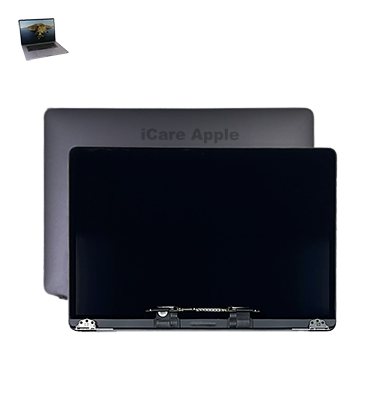
How to Identify When Your MacBook Pro (2020) A2141 Display Needs Replacement
Here are four points to identify when your MacBook Pro (2020) A2141 Display needs replacement:
Visible Cracks or Damage:
Any visible cracks or physical damage on the screen are signs it needs replacing.
Flickering or Dimming:
Persistent flickering, dimming, or backlight issues may indicate Display failure.
Unresponsive Screen:
A screen that doesn’t respond to touch or has dead spots may need replacement.
Color Distortion:
Distorted colors or blurry visuals that cannot be fixed by adjusting settings suggest screen malfunction.
Our MacBook Pro (2020) A2141 Display Replacement Process
1. Diagnosis:
Our technicians thoroughly inspect your Display to identify any damage or underlying issues.
2. Replacement Consultation:
We discuss the best solution, whether a full replacement or specific part repair.
3. Replacement Execution:
Using high-quality OEM parts, we replace the Display with precision.
4. Final Testing:
We ensure the new Display functions properly, offering a warranty on the repair.

Choose iCare Apple for MacBook Pro (2020) A2141 Display repair and replacement because we provide expert technicians, high-quality parts, and fast, reliable service. We ensure your device’s performance and longevity with precise repairs at competitive prices, all while maintaining your warranty and offering a customer-first approach.
✌️Top Benefits of MacBook Pro (2020) A2141 Display Replacement at iCare Apple
Certified Technicians
Our technicians are certified and highly skilled, ensure repairs for your MacBook Pro (2020) A2141. We guarantee top-notch service for all Display replacements.
Original & High-Quality Parts
We use genuine Apple parts for MacBook Display replacements, ensuring optimal performance, durability, and preserving your MacBook's original quality for long-lasting results.
Quick and Efficient Service
At iCare Apple, we prioritize quick and efficient service, minimizing downtime. Our experienced team provides rapid, reliable Display repairs, so you can get back to using your MacBook without delay.

Tips & Tricks for MacBook Pro M2 (2022) A2338 Display
👍 Enable True Tone:
Utilize the True Tone feature in System Preferences to automatically adjust the color temperature of the Display based on ambient lighting conditions, providing a more comfortable viewing experience.
👍 Adjust Brightness:
Optimize Display brightness settings to suit your environment and preferences. Lower brightness levels in dimly lit areas to reduce eye strain, and increase brightness when working in well-lit environments for better visibility.
👍 Use Night Shift:
Enable Night Shift mode in System Preferences to reduce blue light exposure from the Display during evening hours, promoting better sleep quality. Customize the schedule and intensity of Night Shift to align with your daily routine.
👍 Calibrate Display Color:
Calibrate the Display color profile using built-in macOS calibration tools or third-party calibration software to ensure accurate color reproduction and consistency across different applications and devices.
👍 Avoid Direct Sunlight:
Minimize exposure of the MacBook Pro 2020 A2141 Display to direct sunlight, as prolonged exposure can cause glare, reflections, and potential damage to the Display panel. Position the laptop away from windows or use window blinds to reduce glare.
👍 Clean the Display Regularly:
Gently clean the Display surface with a soft, lint-free cloth dampened with water or a mild cleaning solution to remove dust, fingerprints, and smudges. Avoid using harsh chemicals or abrasive materials that may scratch the Display.
👍 Use Screen Saver:
Enable a screen saver in System Preferences to prevent static images from being Displayed for extended periods, reducing the risk of screen burn-in and prolonging the lifespan of the Display panel.
👍 Avoid Display Compression:
Minimize the use of Display compression techniques, such as scaling or stretching, as they can reduce image quality and clarity. Use the MacBook Pro 2020 A2141 at its native resolution whenever possible for the best visual experience.
👍 Check for Dead Pixels:
Periodically inspect the Display for dead pixels or stuck pixels using online pixel-checking tools or specialized software. Dead pixels appear as black or colored dots and may require Display replacement if present.
👍 Handle with Care:
Handle the MacBook Pro 2020 A2141 with care to avoid physical damage to the Display. Close the laptop gently, avoid placing heavy objects on the closed lid, and use a protective case or sleeve when transporting the device to prevent scratches and impact damage.
What Our Customers Are Saying About Our MacBook Pro (2020) A2141 Display Replacement Service
Zaylan Faris
The service at iCare Apple was quick and efficient. My MacBook Pro’s Display is as good as new now.
Kairos Ashraf
Very satisfied with the Display replacement. The technicians were professional, and my MacBook was ready in no time.
Rivaan Zahir
Excellent service from iCare Apple. The Display replacement process was smooth, and my MacBook is working perfectly now.
Darwin Khalil
iCare Apple provided amazing service for my MacBook Pro Display. Quick, reliable, and professional—highly recommend them!
Your Trust is Our Strength
Why Timely MacBook Display Replacement is Essential
Timely repair and replacement of the MacBook Pro (2020) A2141 Display is crucial to maintain optimal performance. A damaged screen can impact productivity and cause further damage, affecting other internal components. Swift action ensures better screen clarity, prevents long-term issues, and keeps your device functioning smoothly.
Visit iCare Apple in Dhaka for Professional MacBook Repairs
Located at the heart of Dhaka, iCare Apple offers top-notch repair services for all Macbook models. Our team is committed to providing quality repairs, and we stand by our work. So, if your MacBook Pro (2020) A2141 needs a Display replacement, visit iCare Apple and experience professional service from trusted experts.
Ensure the longevity and performance of your MacBook Pro (2020) A2141 by opting for quality Display replacement services at iCare Apple.
FAQ
1. How long does the MacBook Pro (2020) A2141 Display replacement take?
It usually takes 2-3 hours for the replacement process.
2. What is the cost of MacBook Pro (2020) A2141 Display replacement?
The cost varies based on the extent of damage and parts used.
3. Do I need an appointment for Display replacement?
It’s recommended to book an appointment for faster service.
4. Will replacing the Display affect my MacBook’s warranty?
Yes, replacing the Display will void your MacBook’s warranty, it’s best to check with apple authorised service provider for warranty protection.
5. Is there a warranty on the Display replacement?
Yes, we offer a warranty on the replaced Display and the service.
6. Can I use my MacBook while waiting for the Display replacement?
It’s better to avoid using it during the repair process for safety reasons.
7. Do you offer same-day MacBook Display replacements?
Yes, same-day replacement is available depending on parts availability.
8. What if my MacBook Display has only minor damage?
We can assess the damage and suggest whether a repair or full replacement is necessary.