
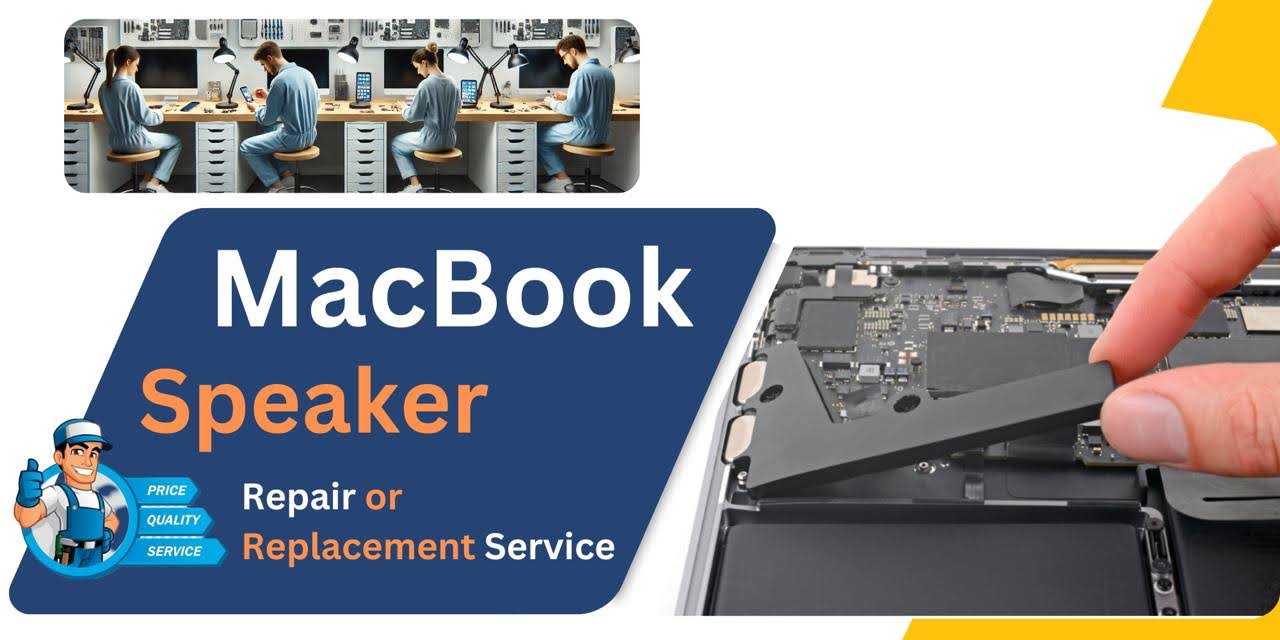
MacBook Pro (2020) A2141 Speaker
At iCare Apple, we provide expert MacBook Pro (2020) A2141 Speaker replacement services in Bangladesh. Our skilled technicians ensure high-quality, precise replacements to restore your audio experience. Visit us in Dhaka for fast, reliable service and bring your MacBook’s sound back to life with our professional care!
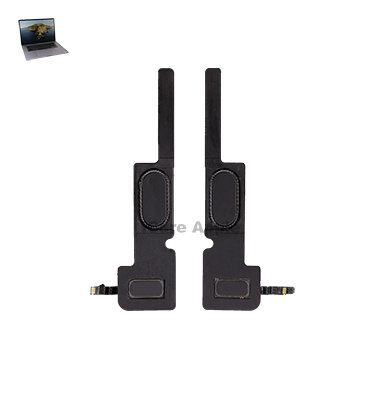
How to Identify When Your MacBook Pro (2020) A2141 Speaker Needs Replacement
Here are four signs your MacBook Pro (2020) A2141 Speaker may need replacement:
Distorted Sound:
Audio may sound muffled, crackly, or distorted even at low volume levels.
No Sound:
The Speakers fail to produce any sound, even when the volume is turned up.
Unbalanced Audio:
One Speaker may produce sound while the other remains silent or has reduced volume.
Low Volume:
The audio is significantly quieter than usual, even when set to maximum volume.
Our MacBook Pro (2020) A2141 Speaker Replacement Process
1. Diagnosis:
We start by diagnosing the Speaker issue to confirm if a replacement is necessary.
2. Part Sourcing:
We use high-quality, compatible replacement parts to ensure optimal sound performance.
3. Speaker Replacement:
Our technicians carefully remove the damaged Speaker and install the new one.
4. Testing:
After installation, we thoroughly test the new Speaker to ensure it works flawlessly and meets your expectations.

Choose iCare Apple for your MacBook Pro (2020) A2141 Speaker replacement for professional service, high-quality parts, and quick turnaround. Our skilled technicians ensure precise, reliable repairs that restore your MacBook’s audio to its best. Trust iCare Apple for top-notch service and customer satisfaction in Bangladesh.
✌️Top Benefits of MacBook Pro (2020) A2141 Speaker Replacement at iCare Apple
Certified Technicians
Our technicians are certified and highly skilled, ensure repairs for your MacBook Pro (2020) A2141. We guarantee top-notch service for all Speaker replacements.
Original & High-Quality Parts
We use genuine Apple parts for MacBook Speaker replacements, ensuring optimal performance, durability, and preserving your MacBook's original quality for long-lasting results.
Quick and Efficient Service
At iCare Apple, we prioritize quick and efficient service, minimizing downtime. Our experienced team provides rapid, reliable Speaker repairs, so you can get back to using your MacBook without delay.

Tips & Tricks for MacBook Pro (2020) A2141 Speaker
👍 Keep Speakers Clean:
Regularly clean the Speaker grilles and surrounding areas to remove dust and debris that may affect sound quality. Use a soft brush or compressed air to gently clean the Speakers without causing damage.
👍 Adjust Sound Settings:
Experiment with sound settings in System Preferences to customize audio output according to your preferences. Adjust the balance, equalizer settings, and sound effects to optimize the audio experience for different types of content.
👍 Use External Speakers:
For enhanced audio quality and volume, consider connecting external Speakers or headphones to the MacBook Pro 2020 A2141. This can provide a richer audio experience for music, movies, and gaming.
👍 Optimize Speaker Placement:
Position the MacBook Pro 2020 A2141 on a stable surface and avoid obstructing the Speaker grilles to allow for optimal sound dispersion. Elevating the laptop slightly may also improve audio projection and clarity.
👍 Avoid Overloading Speakers:
Be mindful of volume levels and avoid cranking up the volume to maximum for extended periods, as this can lead to distortion and damage to the Speakers. Keep volume levels within a comfortable range to preserve audio quality.
👍 Update Audio Drivers:
Ensure that audio drivers are up to date by regularly checking for updates in System Preferences or through the App Store. Updated drivers may improve audio performance and address compatibility issues with the MacBook Pro 2020 A2141.
👍 Use Sound Enhancements:
Explore third-party sound enhancement software or audio plugins to enhance the audio output of the MacBook Pro 2020 A2141 Speakers. These tools can provide additional features such as surround sound, bass boost, and spatial audio effects.
👍 Optimize Audio Formats:
Choose audio formats and codecs that are compatible with the MacBook Pro 2020 A2141 Speakers to ensure optimal playback quality. Use high-quality audio files and formats for the best audio experience.
👍 Minimize Background Noise:
Minimize background noise in your environment to improve the clarity and immersion of audio playback on the MacBook Pro 2020 A2141 Speakers. Create a quiet workspace or use noise-canceling headphones for focused listening.
👍 Monitor Speaker Health:
Monitor the health of the Speakers by regularly testing audio output and listening for any abnormalities such as distortion, buzzing, or rattling. If you notice any issues, seek professional assistance for diagnosis and repair.
What Our Customers Are Saying About Our MacBook Pro (2020) A2141 Speaker Replacement Service
Ahmed Shaheen
The Speaker replacement at iCare Apple was quick and efficient. My MacBook's sound is crystal clear now!
Bashar Bhuiyan
Excellent service and professional team! The Speaker replacement restored my MacBook’s audio perfectly.
Md. Hasan
iCare Apple did a fantastic job with the Speaker replacement. The sound quality is back to normal!
Hasan Moin Uddin
Very satisfied with the Speaker replacement. iCare Apple’s team provided fast and reliable service!
Your Trust is Our Strength
Why Timely MacBook Speaker Replacement is Essential
Timely MacBook Pro (2020) A2141 Speaker replacement is essential to maintain optimal audio performance and prevent further damage. Delaying the replacement can lead to worsened sound issues or additional complications. Prompt replacement ensures clear, high-quality audio, enhancing your overall user experience and extending the lifespan of your MacBook.
Visit iCare Apple in Dhaka for Professional MacBook Repairs
Located at the heart of Dhaka, iCare Apple offers top-notch repair services for all Macbook models. Our team is committed to providing quality repairs, and we stand by our work. So, if your MacBook Pro (2020) A2141 needs a Speaker replacement, visit iCare Apple and experience professional service from trusted experts.
Ensure the longevity and performance of your MacBook Pro (2020) A2141 by opting for quality Speaker replacement services at iCare Apple.
FAQ
1. How long does the Speaker replacement take?
The replacement typically takes a few hours, depending on the service volume.
2. Is the Speaker replacement covered by a warranty?
Yes, we offer a warranty on the Speaker replacement service.
3. Do I need to schedule an appointment?
While appointments are not required, booking in advance can speed up the process.
4. Are the replacement Speakers original?
We use high-quality, compatible replacement Speakers to ensure optimal performance.
5. Can I get the Speaker replaced on the same day?
Yes, we strive to complete Speaker replacements within the same day.
6. Will my data be affected during the replacement?
No, your data remains safe as we only replace the Speaker.
7. How much does the Speaker replacement cost?
The cost varies depending on the issue; contact us for an estimate.
8. What should I do if there is no sound from the Speakers?
Visit iCare Apple for a diagnosis to determine if a replacement is necessary.