

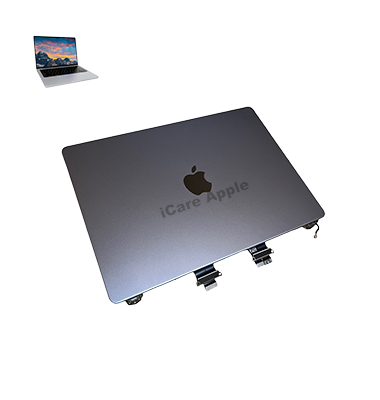
MacBook Pro M1 (2021) A2442 Display
We provide professional MacBook Pro M1 (2021) A2442 Display repair and replacement services in Bangladesh. Whether your screen has cracks, flickering, or dead pixels, we ensure a fast and reliable solution. Visit iCare Apple for expert service, quality parts, and same-day repair to restore your MacBook’s Display to perfection.
How to Identify When Your MacBook Pro M1 (2021) A2442 Display Needs Replacement
Here are four signs to identify when your MacBook Pro M1 (2021) A2442 Display needs replacement:
Flickering or Unresponsive Screen:
If your Display flickers intermittently or fails to respond to touch and movements, it may indicate internal damage.
Cracked or Damaged Screen:
Visible cracks, scratches, or dents affecting the screen can impair functionality and worsen over time.
Color Distortion:
A Display with strange colors or patches that distort images and text is a sign of damage that requires replacement.
Dead Pixels:
If you notice black spots or lines that don’t change with screen activity, it’s often a result of malfunctioning pixels that need a screen replacement.
Our MacBook Pro M1 (2021) A2442 Display Repair & Replacement Process
1. Diagnosis:
Our experts assess the Display’s condition, identifying issues like cracks, dead pixels, or color distortions.
2. Replacement Estimate:
We provide a transparent quote for the repair or replacement based on the damage.
3. Display Replacement:
Using genuine parts, we replace the faulty Display, ensuring seamless functionality and high-quality visuals.
4. Testing & Quality Check:
We perform rigorous tests to ensure the new Display functions perfectly before handing it back to you.

Why Choose iCare Apple for MacBook Pro M1 (2021) A2442 Display Repair & Replacement!?
Choose iCare Apple for your MacBook Pro M1 (2021) A2442 Display repair and replacement because we provide expert technicians, genuine parts, fast service, and a customer-focused approach. Our commitment to quality ensures your MacBook receives top-tier care, restoring it to optimal performance with a reliable warranty.
Top Benefits of MacBook Pro M1 (2021) A2442 Display Repair & Replacement at iCare Apple
Certified Technicians
Our technicians are certified and highly skilled, ensure repairs for your MacBook Pro M1 (2021) A2442. We guarantee top-notch service for all Display repairs and replacements.
Original & High-Quality Parts
We use genuine Apple parts for MacBook Display replacements, ensuring optimal performance, durability, and preserving your MacBook's original quality for long-lasting results.
Quick and Efficient Service
At iCare Apple, we prioritize quick and efficient service, minimizing downtime. Our experienced team provides rapid, reliable Display repairs, so you can get back to using your MacBook without delay.

Tips & Tricks for MacBook Pro M1 (2021) A2442 Display
👍 Calibrate Display Color:
Calibrate the display color settings on your MacBook Pro A2442 to ensure accurate color representation for tasks such as photo editing and graphic design. Use built-in macOS calibration tools or third-party color calibration software to adjust color temperature, gamma, and white balance according to your preferences.
👍 Adjust Brightness:
Customize the display brightness settings on your MacBook Pro A2442 to optimize visibility and reduce eye strain in different lighting conditions. Use the brightness slider in the Control Center or System Preferences to adjust brightness levels manually, or enable automatic brightness adjustment based on ambient light with the “Automatically adjust brightness” option.
👍 Enable Night Shift:
Reduce eye strain and improve sleep quality by enabling Night Shift on your MacBook Pro A2442 display. Night Shift automatically adjusts the color temperature of the display to reduce blue light exposure during evening hours, creating a warmer and more comfortable viewing experience.
👍 Use True Tone Technology:
Take advantage of True Tone technology on your MacBook Pro A2442 display to adapt the color temperature based on ambient lighting conditions. True Tone adjusts the display to match the surrounding environment, providing a more natural and consistent viewing experience across different lighting environments.
👍 Optimize Resolution:
Adjust the display resolution settings on your MacBook Pro A2442 to optimize clarity and sharpness for your specific workflow. Use the “Scaled” display resolution options in System Preferences to adjust the resolution to match your preferences and workload requirements.
👍 Customize Display Preferences:
Customize display preferences in macOS to enhance productivity and usability on your MacBook Pro A2442. Explore settings such as display arrangement, screen mirroring, and rotation lock to configure multiple displays or optimize screen layout for multitasking.
👍 Clean the Display:
Keep the display of your MacBook Pro A2442 clean and free from dust, fingerprints, and smudges to maintain optimal visual clarity. Use a microfiber cloth or screen cleaning solution to gently wipe the display surface, avoiding abrasive materials or harsh chemicals that may damage the screen.
👍 Avoid Screen Burn-in:
Prevent screen burn-in on your MacBook Pro A2442 display by minimizing the display of static images or persistent on-screen elements for extended periods. Use screen savers, sleep mode, or automatic display sleep settings to prevent static images from being displayed continuously.
👍 Protect Against Physical Damage:
Protect the display of your MacBook Pro A2442 from physical damage by using a screen protector, laptop sleeve, or carrying case. Avoid placing heavy objects on the closed laptop lid and handle the device with care to prevent scratches, dents, or cracks on the display surface.
👍 Monitor External Displays:
If using external displays with your MacBook Pro A2442, monitor display settings and configurations to ensure compatibility, resolution optimization, and proper connectivity. Use System Preferences or display control panels to adjust settings such as resolution, refresh rate, and screen mirroring for external monitors or projectors.
By following these tips and tricks, you can optimize the Display settings, visibility, and longevity of your MacBook Pro 2021 – A2442 Display, ensuring a comfortable and enjoyable viewing experience for your various tasks and activities.
What Our Customers Are Saying About Our MacBook Pro M1 (2021) A2442 Display Repair & Replacement Service
Hasan Towfiq
I had my MacBook Pro M1 Display replaced at iCare Apple. The service was quick, and the Display looks perfect.
Md. Abdus Samad
Amazing service at iCare Apple for my MacBook Pro Display replacement. It works like new, and I’m very satisfied.
Zamil Ahmed
The team at iCare Apple did an excellent job replacing my MacBook Pro M1 screen. Great quality and fast service.
Anik Paul
I’m impressed with the Display replacement service at iCare Apple. My MacBook Pro M1 looks and functions like it’s brand new.
Your Trust is Our Strength
Why Timely MacBook Display Repair & Replacement is Essential
Timely repair and replacement of your MacBook Pro M1 Display is essential to prevent further damage, maintain optimal performance, and ensure a smooth user experience. Ignoring Display issues can lead to more complex problems, affecting overall functionality and productivity, and potentially increasing repair costs in the future.
Visit iCare Apple in Dhaka for Professional MacBook Repairs
Located at the heart of Dhaka, iCare Apple offers top-notch repair services for all MacBook models. Our team is committed to providing quality repairs, and we stand by our work. So, if your MacBook Pro M1 (2021) A2442 needs a Display repair and replacement, visit iCare Apple and experience professional service from trusted experts.
Ensure the longevity and performance of your MacBook Pro M1 (2021) A2442 by opting for quality Display repair and replacement services at iCare Apple.
FAQ
1. What causes MacBook Pro M1 Display issues?
Display issues can stem from hardware malfunctions, accidental damage, or software glitches.
2. How do I know if my Display needs replacement?
If you experience screen flickering, dead pixels, black spots, or no display, it may need replacement.
3. How long does it take to replace a MacBook Pro M1 Display?
The replacement typically takes 2-3 business days, depending on the severity of the issue.
4. Do you provide a warranty on the replaced display?
Yes, we offer a limited warranty on display replacements.
5. Can I still use my MacBook if the Display is damaged?
Yes, but it may affect your ability to work efficiently.
6. How much does the Display replacement cost?
Costs vary depending on the extent of damage and the Display model.
7. Do you use genuine parts for the replacement?
Yes, we use genuine, high-quality parts for MacBook Pro M1 Display repairs.
8. How do I schedule a Display repair at iCare Apple?
You can book a repair through our website, phone, or by visiting our store directly.