

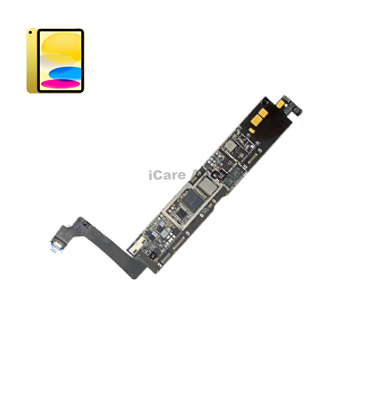
iPad 4th Gen 9.7” 2012 Motherboard
At iCare Apple, we offer reliable iPad 4th Gen 9.7” 2012 Motherboard repair and replacement services in Bangladesh. Our skilled technicians diagnose and fix complex issues with care. We ensure quality parts, timely service, and dedicated support to restore your device’s performance at a competitive price you can trust.
Motherboard
- 1 Year - Replacement Guaranty
- 30 Days - Money back Guaranty
- Replacement Time - 1 Hour
- Service Charge Included
- 24/7 support
How to Identify When Your iPad 4th Gen 9.7” 2012 Motherboard Needs Replacement
Here are four signs that your iPad 4th Gen 9.7” 2012 Motherboard may need replacement:
iPad Not Powering On
If your iPad shows no signs of life even after charging with a working cable, the Motherboard may be damaged.
Boot Loop or Apple Logo Stuck
Constant restarting or being stuck on the Apple logo typically signals internal board failure.
No Display but Sound Works
If you hear sounds or feel vibrations but the screen stays black, it can indicate a Motherboard issue.
Unresponsive Hardware or Overheating
When buttons, charging ports, or touch don’t respond—or the device overheats—your Motherboard might be at fault.

Our iPad 4th Gen 9.7” 2012 Motherboard Replacement Process
Diagnosis
We begin with a complete device inspection to confirm motherboard issues and rule out other faults.
Cost Confirmation
We explain the replacement cost and duration before proceeding for customer approval.
Replacement
Our technicians replace the faulty motherboard using original components with precision.
Final Testing
After replacement, we run full functionality tests to ensure the iPad works perfectly before handover.

Why Choose iCare Apple for iPad 4th Gen 9.7” 2012 Motherboard Repair & Replacement!?
Choose iCare Apple for iPad 4th Gen 9.7” 2012 Motherboard repair and replacement because we offer expert diagnostics, original parts, and skilled technicians. We ensure data safety, transparent pricing, and dedicated support to deliver dependable results. Trust us for a smooth, efficient, and professional service experience every time.
Top Benefits of iPad 4th Gen 9.7” 2012 Motherboard Repair & Replacement at iCare Apple
Certified Technicians
Our technicians are certified and highly skilled, ensure repairs for your iPad 4th Gen 9.7” 2012. We guarantee top-notch service for all Motherboard repair and replacements.
Original & High-Quality Parts
We use genuine Apple parts for iPad Motherboard replacements, ensuring optimal performance, durability, and preserving your iPad's original quality for long-lasting results.
Quick and Efficient Service
At iCare Apple, we prioritize quick and efficient service, minimizing downtime. Our experienced team provides rapid, reliable Motherboard repairs, so you can get back to using your iPad without delay.

Tips & Tricks
• Always Use Original Chargers
Third-party chargers may deliver inconsistent voltage. This can gradually damage the Motherboard’s circuits.
• Avoid Excessive Heat Exposure
Prolonged overheating stresses internal components. Keep your iPad away from direct sunlight and hot surfaces.
• Keep iOS Updated
Regular updates optimize system performance. Improved firmware helps reduce strain on the Motherboard.
• Shut Down Occasionally
Continuous use without shutdown builds thermal and electrical pressure. Rebooting helps reset internal operations.
• Charge Through a Surge Protector
Sudden power surges can fry Motherboard components. Use a quality surge protector during charging.
• Avoid Using While Charging
Using the device while charging increases temperature. This heats the board and shortens its lifespan.
• Protect from Drops and Shocks
Physical impact can crack solder points or internal lines. Use a shockproof case to prevent it.
• Limit Heavy App Multitasking
Running many apps strains memory and processing. This overworks the Motherboard constantly.
• Keep the iPad Clean and Dry
Moisture and dust can corrode connectors and traces. Store your device in a dry, clean space.
• Monitor Battery Health Regularly
A failing Battery delivers inconsistent power. This can severely harm the Motherboard over time.
Smart habits and preventive care can dramatically improve your iPad’s Motherboard lifespan.
What Our Customers Are Saying About Our iPad 4th Gen 9.7” 2012 Motherboard Repair & Replacement Service
Shahriar Hasan
The service at iCare Apple was smooth and reliable. My iPad 4th Gen motherboard was replaced perfectly within the promised time.
Lubna Ahmed
I’m impressed with their professionalism. The team explained everything clearly before replacing the motherboard of my iPad.
Zayan Rahman
Fast service and helpful staff at iCare Apple. My iPad is now working like new after the motherboard fix.
Fahmida Noor
iCare Apple did a great job with my iPad 4th Gen motherboard replacement. I highly recommend their service.
Your Trust is Our Strength
Why Timely iPad Motherboard Repair or Replacement is Essential
Timely iPad 4th Gen 9.7” 2012 Motherboard repair or replacement is essential to avoid sudden shutdowns, data loss, or complete device failure. Delaying the service may worsen internal damage and increase repair costs. Prompt attention ensures smooth performance and extends the overall life of your iPad.
Visit iCare Apple in Dhaka for Professional iPad Repairs
Located at the heart of Dhaka, iCare Apple offers top-notch repair services for all iPad models. Our team is committed to providing quality repairs, and we stand by our work. So, if your iPad 4th Gen 9.7” 2012 needs a Motherboard repair or replacement, visit iCare Apple and experience professional service from trusted experts.
Ensure the longevity and performance of your iPad 4th Gen 9.7” 2012 by opting for quality Motherboard repair or replacement services at iCare Apple.
FAQ
1. What causes Motherboard issues in an iPad?
Common causes include water damage, physical impacts, or internal hardware malfunctions.
2. Can iCare Apple fix a Motherboard that is not powering on?
Yes, we can diagnose and repair power-related Motherboard issues.
3. Can I get my iPad 4th Gen Motherboard repaired without replacing it?
In some cases, repairs can be done, but severe damage might require replacement.
4. What parts are used in the replacement?
We use original replacement parts for all Motherboard repairs.
5. How do I prepare my iPad for Motherboard replacement?
Ensure your iPad is backed up and remove any accessories before dropping it off.
6. Can you repair the Motherboard if the screen is cracked too?
Yes, we can address both screen and Motherboard issues simultaneously.
7. What happens if the Motherboard is beyond repair?
If repair is not possible, we will recommend a full replacement.
8. Will my iPad be like new after the Motherboard replacement?
Yes, your iPad will function as it did before the Motherboard was damaged.