

MacBook Pro M1 (2020) A2338 Battery
At iCare Apple, we offer expert MacBook Pro M1 (2020) A2338 Battery replacement services in Bangladesh. Our skilled technicians use genuine parts to ensure optimal performance and longevity. We provide fast, reliable, and affordable repairs, restoring your MacBook’s Battery life for smooth and uninterrupted usage.
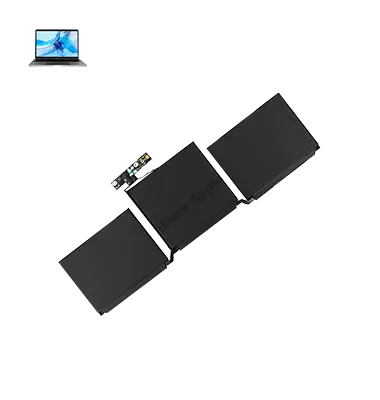
How to Identify When Your MacBook Pro M1 (2020) A2338 Battery Needs Replacement
Here are four signs that your MacBook Pro M1 (2020) A2338 Battery may need replacement:
Rapid Battery Drain:
If your Battery depletes quickly even with minimal usage, it may need replacing.
Overheating:
Unusually high temperatures while charging or using the MacBook can signal Battery issues.
Battery Not Charging:
If your MacBook doesn’t charge beyond a certain percentage or refuses to charge, the Battery might be faulty.
Reduced Battery Life:
If your Battery no longer holds a charge for a reasonable amount of time, it’s time for a replacement.
Our MacBook Pro M1 (2020) A2338 Battery Replacement Process
1. Diagnosis:
We begin by testing the Battery to confirm the need for replacement.
2. Disassembly:
Our technicians carefully open the MacBook and safely remove the old Battery.
3. Genuine Battery Installation:
We install a high-quality, genuine replacement Battery to restore full performance.
4. Testing and Calibration:
After installation, we test the new Battery for proper functionality and calibrate it to ensure optimal charge retention.

Why Choose iCare Apple for MacBook Pro M1 (2020) A2338 Battery Replacement 
Choose iCare Apple for your MacBook Pro M1 (2020) A2338 Battery replacement because we provide expert service with genuine parts. Our experienced technicians ensure fast, reliable repairs, restoring optimal Battery life. We prioritize customer satisfaction, offering affordable, high-quality solutions to extend the performance and longevity of your device.
✌️Top Benefits of MacBook Pro M1 (2020) A2338 Battery Replacement at iCare Apple
Certified Technicians
Our technicians are certified and highly skilled, ensure repairs for your MacBook Pro M1 (2020) A2338. We guarantee top-notch service for all Battery replacements.
Original & High-Quality Parts
We use genuine Apple parts for MacBook Battery replacements, ensuring optimal performance, durability, and preserving your MacBook's original quality for long-lasting results.
Quick and Efficient Service
At iCare Apple, we prioritize quick and efficient service, minimizing downtime. Our experienced team provides rapid, reliable Battery repairs, so you can get back to using your MacBook without delay.

Tips & Tricks for MacBook Pro M1 (2020) A2338 Battery
• Monitor Battery Health:
Regularly check the health of your MacBook Pro A2338 battery using the built-in Battery Health feature in macOS. This can be found in System Preferences > Battery > Battery Health. Monitoring battery health helps you stay informed about its condition and plan for potential replacements.
• Optimize Energy Settings:
Adjust energy-saving settings in System Preferences to optimize battery usage on your MacBook Pro 2020 – A2338. Lowering screen brightness, enabling Power Nap, and setting shorter sleep times can help conserve battery power during periods of inactivity.
• Limit Background Processes:
Close unnecessary apps and background processes that consume system resources and drain battery power unnecessarily. Use Activity Monitor to identify and quit resource-intensive processes that may be running in the background.
• Use Safari for Web Browsing:
Safari is optimized for macOS and consumes less battery power compared to other web browsers. Use Safari as your default browser on the MacBook Pro A2338 to maximize battery life during web browsing sessions.
• Avoid Extreme Temperatures:
Exposure to extreme temperatures can degrade battery performance and shorten its lifespan. Keep your MacBook Pro A2338 away from hot environments, direct sunlight, or cold temperatures to prevent damage to the battery.
• Calibrate Your Battery:
Calibrate your MacBook Pro 2020 – A2338 battery periodically to ensure accurate reporting of battery status and optimize performance. To calibrate the battery, fully charge it, then use the laptop until it shuts down due to low battery. Recharge the battery to 100% without interruptions.
• Use Battery Saving Mode:
Enable Battery Saving Mode in macOS to reduce power consumption and extend battery life on your MacBook Pro A2338. Battery Saving Mode adjusts system settings and background activities to prioritize battery longevity over performance.
• Limit Connectivity:
Disable unnecessary connectivity features such as Bluetooth, Wi-Fi, and Location Services when not in use to conserve battery power on your MacBook Pro 2020 – A2338. Toggle these features off in System Preferences or the menu bar to minimize power consumption.
• Update macOS Regularly:
Keep your MacBook Pro A2338 up to date with the latest macOS updates to benefit from performance improvements, bug fixes, and optimizations related to battery management. Updates may include enhancements that help maximize battery life and efficiency.
• Use Battery Replacement Programs:
If your MacBook Pro 2020 – A2338 battery experiences significant degradation or issues, consider participating in Apple’s battery replacement programs. Apple may offer battery replacements for eligible devices under warranty or extended service programs to ensure optimal battery performance.
By following these tips and tricks, you can maximize the Battery life, performance, and longevity of your MacBook Pro 2020 – A2338 Battery, ensuring a reliable power source for your computing needs.
What Our Customers Are Saying About Our MacBook Pro M1 (2020) A2338 Battery Replacement Service
Md Tanjin Ridwan
iCare Apple quickly replaced my MacBook Pro Battery, and now it lasts all day! Great service and professionalism.
Tareq Mahmood
The Battery replacement at iCare Apple was hassle-free, and my MacBook’s performance is much better now. Highly recommend!
Abdul Alim
I had a smooth experience with iCare Apple for my Battery replacement. My MacBook works like new, and I’m very happy with the service.
Fazle Mir
iCare Apple did a fantastic job replacing my MacBook Battery. The process was quick, and my laptop is running smoothly again.
Your Trust is Our Strength
Why Timely MacBook Battery Replacement is Essential
Timely replacement of your MacBook Pro M1 (2020) A2338 Battery is essential to avoid performance issues, unexpected shutdowns, and potential damage to other components. A faulty Battery can lead to slower performance and reduced Battery life. Replacing it promptly ensures optimal functionality, preserving your device’s overall health and longevity.
Visit iCare Apple in Dhaka for Professional MacBook Repairs
Located at the heart of Dhaka, iCare Apple offers top-notch repair services for all Macbook models. Our team is committed to providing quality repairs, and we stand by our work. So, if your MacBook Pro M2 (2020) A2338 needs a Battery replacement, visit iCare Apple and experience professional service from trusted experts.
Ensure the longevity and performance of your MacBook Pro M2 (2020) A2338 by opting for quality Battery replacement services at iCare Apple.
FAQ
1. How long does the MacBook Pro A2338 M1 Battery replacement take at iCare Apple?
The replacement usually takes a few hours, depending on the service load.
2. Is the Battery replaced with genuine parts?
Yes, we use genuine parts for all Battery replacements.
3. What signs indicate my MacBook Pro A2338 M1 Battery needs replacement?
Rapid Battery drain, overheating, not charging, or reduced Battery life are common signs.
4. Is the Battery replacement covered by a warranty?
Yes, we offer a warranty on all Battery replacement services.
5. Can I get my MacBook Pro A2338 M1 Battery replaced on the same day?
Same-day replacement is possible, depending on part availability.
6. Do I need to make an appointment for the Battery replacement?
Appointments are recommended but not mandatory; walk-ins are welcome.
7. Should I back up my data before bringing in my MacBook for Battery replacement?
While the replacement doesn’t affect data, it’s always best to back it up.
8. Are your technicians experienced in replacing MacBook Pro A2338 M1 batteries?
Yes, our technicians are highly skilled and experienced in replacing MacBook batteries.