
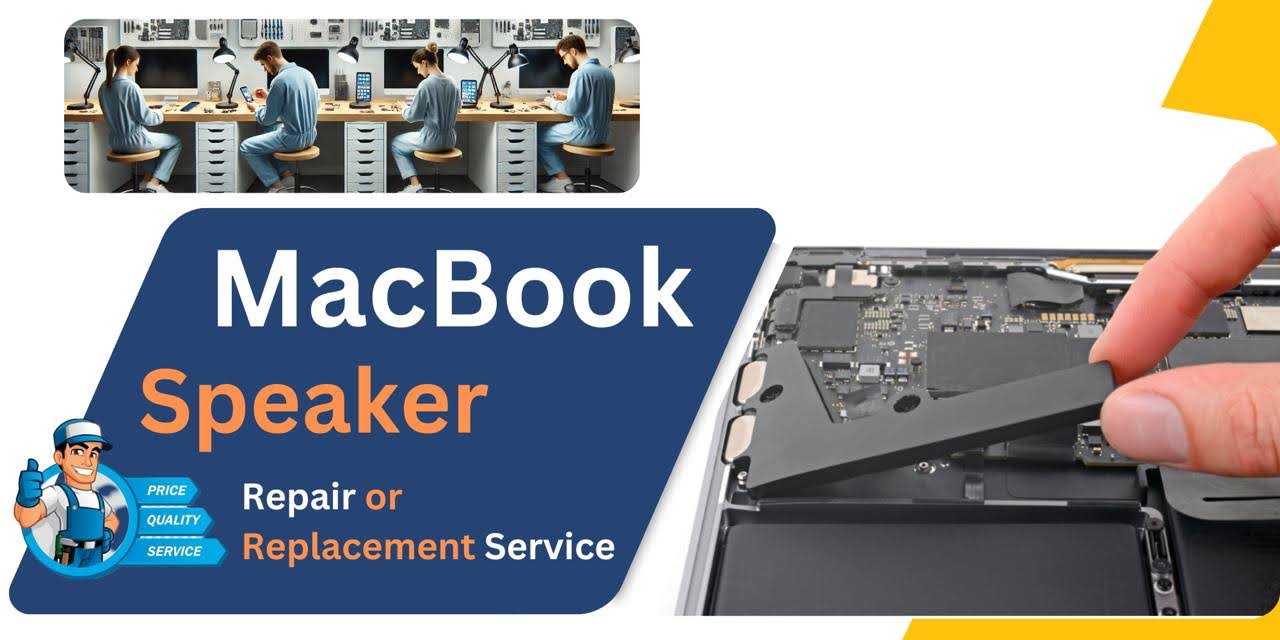
MacBook Pro M1 (2021) A2485 Speaker
At iCare Apple, we provide expert MacBook Pro M1 (2021) A2485 Speaker replacement services in Bangladesh. Whether you’re experiencing distorted sound or no audio, our skilled technicians offer quick and reliable repairs. We use high-quality parts to restore your MacBook’s audio performance for an enhanced user experience.
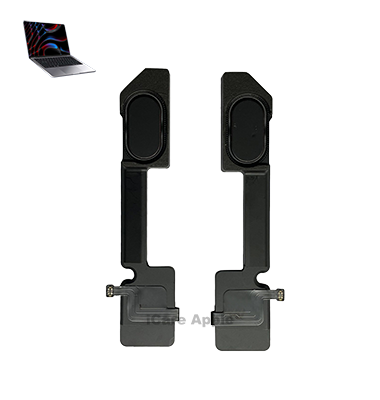
How to Identify When Your MacBook Pro M1 (2021) A2485 Speaker Needs Replacement
Here are four signs that your MacBook Pro M1 (2021) A2485 Speaker may need replacement:
Distorted Sound
If the sound is crackling, buzzing, or unclear, it may indicate a Speaker issue.
No Sound
Complete loss of sound despite volume settings being correct can signal a Speaker failure.
Low Volume
If the audio volume is significantly lower than usual, even on maximum settings, replacement might be needed.
Intermittent Sound
If the sound cuts in and out or becomes inconsistent, the Speaker may need to be replaced.
Our MacBook Pro M1 (2021) A2485 Speaker Replacement Process
1. Diagnosis:
Our technicians inspect the Speaker and audio system to determine the exact issue.
2. Safe Disassembly:
We carefully open the MacBook to access the Speaker while protecting internal components.
3. Speaker Replacement:
A high-quality replacement Speaker is installed to ensure optimal sound performance.
4. Testing & Quality Check:
After installation, we test the new Speaker to ensure clear, powerful sound and proper functionality.

Why Choose iCare Apple for MacBook Pro M1 (2021) A2485 Speaker Replacement 
Choose iCare Apple for MacBook Pro M1 (2021) A2485 Speaker replacement for expert service, high-quality parts, and quick turnaround. Our skilled technicians ensure your Speaker is replaced efficiently, restoring clear and powerful sound. We offer reliable, professional service with a warranty for your peace of mind!
✌️Top Benefits of MacBook Pro M1 (2021) A2485 Speaker Replacement at iCare Apple
Certified Technicians
Our technicians are certified and highly skilled, ensure repairs for your MacBook Pro M1 (2021) A2485. We guarantee top-notch service for all Speaker replacements.
Original & High-Quality Parts
We use genuine Apple parts for MacBook Speaker replacements, ensuring optimal performance, durability, and preserving your MacBook's original quality for long-lasting results.
Quick and Efficient Service
At iCare Apple, we prioritize quick and efficient service, minimizing downtime. Our experienced team provides rapid, reliable Speaker repairs, so you can get back to using your MacBook without delay.

Tips & Tricks for MacBook Pro M1 (2021) A2485 Speaker
👍 Adjust Audio Settings:
Customize audio settings in macOS to optimize the sound output of the MacBook Pro A2485 (2021) Speakers. Access the Sound preferences pane in System Preferences to adjust volume levels, audio balance, and other audio settings according to your preferences.
👍 Use Equalizer Settings:
Take advantage of built-in equalizer settings or third-party audio enhancement software to fine-tune the sound characteristics of the Speakers of MacBook Pro A2485 (2021). Adjust equalizer settings to enhance bass, treble, or midrange frequencies for a personalized listening experience.
👍 Avoid Overdriving the Speakers:
Avoid playing audio at excessively high volume levels for extended periods to prevent damage to the Speakers of MacBook Pro A2485 (2021). Overdriving the Speakers can lead to distortion, reduced audio quality, and potential long-term damage to Speaker components.
👍 Keep Software Updated:
Keep macOS and audio drivers up to date with the latest software updates from Apple to ensure compatibility, stability, and optimal performance of the Speakers of MacBook Pro A2485 (2021). Software updates may include bug fixes, audio enhancements, and driver optimizations.
👍 Position the Laptop Correctly:
Position the MacBook Pro A2485 (2021) on a stable surface and ensure that the Speakers are not obstructed to maximize sound quality and volume output. Avoid covering or blocking the Speaker grilles with objects or your hands during audio playback.
👍 Use External Speakers or Headphones:
Consider using external Speakers or headphones with the MacBook Pro A2485 (2021) for enhanced audio quality and volume output, especially when listening to music, watching movies, or gaming. External Speakers or headphones can provide superior sound reproduction and immersive audio experiences.
👍 Optimize Audio Playback Settings:
Adjust audio playback settings in multimedia applications to optimize sound quality and performance on the Speakers of MacBook Pro A2485 (2021). Configure audio output settings, equalizer presets, and surround sound options for the best audio experience.
👍 Experiment with Spatial Audio:
If available, experiment with spatial audio features in supported multimedia applications to enhance the immersion and realism of audio playback on the Speakers of MacBook Pro A2485 (2021). Spatial audio technology simulates surround sound effects and directional audio cues for a more immersive listening experience.
👍 Avoid Audio Interference:
Minimize audio interference and signal degradation by keeping electronic devices, wireless routers, and other sources of electromagnetic interference away from the MacBook Pro A2485 (2021) Speakers. Interference can degrade audio quality and cause unwanted noise or distortion.
👍 Protect Against Physical Damage:
Protect the Speakers of MacBook Pro A2485 (2021) from physical damage by handling the device with care and avoiding impacts, drops, or other mishaps that could damage Speaker components. Use a protective case or sleeve to shield the laptop during transport and storage.
By following these tips and tricks, you can maximize the audio quality, volume output, and overall performance of the Speakers on your MacBook Pro A2485 (2021), ensuring an immersive and enjoyable listening experience for all your multimedia activities.
What Our Customers Are Saying About Our MacBook Pro M1 (2021) A2485 Speaker Replacement Service
Mustafa Karim
iCare Apple replaced my MacBook Speaker quickly. The sound is now crystal clear, and I’m extremely satisfied with the service.
Rana Dipto
My MacBook’s Speaker stopped working, but iCare Apple fixed it in no time. The audio quality is better than ever!
Anwar Hossain Manzoor
Fast and efficient Speaker replacement at iCare Apple. My MacBook now sounds amazing and I’m very happy with the results!
Masudur Rahman
Excellent service at iCare Apple. They replaced my Speaker promptly, and my MacBook’s sound is now perfect again!
Your Trust is Our Strength
Why Timely MacBook Speaker Replacement is Essential
Timely MacBook Pro M1 (2021) A2485 Speaker replacement is essential to restore clear and reliable audio performance. Delaying repairs can lead to further damage, reduced sound quality, or total audio failure, impacting your productivity and entertainment. Addressing Speaker issues promptly ensures your MacBook continues delivering optimal audio experience.
Visit iCare Apple in Dhaka for Professional MacBook Repairs
Located at the heart of Dhaka, iCare Apple offers top-notch repair services for all Macbook models. Our team is committed to providing quality repairs, and we stand by our work. So, if your MacBook Pro M1 (2021) A2485 needs a Speaker replacement, visit iCare Apple and experience professional service from trusted experts.
Ensure the longevity and performance of yourMacBook Pro M1 (2021) A2485 by opting for quality Speaker replacement services at iCare Apple.
FAQ
1. How long does the MacBook Pro M1 A2485 Speaker replacement take?
The replacement usually takes 1-2 hours, depending on the issue.
2. Do you use original Speaker parts?
We use high-quality, compatible replacement parts to ensure optimal audio performance.
3. What is the cost of Speaker replacement?
Please contact us for an accurate cost estimate for the replacement.
4. Will replacing the Speaker affect my data?
No, replacing the Speaker does not affect your data.
5. How do I know if my MacBook Speaker needs replacement?
If you experience distorted sound or no audio, it may need replacement.
6. Can I walk in for Speaker replacement?
Yes, walk-ins are welcome, though appointments are recommended for quicker service.
7. Is there a warranty on the new Speaker?
Yes, we provide a warranty on both the Speaker and our services.
8. Can I wait while my MacBook Speaker is being replaced?
Yes, the process is quick, and you can wait in our service area.