

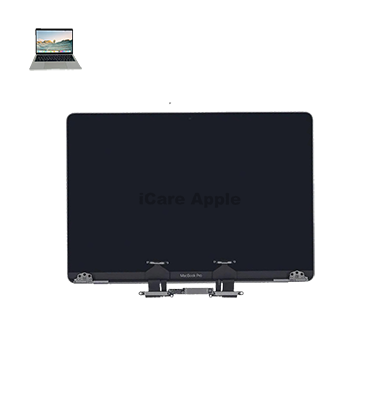
MacBook Pro (2019) A2159 Display
At iCare Apple, we offer expert MacBook Pro (2019) A2159 Display repair and replacement services in Bangladesh. Our skilled technicians use high-quality parts to restore your screen to its original condition, ensuring a smooth visual experience. Trust us for fast, reliable, and professional MacBook Display services.
How to Identify When Your MacBook Pro (2019) A2159 Display Needs Replacement
Here are four signs that your MacBook Pro (2019) A2159 Display may need replacement:
Cracked or Damaged Screen
Visible cracks, scratches, or physical damage on the Display require replacement.
Flickering or Blurry Screen
Persistent flickering or blurry visuals indicate potential Display failure.
Unresponsive Touchscreen
If your MacBook’s touchscreen doesn’t respond or shows areas of unresponsiveness, it might need a new Display.
Color Distortion
If colors appear distorted, washed out, or there are vertical lines, a replacement is necessary to restore clarity.
Our MacBook Pro (2019) A2159 Display Replacement Process
1. Diagnosis
We begin by carefully inspecting your MacBook Pro (2019) A2159 to assess the Display issue.
2. Quote and Approval
After the diagnosis, we provide an estimate and seek your approval to proceed with the repair.
3. Repair or Replacement
Our technicians replace the damaged Display with high-quality parts, ensuring precise fit and functionality.
4. Testing and Delivery
Once the Display is replaced, we thoroughly test your MacBook to ensure optimal performance before delivering it back to you, usually within 1-2 hours.

Choose iCare Apple for your MacBook Pro (2019) A2159 Display repair and replacement because we offer expert technicians, high-quality parts, and fast, reliable service. We ensure a seamless experience with precise repairs, providing you with a restored Display and optimal performance for your MacBook at competitive prices.
✌️Top Benefits of MacBook Pro (2019) A2159 Display Replacement at iCare Apple
Certified Technicians
Our technicians are certified and highly skilled, ensure repairs for your MacBook Pro (2019) A2159. We guarantee top-notch service for all Display replacements.
Original & High-Quality Parts
We use genuine Apple parts for MacBook Display replacements, ensuring optimal performance, durability, and preserving your MacBook's original quality for long-lasting results.
Quick and Efficient Service
At iCare Apple, we prioritize quick and efficient service, minimizing downtime. Our experienced team provides rapid, reliable Display repairs, so you can get back to using your MacBook without delay.

Tips & Tricks for MacBook Pro (2019) A2159 Display
👍 Adjust Brightness:
Adjust the Display brightness according to your surroundings to conserve battery life and reduce eye strain. Use the keyboard shortcuts or adjust settings in System Preferences > Displays.
👍 Enable Night Shift:
Use Night Shift to reduce blue light exposure during the evening hours. This feature can help improve sleep quality by shifting the Display colors to warmer tones.
👍 Calibrate Color Accuracy:
Calibrate the Display for color accuracy using built-in macOS tools or third-party calibration software. This ensures that colors are Displayed correctly for tasks such as photo editing and graphic design.
👍 Use True Tone:
Enable True Tone technology to automatically adjust the Display’s color temperature based on ambient lighting conditions. This feature provides a more comfortable viewing experience by reducing eye strain.
👍 Clean the Screen:
Regularly clean the Display with a soft, lint-free cloth to remove dust, fingerprints, and smudges. Avoid using harsh chemicals or abrasive materials that could damage the screen.
👍 Avoid Screen Burn-in:
Prevent screen burn-in by avoiding prolonged Display of static images or elements, especially at high brightness levels. Use screen savers or set the Display to sleep when inactive for extended periods.
👍 Minimize Screen Glare:
Position the MacBook Pro (2019) A2159 Display to minimize glare and reflections from external light sources. Adjust the screen angle or use anti-glare screen protectors if necessary.
👍 Customize Resolution:
Customize the Display resolution to suit your preferences and workflow. Higher resolutions provide more screen real estate for multitasking, while lower resolutions can improve performance and battery life.
👍 Utilize Split View:
Take advantage of Split View to multitask efficiently by using two apps side by side on the Display. Drag windows to the edges of the screen to activate Split View or use Mission Control to organize multiple apps.
👍 Connect External Displays:
Extend your workspace by connecting external Displays to the MacBook Pro (2019) A2159. Use Thunderbolt 3 or USB-C adapters to connect monitors, projectors, or TVs for additional screen real estate.
What Our Customers Are Saying About Our MacBook Pro (2019) A2159 Display Replacement Service
Shahid Rahman
The Display repair was quick and flawless. I’m impressed with iCare Apple’s professional service.
Nadia Zaman
My MacBook Pro looks brand new after the Display replacement. Thank you, iCare Apple, for your excellent work!
Ali Hossain
I got my screen replaced in no time. Great service and highly skilled technicians at iCare Apple.
Rina Sultana
Fast, reliable, and friendly service. My MacBook Pro’s Display is as good as new, thanks to iCare Apple.
Your Trust is Our Strength
Why Timely MacBook Display Replacement is Essential
Timely repair or replacement of your MacBook Pro (2019) A2159 Display is essential to maintain optimal performance. Ignoring Display issues can worsen, affecting productivity and damaging other components. A quick fix ensures a smooth user experience, preserves your device’s longevity, and prevents costly repairs down the line.
Visit iCare Apple in Dhaka for Professional MacBook Repairs
Located at the heart of Dhaka, iCare Apple offers top-notch repair services for all Macbook models. Our team is committed to providing quality repairs, and we stand by our work. So, if your MacBook Pro (2019) A2159 needs a Display replacement, visit iCare Apple and experience professional service from trusted experts.
Ensure the longevity and performance of your MacBook Pro (2019) A2159 by opting for quality Display replacement services at iCare Apple.
FAQ
1. Can I get my MacBook Pro’s Display repaired on the same day?
Yes, in most cases, we can complete the repair within the same day.
2. Do I need to schedule an appointment for Display repair?
It’s recommended to book an appointment, but walk-ins are also welcome.
3. Can the Display be repaired, or does it need a full replacement?
If the damage is severe, a full replacement is usually required.
4. Is data loss common during Display repairs?
No, we take all necessary precautions to protect your data during the repair.
5. How long does the MacBook Pro (2019) A2159 Display replacement take?
Typically, the process takes 1-2 hours.
6. Do you use original parts for the Display replacement?
Yes, we use high-quality, genuine parts for all repairs.
7. How much does it cost to replace the MacBook Pro (2019) A2159 Display?
The cost varies based on the issue; please contact us for an estimate.
8. Do you offer a warranty on the Display replacement?
Yes, we offer a warranty on the replacement parts and service.