
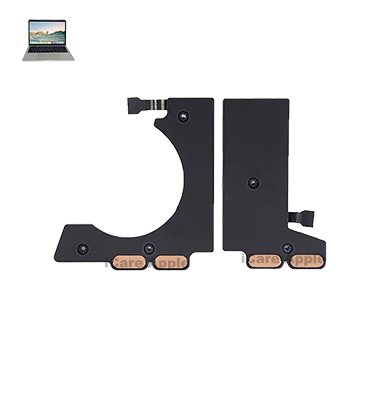
MacBook Pro (2019) A2159 Speaker
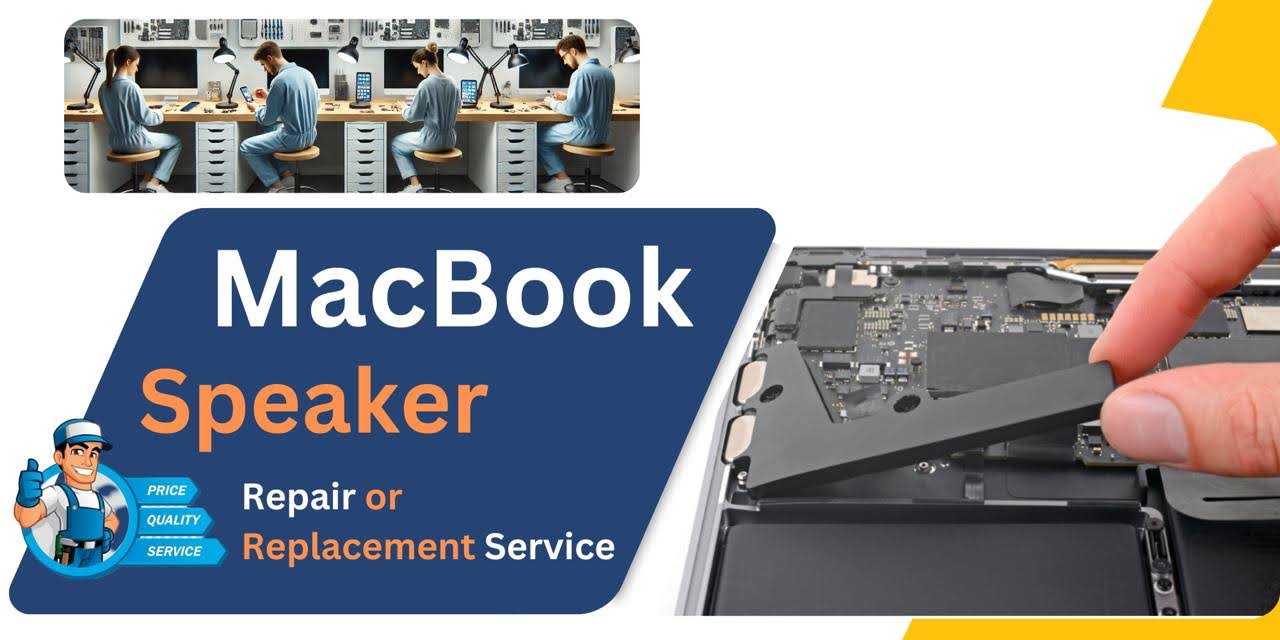
At iCare Apple, we provide expert MacBook Pro (2019) A2159 Speaker replacement services in Bangladesh. If you’re experiencing poor sound quality or no sound at all, our skilled technicians will replace your faulty Speaker with high-quality components, ensuring optimal performance and sound quality for your device.
How to Identify When Your MacBook Pro (2019) A2159 Speaker Needs Replacement
Here are four points to identify when your MacBook Pro (2019) A2159 Speaker needs replacement:
Distorted Sound:
If you hear crackling, buzzing, or muffled audio even after adjusting the volume, the Speaker might be failing.
No Sound:
Complete absence of sound or very low output, even when volume is turned up, indicates a hardware issue.
Intermittent Audio:
If the sound cuts in and out, it could signal a damaged Speaker or loose connection.
Physical Damage:
Visible cracks or damage to the Speaker grille may mean the Speaker needs replacement.
Our MacBook Pro (2019) A2159 Speaker Replacement Process
1. Diagnosis:
We perform a thorough inspection to confirm the Speaker issue.
2. Quotation:
After assessing the problem, we provide a transparent and fair cost estimate.
3. Replacement:
Our certified technicians replace the damaged Speaker with a genuine Apple part.
4. Testing:
Post-replacement, we conduct quality assurance checks to ensure optimal sound performance.

Choose iCare Apple for MacBook Pro (2019) A2159 Speaker replacement for our expert technicians, high-quality parts, and reliable service. We offer quick turnarounds, genuine Apple components, and customer-centric support, ensuring your MacBook performs optimally with a fully restored Speaker system. Trust us for efficient, affordable repairs.
✌️Top Benefits of MacBook Pro (2019) A2159 Speaker Replacement at iCare Apple
Certified Technicians
Our technicians are certified and highly skilled, ensure repairs for your MacBook Pro (2019) A2159. We guarantee top-notch service for all Speaker replacements.
Original & High-Quality Parts
We use genuine Apple parts for MacBook Speaker replacements, ensuring optimal performance, durability, and preserving your MacBook's original quality for long-lasting results.
Quick and Efficient Service
At iCare Apple, we prioritize quick and efficient service, minimizing downtime. Our experienced team provides rapid, reliable Speaker repairs, so you can get back to using your MacBook without delay.

Tips & Tricks for MacBook Pro (2019) A2159 Speaker
👍 Adjust Sound Settings:
Experiment with the sound settings in System Preferences to customize the audio output according to your preferences. You can adjust the balance, equalizer settings, and volume limit to optimize the sound quality.
👍 Use Equalizer Presets:
macOS includes built-in equalizer presets that can enhance the sound quality for different types of audio content. Explore these presets to find the one that best suits your listening preferences, whether you’re listening to music, watching movies, or playing games.
👍 Position Your MacBook Pro:
The position of your MacBook Pro can affect the sound quality. Place it on a solid surface to minimize vibrations and enhance bass response. Avoid placing it on soft surfaces like pillows or blankets, which can absorb sound and reduce clarity.
👍 Optimize Speaker Placement:
If you’re using external Speakers or headphones, position them strategically for optimal sound quality. Experiment with different placements to find the best balance between stereo imaging and bass response.
👍 Avoid Blocking Speaker Grilles:
The Speaker grilles on the MacBook Pro (2019) A2159 are located on the sides of the keyboard. Avoid covering or obstructing them with your hands or other objects while using the laptop to ensure clear sound projection.
👍 Use External Audio Devices:
For enhanced audio performance, consider using external audio devices such as Speakers or headphones with your MacBook Pro (2019) A2159. High-quality audio equipment can provide superior sound quality and immersive listening experiences.
👍 Update Audio Drivers:
Ensure that your macOS and audio drivers are up to date to prevent compatibility issues and ensure optimal performance. Check for updates regularly in System Preferences > Software Update and the App Store.
👍 Avoid Extreme Volume Levels:
While the Speakers on the MacBook Pro (2019) A2159 are capable of producing loud sound, avoid listening at maximum volume levels for extended periods to prevent potential damage to your hearing and the Speakers themselves.
👍 Use Sound Enhancement Apps:
Explore third-party sound enhancement apps available for macOS that can further enhance the audio output of your MacBook Pro (2019) A2159. These apps offer features such as virtual surround sound, spatial audio, and customizable sound profiles.
👍 Monitor Speaker Health:
Pay attention to any changes in sound quality or performance of the Speakers. If you notice distortion, rattling, or other abnormalities, it may indicate Speaker damage or hardware issues that require professional attention.
What Our Customers Are Saying About Our MacBook Pro (2019) A2159 Speaker Replacement Service
Ayesha Rawnak
iCare Apple quickly identified the issue with my MacBook's Speaker and replaced it with genuine parts. Excellent service!
Shahin Mustafa
I had a great experience with iCare Apple. They fixed my MacBook's Speaker fast, and now it sounds perfect!
Rizwan Karim
The Speaker on my MacBook Pro stopped working, but iCare Apple’s team replaced it quickly and professionally. Highly recommended!
Faysal Newaz
iCare Apple did a fantastic job replacing the Speaker on my MacBook. The sound quality is amazing now!
Your Trust is Our Strength
Why Timely MacBook Speaker Replacement is Essential
Timely replacement of your MacBook Pro (2019) A2159 Speaker is crucial to restore sound quality, avoid further damage, and ensure a better user experience. Delaying repairs can lead to more costly issues and potential damage to other internal components, making early intervention key for a seamless laptop performance.
Visit iCare Apple in Dhaka for Professional MacBook Repairs
Located at the heart of Dhaka, iCare Apple offers top-notch repair services for all Macbook models. Our team is committed to providing quality repairs, and we stand by our work. So, if your MacBook Pro (2019) A2159 needs a Speaker replacement, visit iCare Apple and experience professional service from trusted experts.
Ensure the longevity and performance of your MacBook Pro (2019) A2159 by opting for quality Speaker replacement services at iCare Apple.
FAQ
1. How do I know if my MacBook Pro (2019) A2159 Speaker needs replacement?
If your Speaker is distorted, silent, or crackling, it may need replacement.
2. What is the cost of MacBook Pro (2019) A2159 Speaker replacement at iCare Apple?
The cost varies depending on the issue; please contact us for an accurate estimate.
3. How long does the Speaker replacement take?
It usually takes 1-2 hours for a Speaker replacement.
4. Do you provide a warranty for the Speaker replacement?
Yes, we offer a warranty on parts and labor for all replacements.
5. Can I use my MacBook during the replacement process?
No, your MacBook will need to stay with us for the entire replacement process.
6. Is the Speaker replacement process safe for my MacBook?
Yes, our technicians follow manufacturer guidelines, ensuring safe and efficient replacement.
7. Do I need an appointment for Speaker replacement?
While appointments are recommended, we accept walk-ins depending on availability.
8. What if my MacBook is still under warranty?
If under warranty, we suggest contacting Apple first to determine if the issue is covered.