

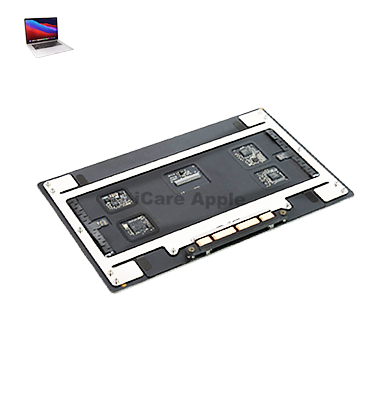
MacBook Pro (2019) A1990 Motherboard
At iCare Apple, we specialize in MacBook Pro (2019) A1990 Motherboard repair and replacement in Bangladesh. Our expert technicians diagnose and fix Motherboard issues with precision, using genuine parts to restore your device’s functionality. Trust us for fast, reliable, and professional repairs to get your MacBook back to peak performance.
How to Identify When Your MacBook Pro (2019) A1990 Motherboard Needs Replacement
Here are four signs that your MacBook Pro (2019) A1990 Motherboard may need replacement:
Frequent System Crashes:
Your MacBook regularly crashes or freezes, even after software updates.
No Power:
The device doesn’t turn on or show any signs of power, despite a charged battery.
Hardware Malfunctions:
Connected peripherals like the keyboard, screen, or ports stop working intermittently.
Overheating:
The laptop overheats or shuts down unexpectedly due to Motherboard issues.
Our MacBook Pro (2019) A1990 Motherboard Replacement Process
1. Diagnosis:
We begin by performing a thorough diagnostic to identify Motherboard issues and confirm if replacement is necessary.
2. Parts Sourcing:
We source genuine, high-quality replacement parts to ensure optimal performance.
3. Repair or Replacement:
Our skilled technicians repair or replace the faulty Motherboard with precision, handling your device carefully.
4. Testing and Quality Check:
After repair, we rigorously test the MacBook to ensure all components function properly and the issue is fully resolved.

Choose iCare Apple for your MacBook Pro (2019) A1990 Motherboard repair and replacement for expert service and genuine parts. Our skilled technicians provide precise diagnostics and efficient solutions, ensuring your device is restored to full functionality. We offer reliable, fast, and affordable repairs, prioritizing your satisfaction every time.
✌️Top Benefits of MacBook Pro (2019) A1990 Motherboard Repair and Replacement at iCare Apple
Certified Technicians
Our technicians are certified and highly skilled, ensure repairs for your MacBook Pro (2019) A1990. We guarantee top-notch service for all Motherboard replacements.
Original & High-Quality Parts
We use genuine Apple parts for MacBook Motherboard replacements, ensuring optimal performance, durability, and preserving your MacBook's original quality for long-lasting results.
Quick and Efficient Service
At iCare Apple, we prioritize quick and efficient service, minimizing downtime. Our experienced team provides rapid, reliable Motherboard repairs, so you can get back to using your MacBook without delay.

Tips & Tricks for MacBook Pro (2019) A1990 Motherboard
• Keep Your MacBook Cool
Overheating can damage the motherboard. Use a cooling pad and avoid blocking ventilation.
• Update macOS Regularly
Keeping your MacBook updated ensures motherboard compatibility with the latest software and prevents system crashes.
• Avoid Liquid Spills
Liquid damage is a leading cause of motherboard failure. Use a keyboard cover and keep drinks away from your MacBook.
• Use Genuine Apple Chargers
Using third-party chargers can damage the power circuit on the motherboard. Always use an original Apple charger.
• Check for Signs of Motherboard Failure
Frequent crashes, overheating, or unresponsive hardware could indicate motherboard issues. Seek professional help immediately.
• Perform Regular Diagnostics
Use Apple Diagnostics (Press D on Startup) to check for motherboard-related hardware issues.
• Avoid Overloading Ports
Connecting too many external devices can strain the motherboard’s power system. Use a powered USB hub if needed.
• Keep the Logic Board Clean
Dust buildup can lead to short circuits. Get your MacBook’s internal components cleaned professionally every few months.
• Backup Your Data Regularly
A failing motherboard can lead to data loss. Use Time Machine or cloud storage for regular backups.
• Seek Professional Repair Services
If your MacBook Pro A1990 motherboard is faulty, visit iCare Apple in Bangladesh for expert repair and replacement.
Using these tips, you can keep your MacBook Pro (2019) A1990 Motherboard in top condition and ensure long-lasting performance.
What Our Customers Are Saying About Our MacBook Pro (2019) A1990 Motherboard Replacement Service
Shama Khatun
Excellent service! The Motherboard repair was fast, and my MacBook is running smoothly now.
Arif Azad
I’m impressed with the professionalism at iCare Apple. The Motherboard replacement was done quickly and effectively.
Tasnim Ali
The iCare Apple team fixed my MacBook’s Motherboard issue in no time. Great service and reliable repairs!
Mahbubur Rahman
The team at iCare Apple handled my Motherboard replacement perfectly. My MacBook is working like new again!
Your Trust is Our Strength
Why Timely MacBook Motherboard Repair and Replacement is Essential
Timely MacBook Pro (2019) A1990 Motherboard repair or replacement is essential to prevent further damage and costly repairs. Ignoring Motherboard issues can lead to system instability, data loss, or complete device failure. Addressing problems early ensures your MacBook functions optimally, preserving both performance and longevity.
Visit iCare Apple in Dhaka for Professional MacBook Repairs
Located at the heart of Dhaka, iCare Apple offers top-notch repair services for all Macbook models. Our team is committed to providing quality repairs, and we stand by our work. So, if your MacBook Pro (2019) A1990 needs a Motherboard replacement, visit iCare Apple and experience professional service from trusted experts.
Ensure the longevity and performance of your MacBook Pro (2019) A1990 by opting for quality Motherboard replacement services at iCare Apple.
FAQ
1. How long does the Motherboard repair take?
It typically takes a few hours to several days, depending on the complexity.
2. Do I need an appointment for Motherboard repair?
An appointment is recommended for faster service, but not required.
3. Are original parts used for the replacement?
Yes, we use genuine Apple parts for all Motherboard repairs and replacements.
4. How much does Motherboard repair or replacement cost?
Costs vary based on the issue; please contact us for an accurate quote.
5. Will my data be affected during the repair?
We take care to protect your data, but it’s always a good idea to back it up.
6. Is there a warranty for the repair?
Yes, we provide a warranty on both the parts and the service.
7. Can I replace the Motherboard myself?
It’s not recommended due to the complexity of the repair; professional service ensures proper installation.
8. How do I know if my Motherboard needs replacement?
Signs include frequent crashes, no power, hardware malfunctions, or overheating issues.