

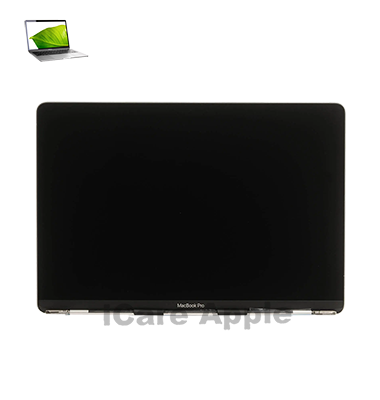
MacBook Pro (2017) A1708 Display
If your MacBook Pro (2017) A1708 Display is cracked, flickering, or unresponsive, we at iCare Apple offer reliable repair and replacement services in Bangladesh. Our expert technicians ensure high-quality service, restoring your MacBook’s screen to its original performance. Visit us for fast and efficient Display solutions.
How to Identify When Your MacBook Pro (2017) A1708 Display Needs Replacement
Here are four signs to identify when your MacBook Pro (2017) A1708 Display needs replacement:
Flickering or Dim Screen:
Persistent screen flickering or a dim Display even at maximum brightness.
Cracked or Shattered Screen:
Visible cracks or shattered glass compromising screen functionality.
Unresponsive Touch:
The screen fails to respond to touch gestures or has dead spots.
Color Distortion:
Significant color distortion or lines appearing on the screen during use.
Our MacBook Pro (2017) A1708 Display Replacement Process
1. Diagnosis:
Our technicians perform a thorough inspection to identify the Display issue.
2. Estimate:
We provide an upfront cost estimate for the repair or replacement.
3. Repair/Replacement:
We use high-quality replacement parts and conduct the necessary repairs efficiently.
4. Testing:
After the repair, we test the device to ensure it functions properly, guaranteeing a flawless Display.

Choose iCare Apple for your MacBook Pro (2017) A1708 Display repair and replacement because we offer expert technicians, high-quality parts, fast service, and a customer-focused approach. We ensure that your device is repaired to the highest standards with a warranty, providing you with peace of mind and reliable results.
✌️Top Benefits of MacBook Pro (2017) A1708 Display Replacement at iCare Apple
Certified Technicians
Our technicians are certified and highly skilled, ensure repairs for your MacBook Pro (2017) A1708. We guarantee top-notch service for all Display replacements.
Original & High-Quality Parts
We use genuine Apple parts for MacBook Display replacements, ensuring optimal performance, durability, and preserving your MacBook's original quality for long-lasting results.
Quick and Efficient Service
At iCare Apple, we prioritize quick and efficient service, minimizing downtime. Our experienced team provides rapid, reliable Display repairs, so you can get back to using your MacBook without delay.

Tips & Tricks for MacBook Pro (2017) A1708 Display
👍 Adjust Brightness:
Use the brightness controls on your MacBook Pro or in System Preferences to adjust the display brightness according to your environment. Lower brightness in dimly lit areas to reduce eye strain, and increase it when working in brightly lit environments for better visibility.
👍 Enable Night Shift:
Night Shift mode adjusts the color temperature of your display to reduce blue light exposure, which can help improve sleep quality. Enable Night Shift in System Preferences > Displays > Night Shift and schedule it to activate automatically in the evening.
👍 Use True Tone:
If your MacBook Pro model supports True Tone technology, consider enabling it in System Preferences > Displays > True Tone. True Tone adjusts the display’s color temperature based on ambient light conditions, providing a more natural viewing experience.
👍 Calibrate Color Accuracy:
If color accuracy is crucial for your work, consider calibrating your display using professional calibration tools or built-in macOS calibration options. Calibrating the display ensures accurate color reproduction for tasks such as photo editing and graphic design.
👍 Clean the Display:
Regularly clean the display of your MacBook Pro with a soft, lint-free cloth to remove dust, fingerprints, and smudges. Avoid using abrasive cleaners or rough materials that could scratch the display surface.
👍 Use Full-Screen Mode:
Maximize screen real estate by utilizing full-screen mode for compatible applications. Press the green “Maximize” button in the top-left corner of a window or swipe up with three fingers on the trackpad to enter full-screen mode.
👍 Customize Resolution:
Adjust the display resolution in System Preferences > Displays to optimize screen real estate and text size according to your preferences. Choose a resolution that balances clarity and screen space for your workflow.
👍 Experiment with Scaling:
Explore different scaling options in System Preferences > Displays to adjust the size of text and interface elements on your MacBook Pro’s display. Scaling options allow you to customize the display appearance for optimal readability and usability.
👍 Use Multiple Desktops:
Take advantage of macOS’s Spaces feature to organize your workflow across multiple virtual desktops. Swipe left or right with three fingers on the trackpad or use Mission Control to create and switch between desktops seamlessly.
👍 Avoid Screen Burn-In:
To prevent screen burn-in, avoid displaying static images or leaving your MacBook Pro’s display on for extended periods without activity. Use screen savers or set your display to sleep after a period of inactivity to preserve screen longevity.
By incorporating these tips and tricks into your daily use of the display on your MacBook Pro A1708 (2017), you can enhance productivity, reduce eye strain, and optimize your overall viewing experience.
What Our Customers Are Saying About Our MacBook Pro (2017) A1708 Display Replacement Service
Shakil Khan
The team at iCare Apple quickly diagnosed and replaced my MacBook Pro Display. The service was fast, and the quality of the replacement was top-notch.
Priya Sharma
I had a broken Display on my MacBook Pro, and iCare Apple fixed it perfectly. They were professional, and the repair was done on time.
Imran Hossain
Very happy with the Display replacement at iCare Apple. The staff was helpful, and my MacBook is as good as new now.
Ayesha Rahman
Excellent service from iCare Apple for my MacBook Pro Display repair. Quick turnaround and great customer care throughout the process.
Your Trust is Our Strength
Why Timely MacBook Display Replacement is Essential
Timely Display repair and replacement for your MacBook Pro (2017) A1708 is crucial to maintain optimal performance. A damaged Display can affect your productivity, cause further internal damage, and result in costly repairs. Addressing the issue early ensures better functionality, prevents delays, and extends your device’s lifespan.
Visit iCare Apple in Dhaka for Professional MacBook Repairs
Located at the heart of Dhaka, iCare Apple offers top-notch repair services for all Macbook models. Our team is committed to providing quality repairs, and we stand by our work. So, if your MacBook Pro (2017) A1708 needs a Display replacement, visit iCare Apple and experience professional service from trusted experts.
Ensure the longevity and performance of your MacBook Pro (2017) A1708 by opting for quality Display replacement services at iCare Apple.
FAQ
1. How long does the Display replacement take for MacBook Pro (2017) A1708?
Typically, the replacement takes 2-3 business days.
2. Is the Display replacement covered under warranty?
Warranty coverage depends on your specific situation; contact us for more details.
3. How much does the Display replacement cost for MacBook Pro (2017) A1708?
The cost varies; please reach out for an accurate quote.
4. Do you offer any guarantee for the replacement Display?
Yes, we provide a warranty for the replacement parts and service.
5. Can I still use my MacBook with a broken Display?
You can use your MacBook with an external monitor, but it’s not recommended for long-term use.
6. Do you use original parts for the Display replacement?
Yes, we use high-quality, genuine Apple parts for Display replacements.
7. Is the Display replacement process fast?
We aim for a quick turnaround, usually within a few business days.
8. Can I get my Display repaired if it's not cracked but malfunctioning?
Yes, we repair malfunctioning Displays as well, including color issues or screen flickering.