

MacBook Pro (2017) A1706 Display
We offer expert MacBook Pro (2017) A1706 Display repair and replacement services at iCare Apple in Bangladesh. Our skilled technicians ensure fast, high-quality repairs using original parts, restoring your MacBook’s screen to perfect condition. Trust us to bring back the clarity and functionality of your Display.
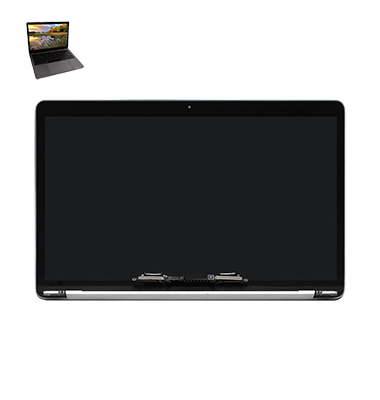
How to Identify When Your MacBook Pro (2017) A1706 Display Needs Replacement
Here are four signs that your MacBook Pro (2017) A1706 Display may need replacement:
Flickering or Dim Screen:
If the screen flickers or becomes unusually dim, it may indicate a hardware issue.
Cracks or Physical Damage:
Visible cracks or damage on the screen’s surface require immediate replacement.
Dead Pixels:
If you notice unresponsive or black pixels on the Display, it’s a sign that the Display needs attention.
Distorted Colors or Lines:
When the screen shows strange color distortions or lines, it’s time to replace the Display.
Our MacBook Pro (2017) A1706 Display Replacement Process
1. Diagnosis:
Our technicians perform a thorough check to identify the issue with your MacBook’s Display.
2. Quote & Approval:
We provide a transparent estimate, and work proceeds only after your approval.
3. Replacement:
Using genuine parts, we replace the damaged Display efficiently, restoring full functionality.
4. Testing:
After replacement, we conduct comprehensive tests to ensure the Display works perfectly, delivering high-quality results with a fast turnaround.

Choose iCare Apple for your MacBook Pro (2017) A1706 Display repair and replacement because we offer high-quality service with original parts, skilled technicians, and quick turnaround. Our focus on customer satisfaction ensures your MacBook’s Display is restored to its best performance, with reliable and affordable repairs.
✌️Top Benefits of MacBook Pro (2017) A1706 Display Replacement at iCare Apple
Certified Technicians
Our technicians are certified and highly skilled, ensure repairs for your MacBook Pro (2017) A1706. We guarantee top-notch service for all Display replacements.
Original & High-Quality Parts
We use genuine Apple parts for MacBook Display replacements, ensuring optimal performance, durability, and preserving your MacBook's original quality for long-lasting results.
Quick and Efficient Service
At iCare Apple, we prioritize quick and efficient service, minimizing downtime. Our experienced team provides rapid, reliable Display repairs, so you can get back to using your MacBook without delay.

Tips & Tricks for MacBook Pro (2017) A1706 Display
👍 Adjust Display Brightness:
Optimize your MacBook Pro’s Display brightness based on your environment. Lower the brightness in dimly lit areas to reduce eye strain, and increase it in brighter environments for better visibility.
👍 Enable Night Shift:
Reduce eye strain during evening hours by enabling Night Shift. This feature adjusts the color temperature of your Display to warmer tones, which may help improve sleep quality.
👍 Use True Tone:
Take advantage of True Tone technology to adjust the Display’s color temperature based on ambient lighting conditions. True Tone provides a more natural viewing experience by matching the color temperature of the Display to the surrounding environment.
👍 Calibrate Color Accuracy:
If you rely on color-critical work such as photo or video editing, consider calibrating your Display for accurate color reproduction. Third-party calibration tools or built-in macOS calibration options can help ensure consistent color accuracy.
👍 Clean the Display Regularly:
Keep your MacBook Pro’s Display clean by gently wiping it with a soft, lint-free cloth. Avoid using abrasive materials or harsh chemicals, as they can damage the Display coating.
👍 Avoid Direct Sunlight:
Minimize exposure to direct sunlight, as prolonged exposure can cause glare and reduce visibility. Position your MacBook Pro away from windows or use blinds to block out direct sunlight.
👍 Optimize Resolution:
Adjust the Display resolution settings to suit your preferences and workflow. Higher resolutions offer sharper images and more screen real estate, but they may also reduce battery life and performance.
👍 Use Screen Savers Wisely:
Enable screen savers to prevent image retention or burn-in on your Display, especially if you frequently leave your MacBook Pro idle for extended periods. Choose screen savers with minimal motion to conserve battery life.
👍 Avoid Screen Pressures:
Avoid applying excessive pressure or touching the Display with sharp objects, as this can cause scratches or damage to the screen. Use a protective case or sleeve to safeguard the Display when not in use.
👍 Update Graphics Drivers:
Keep your MacBook Pro’s graphics drivers up to date by installing the latest macOS updates from the App Store. Updated graphics drivers may improve Display performance, compatibility, and stability.
By following these tips and tricks, you can enhance your viewing experience and ensure the longevity of the Display on your MacBook Pro (2017) A1706.
What Our Customers Are Saying About Our MacBook Pro (2017) A1706 Display Replacement Service
Md Shajahan
Great service! My MacBook Display was fixed within a few hours with original parts.
Shamina Sultana
iCare Apple exceeded expectations! They replaced my MacBook Display quickly, and it works like new.
Fahim Ahmed
Fast and reliable service! My MacBook Display replacement was done professionally, and I’m very satisfied.
Tanzina Begum
Excellent service! iCare Apple replaced my MacBook Display with precision, and it’s as good as new.
Your Trust is Our Strength
Why Timely MacBook Display Replacement is Essential
Timely MacBook Pro (2017) A1706 Display repair and replacement is crucial to maintain optimal performance and avoid further damage. Ignoring issues like screen flickering or cracks can lead to more costly repairs. Addressing Display problems early ensures your MacBook remains functional, preserving its longevity and value.
Visit iCare Apple in Dhaka for Professional MacBook Repairs
Located at the heart of Dhaka, iCare Apple offers top-notch repair services for all Macbook models. Our team is committed to providing quality repairs, and we stand by our work. So, if your MacBook Pro (2017) A1706 needs a Display replacement, visit iCare Apple and experience professional service from trusted experts.
Ensure the longevity and performance of your MacBook Pro (2017) A1706 by opting for quality Display replacement services at iCare Apple.
FAQ
1. How long does the Display repair take for MacBook Pro (2017) A1706?
The repair typically takes 2-3 business days depending on availability.
2. Is the Display replacement process expensive?
The cost varies depending on the damage, but we offer competitive pricing.
3. Will my data be affected during the Display replacement?
No, data is not affected as the replacement focuses only on the Display.
4. Do you use original parts for the Display replacement?
Yes, we use high-quality and original parts for all repairs.
5. Can I get a warranty on the Display replacement?
Yes, we provide a warranty on the replacement parts and service.
6. What signs indicate the need for Display replacement?
Flickering, dead pixels, black spots, or cracks are common signs.
7. Do I need to make an appointment for Display repair?
No, walk-ins are welcome, but appointments can speed up the process.
8. Do you offer diagnostics before the repair?
Yes, we provide a detailed diagnostic check to assess the issue.