
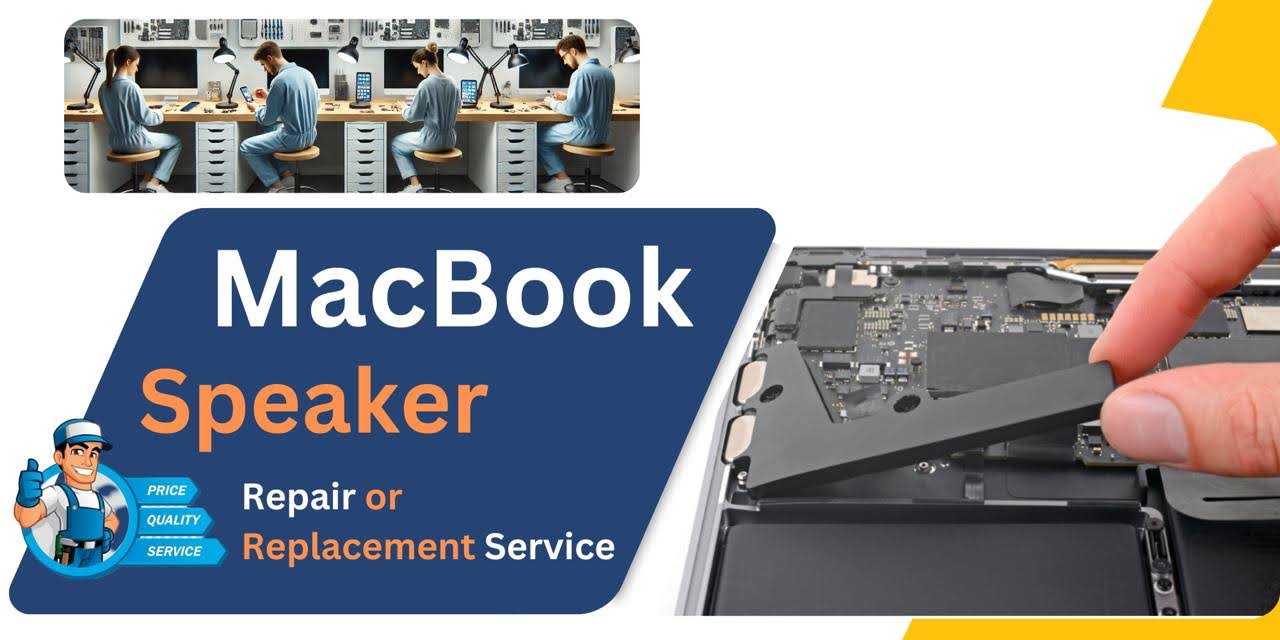
MacBook Pro (2016) A1706 Speaker
At iCare Apple, we offer expert MacBook Pro (2016) A1706 Speaker replacement services in Bangladesh. Our skilled technicians ensure your Speakers are restored to full functionality with high-quality parts. Whether it’s muffled sound or no audio at all, we provide fast and reliable solutions to get your MacBook working perfectly.
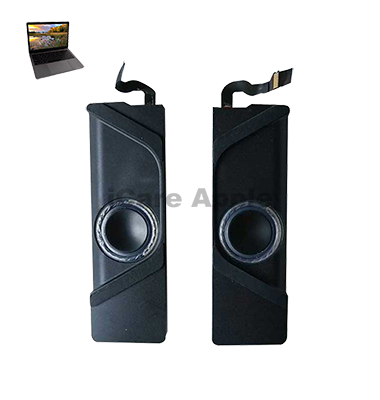
How to Identify When Your MacBook Pro (2016) A1706 Speaker Needs Replacement
Here are four signs that your MacBook Pro (2016) A1706 Speaker may need replacement:
No Sound:
If there’s no sound coming from the Speakers, even when the volume is up, it could indicate Speaker failure.
Distorted Audio:
Distorted or crackling audio, even with the volume at normal levels, suggests damage to the Speakers.
Muffled Sound:
If the sound is unusually quiet or muffled, the Speakers may need replacement.
Intermittent Sound:
If the sound cuts in and out, the Speaker might be malfunctioning and needs replacing.
Our MacBook Pro (2016) A1706 Speaker Replacement Process
1. Diagnosis:
Our technicians perform a thorough inspection to identify the issue with your Speakers.
2. Customer Approval:
We provide a detailed estimate and get your approval before proceeding with the replacement.
3. Speaker Replacement:
Using high-quality, compatible parts, we replace the damaged Speaker with a new one.
4. Testing & Quality Check:
After replacement, we rigorously test your MacBook to ensure the Speakers function perfectly and the audio quality is restored.

Why Choose iCare Apple for MacBook Pro (2016) A1706 Speaker Replacement 
Choose iCare Apple for your MacBook Pro (2016) A1706 Speaker replacement because we offer expert repairs with high-quality parts. Our skilled technicians provide fast, reliable service, ensuring your MacBook’s audio works perfectly. We prioritize customer satisfaction and offer a warranty for all our replacement services.
✌️Top Benefits of MacBook Pro (2016) A1706 Speaker Replacement at iCare Apple
Certified Technicians
Our technicians are certified and highly skilled, ensure repairs for your MacBook Pro (2016) A1706. We guarantee top-notch service for all Speaker replacements.
Original & High-Quality Parts
We use genuine Apple parts for MacBook Speaker replacements, ensuring optimal performance, durability, and preserving your MacBook's original quality for long-lasting results.
Quick and Efficient Service
At iCare Apple, we prioritize quick and efficient service, minimizing downtime. Our experienced team provides rapid, reliable Speaker repairs, so you can get back to using your MacBook without delay.

Tips & Tricks for MacBook Pro (2016) A1706 Speaker
👍 Adjust Equalizer Settings:
Use macOS’s built-in Equalizer settings or third-party audio enhancement software to customize the sound profile according to your preferences. Adjusting the equalizer can help enhance bass, treble, and overall audio balance for different types of music and media.
👍 Keep Speakers Clean:
Regularly clean the Speaker grilles and surrounding areas with a soft, dry cloth to remove dust, dirt, and debris. Keeping the Speakers clean can prevent obstructions and maintain optimal sound quality.
👍 Avoid Blocking Speakers:
Be mindful of the placement of your MacBook Pro A1706 to avoid obstructing the Speaker grilles. Position the laptop on a flat surface with ample clearance around the Speakers to allow for optimal sound projection and dispersion.
👍 Use External Speakers or Headphones:
For an enhanced audio experience, consider connecting external Speakers or headphones to your MacBook Pro A1706. External Speakers can provide higher fidelity audio, while headphones offer immersive sound isolation for private listening sessions.
👍 Optimize Sound Output:
Adjust sound output settings in System Preferences to configure audio balance, volume levels, and Speaker output preferences. Customize sound output settings to suit your listening environment and preferences for optimal audio performance.
👍 Enable Sound Enhancements:
Explore macOS’s sound enhancement features, such as Sound Check and Ambient Noise Reduction, to improve audio quality and clarity during playback. These features can help normalize volume levels and reduce background noise for a more enjoyable listening experience.
👍 Update Audio Drivers:
Ensure that your MacBook Pro A1706’s audio drivers are up to date by installing the latest macOS updates and driver patches provided by Apple. Updated audio drivers can improve compatibility, performance, and stability of the Speakers.
👍 Avoid Extreme Volume Levels:
Refrain from playing audio at excessively high volume levels for prolonged periods to prevent potential damage to the Speakers and avoid listener fatigue. Maintain a comfortable listening volume to preserve Speaker longevity and protect your hearing.
👍 Use Sound Dampening Accessories:
Consider using sound dampening accessories, such as rubber feet or isolation pads, to reduce vibrations and resonance that may affect Speaker performance. These accessories can help minimize unwanted noise and enhance sound clarity.
👍 Calibrate Audio Settings:
Calibrate audio settings using professional calibration tools or built-in macOS utilities to ensure accurate sound reproduction and balance across different frequency ranges. Proper calibration can optimize Speaker performance for various types of audio content.
By implementing these tips and tricks, you can optimize the performance, reliability, and audio quality of the Speakers on your MacBook Pro (2016) A1706.
What Our Customers Are Saying About Our MacBook Pro (2016) A1706 Speaker Replacement Service
Raju Shikder
iCare Apple quickly replaced my MacBook Pro A1706 Speakers. The sound quality is amazing now, and I'm very satisfied with their service.
Sumaiya Islam
I had an issue with my MacBook’s Speakers, and iCare Apple fixed it perfectly. Fast service and excellent results!
Fahad Ahmed
iCare Apple replaced my A1706 Speakers, and now my MacBook sounds as good as new. Their service was quick and professional.
Farhan Khan
I’m thrilled with the Speaker replacement service at iCare Apple. My MacBook Pro A1706 is back to perfect audio performance!
Your Trust is Our Strength
Why Timely MacBook Speaker Replacement is Essential
Timely MacBook Pro (2016) A1706 Speaker replacement is essential to restore optimal audio performance and prevent further damage. Delaying repairs can lead to more extensive issues, including system malfunctions. Prompt replacement ensures clear sound quality, avoiding disruption to your work and entertainment, and maintaining your device’s overall functionality.
Visit iCare Apple in Dhaka for Professional MacBook Repairs
Located at the heart of Dhaka, iCare Apple offers top-notch repair services for all MacBook models. Our team is committed to providing quality repairs, and we stand by our work. So, if your MacBook Pro (2016) A1706 needs a Speaker replacement, visit iCare Apple and experience professional service from trusted experts.
Ensure the longevity and performance of your MacBook Pro (2016) A1706 by opting for quality Speaker replacement services at iCare Apple.
FAQ
1. How long does the Speaker replacement take?
It usually takes few hours depending on availability and complexity.
2. Do you use original parts for Speaker replacement?
We use high-quality, compatible parts to ensure optimal audio performance.
3. How much does the Speaker replacement cost?
The cost varies depending on the issue; we provide an estimate after diagnosis.
4. What causes the Speakers to fail?
Common causes include wear and tear, liquid damage, or physical impacts to the MacBook.
5. Will my MacBook's sound quality improve after replacement?
Yes, the new Speakers will restore full, clear sound quality.
6. Is there a way to fix Speakers without replacement?
If the issue is software-related, troubleshooting might help, but hardware damage usually requires replacement.
7. Can you fix other audio-related issues besides the Speakers?
Yes, we diagnose and fix a wide range of audio-related problems, including issues with the audio jack or motherboard.
8. Can I replace the Speakers myself?
It’s not recommended to attempt Speaker replacement yourself as it requires professional tools and expertise.