

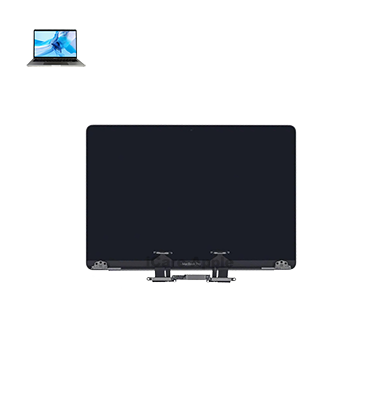
MacBook Pro M2 (2022) A2338 Display
At iCare Apple, we provide expert MacBook Pro M2 (2022) A2338 Display repair and replacement services in Bangladesh. Our skilled technicians use genuine parts to ensure top-quality visuals and smooth performance. We offer quick service, a warranty on repairs, and complete customer satisfaction. Visit us for reliable MacBook Display solutions!
Display
- 1 Year - Replacement Guaranty
- 30 Days - Money back Guaranty
- Replacement Time - 1 Hour
- Service Charge Included
- 24/7 support
How to Identify When Your MacBook Pro M2 (2023) A2779 Display Needs Replacement
Here are four signs that your MacBook Pro M2 (2023) A2779 Display may need replacement:
Screen Flickering or Blackout:
Intermittent flickering, sudden blackouts, or a completely unresponsive screen.
Visible Cracks or Lines:
Physical damage like cracks, vertical or horizontal lines, and discoloration on the Display.
Dim or Uneven Brightness:
Noticeable dim areas or inconsistent brightness across the screen.
Distorted or No Visuals:
Blurry images, color distortion, or the Display showing no visuals despite the MacBook being powered on.
Our MacBook Pro M2 (2023) A2779 Display Repair & Replacement Process
1. Diagnosis:
We thoroughly assess your MacBook’s Display to identify the issue, whether it’s physical damage or internal malfunction.
2. Disassembly with Care:
Our skilled technicians carefully open your MacBook, ensuring no harm to other components.
3. Genuine Display Replacement:
We replace the damaged Display with a high-quality, genuine part for optimal visual performance.
4. Testing & Quality Assurance:
After replacement, we test the new Display to ensure perfect resolution, brightness, and responsiveness.

Why Choose iCare Apple for MacBook Pro M2 (2023) A2779 Display Repair & Replacement
Choose iCare Apple for MacBook Pro M2 (2023) A2779 Display repair and replacement because we offer expert service, genuine parts, and a quick turnaround. Our skilled technicians ensure high-quality repairs with a service warranty, providing reliable and long-lasting results. Trust us for professional and efficient MacBook Display solutions in Bangladesh!
✌️Top Benefits of MacBook Pro M2 (2023) A2779 Display Repair & Replacement at iCare Apple
Certified Technicians
Our technicians are certified and highly skilled, ensure repairs for your MacBook Pro M2 (2023) A2779. We guarantee top-notch service for all Display repairs and replacements.
Original & High-Quality Parts
We use genuine Apple parts for MacBook display replacements, ensuring optimal performance, durability, and preserving your MacBook's original quality for long-lasting results.
Quick and Efficient Service
At iCare Apple, we prioritize quick and efficient service, minimizing downtime. Our experienced team provides rapid, reliable display repairs, so you can get back to using your MacBook without delay.

Tips & Tricks for MacBook Pro M2 (2023) A2779 Display
• Use a Screen Protector:
Protect your Display from scratches and dust by using a high-quality screen protector.
• Adjust Brightness Settings:
Avoid running the Display at full brightness for long periods to reduce wear on the backlight.
• Clean Regularly:
Gently clean your screen with a microfiber cloth to avoid smudges and dirt buildup.
• Avoid Direct Sunlight:
Keep your MacBook away from direct sunlight to prevent overheating and damage to the Display.
• Use a Screen Saver:
Set up a screen saver or turn off the Display when not in use to reduce pixel wear.
• Be Gentle with the Lid:
Always open and close the MacBook with care to avoid putting unnecessary pressure on the screen.
• Store Properly:
When transporting your MacBook, use a padded sleeve or case to prevent pressure on the screen.
• Avoid Heavy Static Use:
Avoid leaving a static image on the screen for too long, as it can cause burn-in over time.
• Prevent Liquid Spills:
Keep drinks and other liquids away from the MacBook to prevent damage from spills.
• Use Auto-Brightness:
Enable auto-brightness to automatically adjust the screen’s brightness based on your environment, reducing unnecessary power use.
Following these tips will help keep your MacBook Pro M2 (2023) A2779 Display in optimal condition for longer!
What Our Customers Are Saying About Our MacBook Pro M2 (2023) A2779 Display Repair & Replacement Service
Farhan Islam
iCare Apple replaced my MacBook Pro M2 Display perfectly. The screen looks brand new, and the service was fast and professional!
Mushfiq Hossain
I’m so happy with the Display replacement at iCare Apple. The quality and clarity of my MacBook’s screen are amazing now!
Mahbubur Rahman
The repair process was smooth, and the new Display works flawlessly. iCare Apple provided excellent service with genuine parts!
Nowrin Ira
My MacBook Pro’s Display was fixed quickly at iCare Apple. Their expert service and attention to detail made all the difference!
Your Trust is Our Strength
Why Timely MacBook Display Repair & Replacement is Essential
Timely MacBook Pro M2 (2023) A2779 Display repair and replacement is essential to prevent further damage and maintain optimal performance. Delaying fixes can lead to screen blackouts, distorted visuals, or touch issues. Prompt service ensures clear, vibrant Display quality and protects other internal components from potential long-term damage.
Visit iCare Apple in Dhaka for Professional MacBook Repairs
Located at the heart of Dhaka, iCare Apple offers top-notch repair services for all MacBook models. Our team is committed to providing quality repairs, and we stand by our work. So, if your MacBook Pro M2 (2023) A2779 needs a Display repair and replacement, visit iCare Apple and experience professional service from trusted experts.
Ensure the longevity and performance of your MacBook Pro M2 (2023) A2779 by opting for quality Display repair and replacement services at iCare Apple.
FAQ
1. What is the cost of MacBook Pro M2 (2023) A2779 Display replacement?
The cost varies; please contact us directly for the latest pricing details.
2. Can you fix screen flickering without replacing the Display?
We diagnose the issue first — if it’s fixable without replacement, we’ll let you know.
3. Do you repair liquid-damaged MacBook Displays?
Yes, we assess and repair liquid-damaged Displays if possible; otherwise, we recommend replacement.
4. Can a dim screen be fixed without replacing the Display?
We diagnose the issue first — sometimes dim screens can be fixed without full replacement.
5. Can you fix lines or spots on the MacBook screen?
Lines or spots usually require Display replacement.
6. Do you only replace the screen or the entire top case?
We replace only the screen unless the top case is also damaged.
7. Do you offer original Apple parts?
Yes, we use high-quality, genuine display parts for replacements.
8. Why should I choose iCare Apple for Display replacement?
We offer expert service, genuine parts, quick turnaround, and a service warranty.