

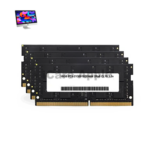
iMac 27 Inch 2020 RAM
We offer professional RAM Upgrading & Replacement Service for the iMac 27 Inch 2020 at iCare Apple in Bangladesh. Whether your device is slowing down or needs a performance boost, we provide reliable diagnosis, compatible RAM options, and expert installation to ensure smooth and efficient operation of your iMac.
RAM
- 1 Year - Replacement Guaranty
- 30 Days - Money back Guaranty
- Replacement Time - 1 Hour
- Service Charge Included
- 24/7 support
How to Identify When Your iMac 27 Inch 2020 RAM Needs Replacement
Here are four signs that your iMac 27 Inch 2020 RAM may need replacement:
Frequent Freezing or Crashing
If your iMac often freezes or crashes during multitasking, faulty RAM could be the reason.
Slow Performance with Basic Tasks
When even light apps lag or respond slowly, degraded RAM might be affecting speed.
Startup Issues or Beeping Sounds
Repeated beeps during boot or failure to start can indicate RAM failure.
Application Errors or Random Restarts
If apps crash without reason or the system restarts randomly, your RAM may need checking or replacement.
Our iMac 27 Inch 2020 RAM Upgrading & Replacement Process
Diagnosis
We begin by inspecting your iMac to determine its current RAM status and assess whether an upgrade or replacement is needed.
Client Approval
After identifying the problem, we explain the condition, cost, estimated timeline, and whether the RAM can be upgraded or needs replacement.
Replacement or Upgrade
Once approved, we carefully install original RAM modules compatible with the iMac 27 Inch 2020.
Final Testing
We run full hardware diagnostics and performance tests to ensure the system runs smoothly after the upgrade.

Why Choose iCare Apple for iMac 27 Inch 2020 RAM Upgrading & Replacement!?
Choose iCare Apple for your iMac 27 Inch 2020 RAM upgrade or replacement to ensure expert diagnostics, original parts, and precise installation. We maintain your device’s performance and stability while ensuring careful handling and timely delivery. Our experienced team is dedicated to delivering trusted service across Bangladesh.
Top Benefits of iMac 27 Inch 2020 RAM Upgrading & Replacement at iCare Apple
Certified Technicians
Our iMac replacements are handled by certified technicians who ensure precision, safe handling, and expert service, delivering reliable performance and long-term satisfaction for every repair.
Original & High-Quality Parts
We use original parts for all iMac replacements, ensuring durability, perfect compatibility, and optimal performance to restore your device just like the factory standard.
Quick and Efficient Service
Our quick and efficient service ensures your iMac RAM is Upgraded or replaced promptly, minimizing downtime while maintaining the highest quality and performance standards.

Tips & Tricks
• Close Unused Applications
Running many apps uses more RAM and slows your system. Close apps you don’t need to free memory.
• Restart Your iMac Regularly
Restarting clears temporary files and refreshes memory. This helps prevent memory leaks and keeps performance smooth.
• Keep macOS Updated
System updates optimize memory management. Always install the latest updates for better RAM efficiency.
• Monitor Activity Monitor
Check memory usage frequently in Activity Monitor. Identify and close memory-heavy processes to avoid slowdowns.
• Limit Startup Programs
Too many apps launching at startup consume RAM unnecessarily. Disable unwanted startup items to speed boot time.
• Avoid Browser Overload
Too many open browser tabs consume significant RAM. Close unused tabs to reduce memory pressure.
• Upgrade RAM if Needed
If your iMac runs slow often, consider upgrading RAM. More RAM improves multitasking and overall performance.
• Run Malware Scans
Malware can consume RAM aggressively. Use trusted antivirus software to keep your system clean.
• Clear Cache Files Periodically
Cached files occupy RAM temporarily and can slow your system. Clear caches regularly to optimize memory usage.
• Avoid Heavy Background Apps
Background apps can silently drain RAM resources. Close unnecessary background processes to free up memory.
Consistent RAM care ensures your iMac runs efficiently and extends its lifespan.
What Our Customers Are Saying About Our iMac 27 Inch 2020 RAM Upgrading & Replacement Service
Mahin Ahmed
I upgraded my iMac 27 Inch 2020 RAM from iCare Apple and the performance boost is amazing. Their service was fast and very professional.
Sabrina Jahan
The team at iCare Apple replaced my iMac’s faulty RAM smoothly. I’m impressed with their diagnosis and detailed explanation before the work.
Nijhum Sarker
Got my RAM upgraded to 64GB at iCare Apple. The whole process was transparent and completed within the promised time.
Farzana Mitu
Excellent experience with iCare Apple for my iMac RAM replacement. They handled everything efficiently and now my device runs faster than ever.
Your Trust is Our Strength
Why Timely iMac RAM Upgrading or Replacement is Essential
Timely RAM upgrading or replacement in your iMac 27 Inch 2020 ensures smooth performance, faster multitasking, and better compatibility with the latest software. Delays may lead to frequent crashes, system lag, and reduced productivity. At iCare Apple, we help restore speed and reliability by optimizing your iMac’s memory configuration.
Visit iCare Apple in Dhaka for Professional iMac Repairs
Located at the heart of Dhaka, iCare Apple offers top-notch repair services for all iMac models. Our team is committed to providing quality repairs, and we stand by our work. So, if your iMac 27 Inch 2020 needs a RAM upgrading or replacement, visit iCare Apple and experience professional service from trusted experts.
Ensure the longevity and performance of your iMac 27 Inch 2020 by opting for quality RAM upgrading or replacement services at iCare Apple.
FAQ
1. How do I know if my iMac RAM needs replacement?
If your iMac frequently freezes, crashes, or runs slowly during multitasking, the RAM might be faulty.
2. Do you use original RAM for replacement?
Yes, we use original or certified compatible RAM modules to ensure optimal performance and compatibility.
3. Can RAM issues be fixed by software updates?
Some minor issues may improve with software updates, but faulty RAM usually requires repair or replacement.
4. How long does the RAM replacement process take?
Typically, RAM replacement takes few hours or 1-3 business days depending on availability of parts.
5. Will replacing RAM affect my data?
No, RAM replacement does not affect your stored data but backing up is always recommended before any repair.
6. Can I upgrade my RAM during the replacement?
Yes, we can upgrade your RAM to higher capacity modules based on your needs and compatibility.
7. Can faulty RAM cause my iMac to fail to boot?
Yes, defective RAM can prevent your iMac from starting up properly.
8. Will RAM replacement speed up my iMac?
Replacing faulty RAM restores performance and can significantly improve speed.