

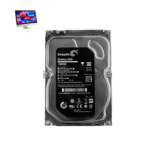
iMac 27 Inch 2020 Hard Drive
At iCare Apple, we provide expert replacement and upgrading services for the iMac 27 Inch 2020 Hard Drive in Bangladesh. Whether your hard drive is failing or you want more storage, we ensure fast, reliable solutions using quality parts to keep your iMac running smoothly and efficiently.
Hard Drive
- 1 Year - Replacement Guaranty
- 30 Days - Money back Guaranty
- Replacement Time - 1 Hour
- Service Charge Included
- 24/7 support
How to Identify When Your iMac 27 Inch 2020 Hard Drive Needs Replacement
Here are four signs that your iMac 27 Inch 2020 Hard Drive may need replacement:
Slow Performance and Long Load Times
If your iMac takes much longer than usual to boot or open files, the hard drive may be failing.
Strange Noises from the Drive
Clicking, grinding, or whirring sounds often indicate mechanical problems requiring replacement.
Frequent System Freezes or Crashes
Unexpected freezes, crashes, or kernel panics can be caused by a deteriorating hard drive.
Disk Utility Shows Errors or Fails to Mount
If your hard drive appears as unmounted or shows repeated errors in Disk Utility, replacement is necessary.

Our iMac 27 Inch 2020 Hard Drive Replacement or Upgrading Process
Diagnosis:
We thoroughly examine your iMac to identify hard drive issues or confirm upgrade compatibility.
Client Approval:
After diagnosis, we explain the hard drive condition, cost, timeline, and whether software service or replacement/upgrading is needed.
Replacement or Upgrading:
With your approval, we replace or upgrade the hard drive using original, high-quality parts to ensure optimal performance.
Testing and Delivery:
We perform detailed testing, including data access and system speed checks, before returning your iMac fully functional and reliable.

Why Choose iCare Apple for iMac 27 Inch 2020 Hard Drive Replacement or Upgrading!?
Choose iCare Apple for iMac 27 Inch 2020 Hard Drive replacement or upgrading because we provide expert diagnosis, genuine quality parts, and reliable service. Our skilled technicians ensure fast, secure installations with thorough testing, helping your iMac perform smoothly and efficiently. Trust us for quality and care.
Top Benefits of iMac 27 Inch 2020 Hard Drive Replacement or Upgrading at iCare Apple
Certified Technicians
Our iMac replacements are handled by certified technicians who ensure precision, safe handling, and expert service, delivering reliable performance and long-term satisfaction for every repair.
Original & High-Quality Parts
We use original and OEM parts for all iMac replacements, ensuring durability, perfect compatibility, and optimal performance to restore your device just like the factory standard.
Quick and Efficient Service
Our quick and efficient service ensures your iMac Hard Drive is Replaced or Upgraded promptly, minimizing downtime while maintaining the highest quality and performance standards.

Tips & Tricks
• Keep macOS Updated
Regular system updates improve performance and fix bugs that may affect your hard drive health.
Stay updated to avoid unnecessary strain on your storage system.
• Use Disk Utility for Maintenance
Run Disk Utility to check and repair minor drive issues periodically.
This helps maintain drive integrity and prevent sudden failures.
• Avoid Force Shutdowns
Shutting down improperly can damage file systems and stress the hard drive.
Always power off your iMac using the standard shutdown method.
• Keep Sufficient Free Space
Avoid filling the drive completely, as low space slows performance and increases wear.
Maintain at least 15–20% free space for optimal functioning.
• Use Antivirus or Malware Protection
Malware can corrupt files and damage the hard drive over time.
Install trusted security software to protect your system.
• Avoid Physical Shocks
Though iMacs are stationary, moving them during operation can harm the hard drive.
Always handle your device carefully to prevent internal damage.
• Regular Backups with Time Machine
Frequent backups reduce the risk of data loss from hard drive failure.
Use Time Machine or external drives to back up important data.
• Monitor Drive Health with Apps
Use tools like DriveDx or SMART Utility to check hard drive status regularly.
These help detect early signs of potential failure.
• Uninstall Unused Applications
Too many apps can clutter storage and reduce hard drive efficiency.
Delete what you don’t need to maintain healthy storage.
• Avoid Overheating
Excessive heat can reduce hard drive lifespan significantly.
Ensure proper ventilation and clean dust from vents regularly.
Consistent care and smart usage practices can significantly extend the life and performance of your iMac’s Hard Drive.
What Our Customers Are Saying About Our iMac 27 Inch 2020 Hard Drive Replacement or Upgrading Service
Rafiq Islam
iCare Apple replaced my iMac 27 Inch 2020 hard drive quickly and professionally. The performance improvement is noticeable and my system runs smoothly now.
Nabila Chowdhury
The hard drive upgrade service at iCare Apple was excellent. They explained everything clearly and completed the job on time.
Jahidul Hasan
I trusted iCare Apple for my iMac hard drive replacement and they delivered great service. My iMac feels like new again.
Sumaiya Akter
Fast, reliable, and affordable hard drive replacement at iCare Apple. Highly recommend their expert technicians for iMac services.
Your Trust is Our Strength
Why Timely iMac Hard Drive Replacement or Upgrading is Essential
Timely hard drive replacement or upgrading for your iMac 27 Inch 2020 is crucial to prevent data loss, improve system speed, and avoid sudden failures. Acting early helps maintain smooth performance and extends the device’s lifespan. At iCare Apple, we ensure quick, reliable service to keep your iMac running optimally.
Visit iCare Apple in Dhaka for Professional iMac Repairs
Located at the heart of Dhaka, iCare Apple offers top-notch repair services for all iMac models. Our team is committed to providing quality repairs, and we stand by our work. So, if your iMac 27 Inch 2020 needs a Hard Drive Replacement or Upgrading, visit iCare Apple and experience professional service from trusted experts.
Ensure the longevity and performance of your iMac 27 Inch 2020 by opting for quality Hard Drive Replacement or Upgrading services at iCare Apple.
FAQ
1. How do I know if my iMac’s hard drive needs replacement?
Slow performance, frequent crashes, unusual noises, or file errors often indicate Hard Drive failure.
2. Do you use original hard drives for replacements?
Yes, we use high-quality compatible Hard Drives to ensure reliability and performance.
3. Will my data be safe during the replacement process?
We attempt data recovery before replacement, but backing up important files beforehand is recommended.
4. How long does the replacement take?
Typically, it takes few hours or several business days depending on the issue and part availability.
5. Can I upgrade to an SSD during the replacement?
Yes, SSD upgrades are available for improved speed and performance upon request.
6. What causes hard drive failure in iMacs?
Common causes include age, overheating, power surges, physical damage, or software corruption.
7. What types of hard drives do you install?
We install original Apple HDDs, SSDs depending on your iMac’s configuration and your preference.
8. Can you transfer data from my old drive to the new one?
Yes, if the old drive is accessible, we securely transfer your data to the new drive, but its service charge is not included in the Hard Drive replacement cost.