
iMac 27 Inch 2017 Speaker
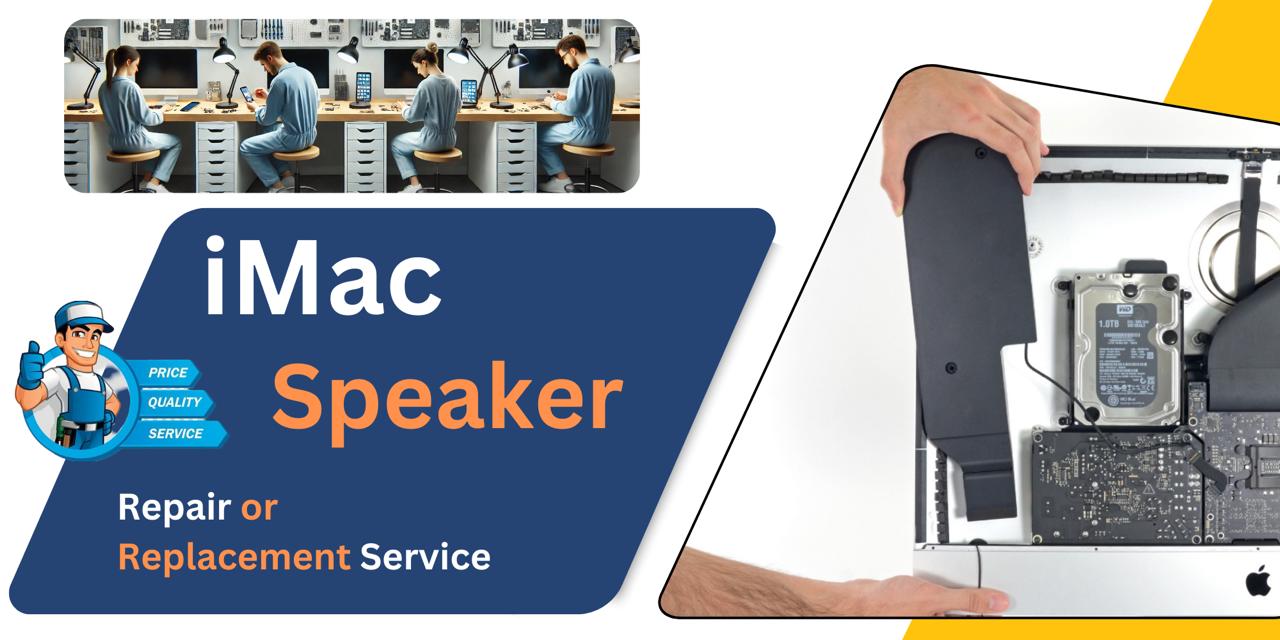
At iCare Apple, we provide expert repair and replacement services for iMac 27 Inch 2017 Speakers in Bangladesh. We diagnose sound issues accurately and use original parts to restore clear audio quality. Trust us for fast, professional service that brings your iMac’s sound back to life efficiently.
Speaker
- 1 Year - Replacement Guaranty
- 30 Days - Money back Guaranty
- Replacement Time - 1 Hour
- Service Charge Included
- 24/7 support
How to Identify When Your iMac 27 Inch 2017 Speaker Needs Replacement
Here are four signs that your iMac 27 Inch 2017 Speaker may need replacement:
Distorted or Crackling Sound
If audio becomes distorted, crackling, or unclear, the Speaker may be damaged and require replacement.
No Sound Output
When your iMac produces no sound despite correct settings, the Speaker could be faulty or disconnected.
Intermittent Audio
Sound cutting in and out frequently indicates possible Speaker failure or loose connections.
Physical Damage or Moisture Exposure
Visible damage or exposure to liquids can impair Speaker function and often requires replacement.
Our iMac 27 Inch 2017 Speaker Replacement Process
Diagnosis
We start by thoroughly examining your iMac’s Speaker to identify the exact issue affecting sound quality.
Client Approval
After diagnosis, we explain the problem, repair or replacement options, estimated cost, and timeline for your approval.
Repair or Replacement
Our technicians repair damaged Speakers or replace them with original parts to ensure clear, high-quality audio.
Final Testing
We perform extensive sound tests to confirm proper Speaker function and overall system stability before returning your iMac. We prioritize quality and customer satisfaction throughout the entire process.

Why Choose iCare Apple for iMac 27 Inch 2017 Speaker Repair & Replacement!?
Choose iCare Apple for iMac 27 Inch 2017 Speaker repair or replacement because we use original parts and expert techniques to restore clear sound quality. Our skilled technicians ensure accurate diagnosis, transparent communication, and timely service, providing reliable and professional care that enhances your iMac’s audio performance.
Top Benefits of iMac 27 Inch 2017 Speaker Repair & Replacement at iCare Apple
Certified Technicians
Our iMac replacements are handled by certified technicians who ensure precision, safe handling, and expert service, delivering reliable performance and long-term satisfaction for every repair.
Original & High-Quality Parts
We use original parts for all iMac replacements, ensuring durability, perfect compatibility, and optimal performance to restore your device just like the factory standard.
Quick and Efficient Service
Our quick and efficient service ensures your iMac Speaker is repaired or replaced promptly, minimizing downtime while maintaining the highest quality and performance standards.

Tips & Tricks
• Keep Volume at Moderate Levels
Avoid playing audio at maximum volume for long periods. High volume can damage Speaker components over time.
• Clean Speaker Grills Regularly
Use a soft brush or cloth to gently remove dust from the Speaker grills. Dust buildup can muffle sound quality.
• Avoid Moisture Exposure
Keep liquids away from your iMac’s Speakers. Moisture can cause short circuits or corrosion inside the Speaker unit.
• Protect from Physical Damage
Don’t place heavy objects on or near the Speaker area. Pressure or impact can damage the Speaker diaphragm.
• Use Headphones When Possible
Using headphones reduces wear on internal Speakers. It also helps prevent unwanted feedback during calls or recordings.
• Check Audio Settings
Ensure equalizer and sound settings are balanced. Extreme settings can strain and degrade Speaker performance.
• Avoid Continuous Bass-heavy Audio
Bass-heavy music played continuously can wear out Speaker cones. Mix your audio styles to protect Speaker longevity.
• Keep Software Updated
Update macOS and audio drivers regularly. Software fixes can improve sound management and prevent glitches.
• Use External Speakers for Heavy Use
For extended audio sessions or high-quality sound, consider external Speakers. This reduces stress on built-in Speakers.
• Get Professional Inspection for Issues
If sound distorts or cuts out, get your iMac’s Speakers checked promptly. Early repair prevents further damage.
Proper care and cautious use of your iMac’s Speakers ensure clear sound quality and extend their lifespan.
What Our Customers Are Saying About Our iMac 27 Inch 2017 Speaker Repair & Replacement Service
Shihab Ahmed
iCare Apple fixed my iMac 2017 Speaker quickly and professionally. The sound quality is crystal clear now.
Rumaisha Jahan
The Speaker replacement service was smooth and efficient. I’m very happy with the results from iCare Apple.
Hasan Mahmud
Great experience with iCare Apple’s repair team. They explained everything and restored my iMac’s audio perfectly.
Sharmin Akter
Fast and reliable Speaker repair at iCare Apple. My iMac sounds like new again after their service.
Your Trust is Our Strength
Why Timely iMac Speaker Repair & Replacement is Essential
Timely iMac 27 Inch 2017 Speaker repair or replacement is essential to avoid poor sound quality, distorted audio, and communication issues. Delaying service can worsen damage and increase repair costs. Early action ensures clear audio performance, enhances your user experience, and prolongs the lifespan of your iMac’s Speakers.
Visit iCare Apple in Dhaka for Professional iMac Repairs
Located at the heart of Dhaka, iCare Apple offers top-notch repair services for all iMac models. Our team is committed to providing quality repairs, and we stand by our work. So, if your iMac 27 Inch 2017 needs a Speaker repair or replacement, visit iCare Apple and experience professional service from trusted experts.
Ensure the longevity and performance of your iMac 27 Inch 2017 by opting for quality Speaker repair or replacement services at iCare Apple.
FAQ
1. Do you use original parts for Speaker replacement?
Yes, we use original parts to ensure the best sound quality.
2. Is the replacement service covered by a warranty?
How long does the Speaker repair or replacement take? Typically, the process takes few hours or 1-3 business days depending on part availability.
3. Can software updates fix Speaker issues?
Some sound problems may be software-related, but hardware repair is needed for physical Speaker damage.
4. Is it possible to repair the Speaker without replacement?
Minor issues can sometimes be repaired, but often replacement is the best solution.
5. What causes Speaker damage in iMacs?
Common causes include physical impact, dust buildup, and liquid exposure.
6. Can loud volume damage the Speaker?
Yes, prolonged use at maximum volume can wear out the Speaker.
7. Can water damage be repaired on iMac Speakers?
Water damage often requires replacement and thorough cleaning.
8. Can dust cause sound distortion?
Yes, dust blocking Speaker grills affects audio clarity.