
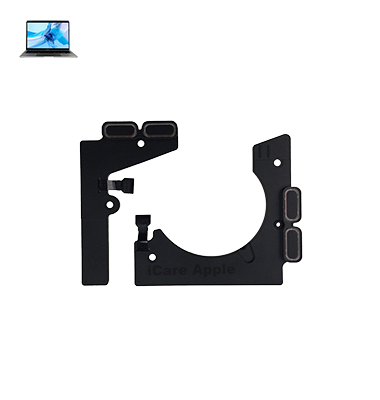
MacBook Pro M2 (2022) A2338 Speaker
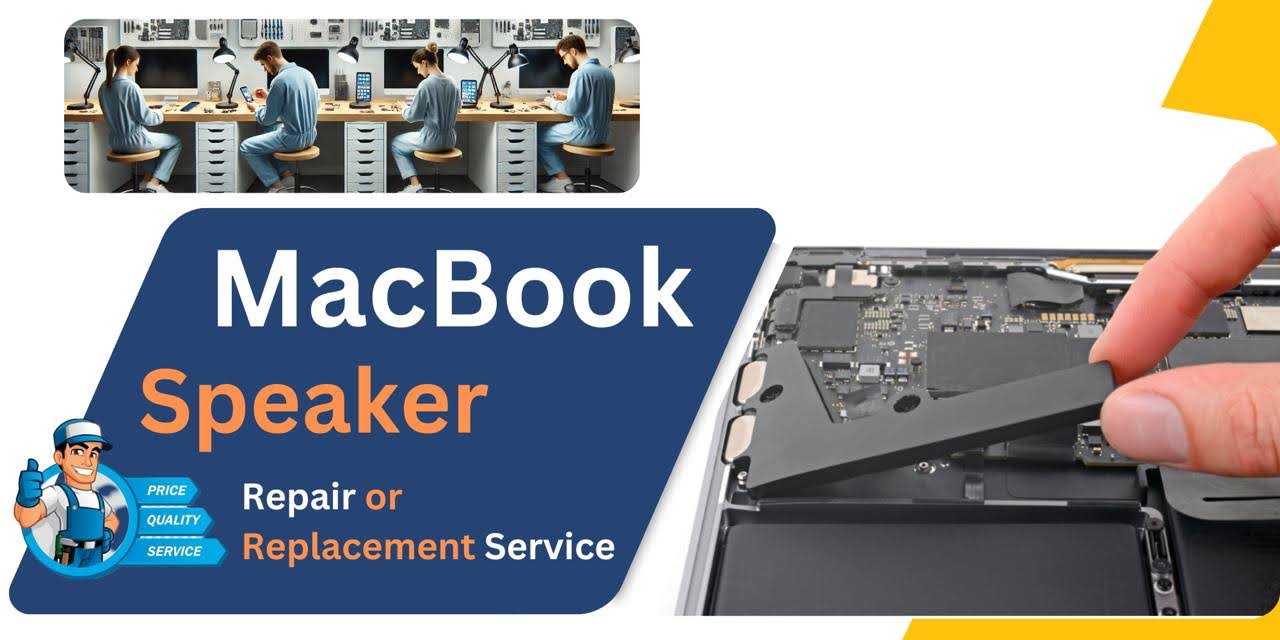
At iCare Apple, we offer professional MacBook Pro M2 (2022) A2338 Speaker replacement services in Bangladesh. Our expert technicians use genuine parts to ensure high-quality audio performance. We prioritize fast and reliable repairs, restoring your MacBook’s sound quality and functionality. Trust us for efficient, affordable service.
Speaker
- 1 Year - Replacement Guaranty
- 30 Days - Money back Guaranty
- Replacement Time - 1 Hour
- Service Charge Included
- 24/7 support
How to Identify When Your MacBook Pro M2 (2022) A2338 Speaker Needs Replacement
Here are four signs that your MacBook Pro M2 (2022) A2338 Speaker may need replacement:
Distorted Sound:
If the audio becomes muffled, crackly, or distorted, it may indicate Speaker damage.
No Sound:
Complete loss of sound, even when the volume is turned up, suggests Speaker failure.
Intermittent Sound:
If sound cuts in and out, there could be a problem with the Speaker.
Low Volume:
Unusually low audio output, despite adjusting the volume, may signal the need for a Speaker replacement.
Our MacBook Pro M2 (2022) A2338 Speaker Replacement Process
1. Diagnosis:
We assess the issue to confirm that the Speaker needs replacemen.
2. Disassembly:
Our technicians carefully open your MacBook to access and remove the damaged Speaker without causing any harm to other components.
3. Replacement:
A high-quality, genuine replacement Speaker is installed to restore optimal sound performance.
4. Testing and Quality Check:
We test the new Speaker for sound clarity, volume, and functionality before performing a final quality check to ensure everything works flawlessly.

Why Choose iCare Apple for MacBook Pro M2 (2022) A2338 Speaker Replacement 
Choose iCare Apple for your MacBook Pro M2 (2022) A2338 Speaker replacement because we offer expert service with genuine parts. Our skilled technicians provide fast, reliable repairs, ensuring your MacBook’s audio is restored to perfect quality. We prioritize customer satisfaction and offer affordable, high-quality solutions.
✌️Top Benefits of MacBook Pro M2 (2022) A2338 Speaker Replacement at iCare Apple
Certified Technicians
Our technicians are certified and highly skilled, ensure repairs for your MacBook Pro M2 (2022) A2338. We guarantee top-notch service for all Speaker replacements.
Original & High-Quality Parts
We use genuine Apple parts for MacBook Speaker replacements, ensuring optimal performance, durability, and preserving your MacBook's original quality for long-lasting results.
Quick and Efficient Service
At iCare Apple, we prioritize quick and efficient service, minimizing downtime. Our experienced team provides rapid, reliable Speaker repairs, so you can get back to using your MacBook without delay.

Tips & Tricks for MacBook Pro M2 (2022) A2338 Speaker
• Adjust Audio Settings:
Customize audio settings in macOS to optimize the sound output of the MacBook Pro A2485 (2021) speakers. Access the Sound preferences pane in System Preferences to adjust volume levels, audio balance, and other audio settings according to your preferences.
• Use Equalizer Settings:
Take advantage of built-in equalizer settings or third-party audio enhancement software to fine-tune the sound characteristics of the speakers of MacBook Pro A2485 (2021). Adjust equalizer settings to enhance bass, treble, or midrange frequencies for a personalized listening experience.
• Avoid Overdriving the Speakers:
Avoid playing audio at excessively high volume levels for extended periods to prevent damage to the speakers of MacBook Pro A2485 (2021). Overdriving the speakers can lead to distortion, reduced audio quality, and potential long-term damage to speaker components.
• Keep Software Updated:
Keep macOS and audio drivers up to date with the latest software updates from Apple to ensure compatibility, stability, and optimal performance of the speakers of MacBook Pro A2485 (2021). Software updates may include bug fixes, audio enhancements, and driver optimizations.
• Position the Laptop Correctly:
Position the MacBook Pro A2485 (2021) on a stable surface and ensure that the speakers are not obstructed to maximize sound quality and volume output. Avoid covering or blocking the speaker grilles with objects or your hands during audio playback.
• Use External Speakers or Headphones:
Consider using external speakers or headphones with the MacBook Pro A2485 (2021) for enhanced audio quality and volume output, especially when listening to music, watching movies, or gaming. External speakers or headphones can provide superior sound reproduction and immersive audio experiences.
• Optimize Audio Playback Settings:
Adjust audio playback settings in multimedia applications to optimize sound quality and performance on the speakers of MacBook Pro A2485 (2021). Configure audio output settings, equalizer presets, and surround sound options for the best audio experience.
• Experiment with Spatial Audio:
If available, experiment with spatial audio features in supported multimedia applications to enhance the immersion and realism of audio playback on the speakers of MacBook Pro A2485 (2021). Spatial audio technology simulates surround sound effects and directional audio cues for a more immersive listening experience.
• Avoid Audio Interference:
Minimize audio interference and signal degradation by keeping electronic devices, wireless routers, and other sources of electromagnetic interference away from the MacBook Pro A2485 (2021) speakers. Interference can degrade audio quality and cause unwanted noise or distortion.
• Protect Against Physical Damage:
Protect the speakers of MacBook Pro A2485 (2021) from physical damage by handling the device with care and avoiding impacts, drops, or other mishaps that could damage speaker components. Use a protective case or sleeve to shield the laptop during transport and storage.
By following these tips and tricks, you can maximize the audio quality, volume output, and overall performance of the speakers on your MacBook Pro A2485 (2021), ensuring an immersive and enjoyable listening experience for all your multimedia activities.
What Our Customers Are Saying About Our MacBook Pro M2 (2022) A2338 Speaker Replacement Service
Mehrab Hossain
iCare Apple provided excellent service for my MacBook Pro Speaker replacement. The sound quality is amazing, and the process was quick.
Safwaan Kabir
Very impressed with iCare Apple! My MacBook Speaker was replaced fast, and it sounds perfect now.
Afroza Nowreen
iCare Apple did a fantastic job replacing my MacBook Pro M2 Speaker. The service was efficient, and my MacBook is back to top sound quality.
Rizawan Chowdhury
Great experience at iCare Apple! The Speaker replacement was seamless, and my MacBook sounds crystal clear again.
Your Trust is Our Strength
Why Timely MacBook Speaker Replacement is Essential
Timely replacement of your MacBook Pro M2 (2022) A2338 Speaker is essential to avoid further damage and ensure clear, high-quality audio. Ignoring Speaker issues can lead to additional performance problems or a complete loss of sound. Replacing it promptly restores functionality and enhances your overall device experience.
Visit iCare Apple in Dhaka for Professional MacBook Repairs
Located at the heart of Dhaka, iCare Apple offers top-notch repair services for all Macbook models. Our team is committed to providing quality repairs, and we stand by our work. So, if your MacBook Pro M2 (2022) A2338 needs a Speaker replacement, visit iCare Apple and experience professional service from trusted experts.
Ensure the longevity and performance of your MacBook Pro M2 (2022) A2338 by opting for quality Speaker replacement services at iCare Apple.
FAQ
1. How long does the MacBook Pro A2338 M2 Speaker replacement take at iCare Apple?
The replacement typically takes a few hours, depending on the issue.
2. Is the Speaker replaced with genuine parts?
Yes, we use genuine replacement parts to ensure high-quality performance.
3. What signs indicate my MacBook Pro A2338 M2 Speaker needs replacement?
Distorted sound, no sound, intermittent audio, or low volume may indicate the need for replacement.
4. Is the Speaker replacement covered by a warranty?
Yes, we provide a warranty on all Speaker replacement services.
5. Can I get my MacBook Pro A2338 M2 Speaker replaced on the same day?
Same-day service is possible, depending on part availability and service complexity.
6. Do I need to make an appointment for the Speaker replacement?
Appointments are recommended, but walk-ins are accepted based on technician availability.
7. Should I back up my data before bringing in my MacBook for Speaker replacement?
While Speaker replacement doesn’t affect data, it’s always a good practice to back up your data.
8. Are your technicians experienced in replacing MacBook Pro A2338 M2 Speakers?
Yes, our technicians are highly trained and experienced in performing Speaker replacements efficiently.