
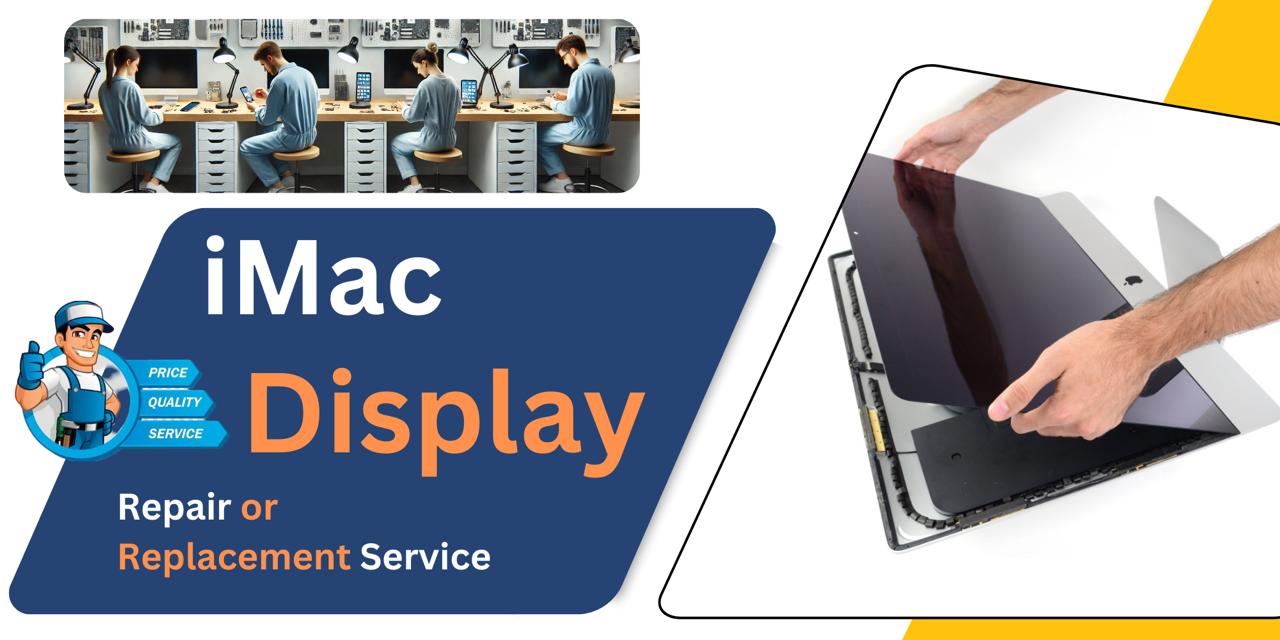

iMac 27 Inch 2017 Display
At iCare Apple, we offer professional iMac 27 Inch 2017 Display repair and replacement services in Bangladesh. Whether your screen is cracked, discolored, or unresponsive, we diagnose the issue and provide efficient solutions using original parts to restore your iMac’s visual performance and ensure a smooth, stress-free experience.
Display
- 30 Days - Money back Guaranty
- Replacement Time - 1 Hour
- Service Charge Included
- 24/7 support
How to Identify When Your iMac 27 Inch 2017 Display Needs Replacement
Here are four signs that your iMac 27 Inch 2017 Display may need replacement:
Flickering or Lines Across the Screen
If you notice horizontal or vertical lines, flickering, or screen distortion, the Display may be failing.
Dim or No Backlight
A very dim screen or complete darkness despite the Mac being powered on suggests backlight or panel failure.
Discoloration or Burn-in Marks
Unusual color patches, ghost images, or burn-in effects are signs the Display panel needs replacement.
Unresponsive or Frozen Display
If the screen stops updating or becomes unresponsive despite the system running, it’s likely a hardware issue in the Display.
Our iPhone XS Loud Speaker Replacement Process
Diagnosis:
We begin by carefully inspecting your iMac to identify Display issues such as flickering, discoloration, or no output.
Client Approval:
After identifying the problem, we explain the condition, cost, estimated timeline, and whether the Display needs repair or replacement.
Service Execution:
Upon approval, our technicians proceed using original parts and advanced tools.
Final Testing:
We verify Display clarity, resolution, and overall performance before delivery.

Why Choose iCare Apple for iMac 27 Inch 2017 Display Repair & Replacement!?
Choose iCare Apple for iMac 27 Inch 2017 Display repair or replacement because we use original parts, ensure precision handling, and provide expert diagnostics. Our experienced technicians prioritize device safety and performance. With a customer-first approach and efficient turnaround, we restore your iMac Display to optimal condition you can rely on.
Top Benefits of iMac 27 Inch 2017 Display Repair & Replacement at iCare Apple
Certified Technicians
Our iMac replacements are handled by certified technicians who ensure precision, safe handling, and expert service, delivering reliable performance and long-term satisfaction for every repair.
Original & High-Quality Parts
We use original parts for all iMac replacements, ensuring durability, perfect compatibility, and optimal performance to restore your device just like the factory standard.
Quick and Efficient Service
Our quick and efficient service ensures your iMac Display is repaired or replaced promptly, minimizing downtime while maintaining the highest quality and performance standards.

Tips & Tricks
• Clean with a Microfiber Cloth
Always use a soft, lint-free microfiber cloth to wipe the screen gently. Avoid paper towels or rough fabrics that can scratch the Display.
• Avoid Direct Sunlight
Keep your iMac away from direct sunlight. Prolonged exposure can cause screen discoloration and reduce Display life.
• Use a Screen Protector
A good-quality screen protector adds an extra layer of defense. It helps prevent scratches, dust, and fingerprints.
• Turn Off When Not in Use
Put your iMac to sleep or turn it off when idle. This helps reduce screen burn-in and extends the Display’s lifespan.
• Control Brightness Levels
Avoid keeping brightness at maximum all the time. Adjust it based on ambient lighting to minimize strain and preserve screen quality.
• Keep Away from Moisture
Avoid using the iMac near humid areas or open windows during rain. Moisture can damage internal Display components.
• Dust Regularly
Gently dust the screen and vents regularly. This prevents particle buildup that can affect performance and Display clarity.
• Avoid Touching the Screen
Resist the urge to touch the Display directly. Oils from your fingers can smudge the screen and degrade its coating over time.
• Update macOS Regularly
Keep your system updated for optimal Display calibration and software-level fixes. Apple often includes Display optimizations in updates.
• Use Original Power Accessories
Only use original Apple power adapters and cables. Voltage inconsistency from third-party accessories can damage the Display over time.
Proper care and regular maintenance of your iMac’s Display help ensure long-lasting visual clarity and optimal performance.
What Our Customers Are Saying About Our iMac 27 Inch 2017 Display Repair & Replacement Service
Mahin Ahmed
The Display of my iMac 2017 had lines and flickers. iCare Apple replaced it quickly and now it's crystal clear.
Farzana Nawar
I had a dim screen issue with my iMac 27 inch. iCare Apple handled the replacement smoothly and professionally.
Tanjim Haque
My Display was totally black after a power surge. iCare Apple restored it with an original screen and excellent care.
Sayma Zerin
Very satisfied with iCare Apple’s Display replacement service. The screen is now vibrant and looks brand new.
Your Trust is Our Strength
Why Timely iMac Display Repair or Replacement is Essential
Timely iMac 27 Inch 2017 Display repair or replacement is essential to avoid worsening screen issues like flickering, dead pixels, or complete Display failure. Delaying service can affect productivity, strain your eyes, and lead to higher repair costs. Immediate action ensures smooth performance and protects your overall user experience.
Visit iCare Apple in Dhaka for Professional iMac Repairs
Located at the heart of Dhaka, iCare Apple offers top-notch repair services for all iMac models. Our team is committed to providing quality repairs, and we stand by our work. So, if your iMac 27 Inch 2017 needs a Display repair or replacement, visit iCare Apple and experience professional service from trusted experts.
Ensure the longevity and performance of your iMac 27 Inch 2017 by opting for quality Display repair or replacement services at iCare Apple.
FAQ
1. How long does the Display repair or replacement take?
Typically, few hours or several days depending on part availability and the issue’s complexity.
2. Will the repair process affect my iMac’s original Display settings?
No, the original settings remain intact after Display repair or replacement.
3. How much does the Display repair or replacement cost?
The cost varies based on the damage, but we provide a transparent quote after diagnosis before proceeding.
4. What signs indicate my iMac Display needs replacement?
Flickering, lines, black screen, or discoloration are common signs that your Display may need replacement.
5. How do I know if the problem is with the Display or the graphics card?
Our technicians diagnose the exact cause to confirm if the Display or other components are at fault.
6. Are your technicians certified for iMac repairs?
Yes, our technicians are experienced and trained specifically for Apple device repairs.
7. What if my iMac has multiple issues besides the Display?
We can diagnose and repair multiple issues; just inform us when you bring the device.
8. Do you provide an estimate before starting the repair?
Yes, we give a clear estimate after Diagnosis and wait for your approval before proceeding.