

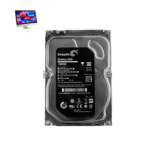
iMac 27 Inch 2019 Hard Drive
We offer reliable iMac 27 Inch 2019 Hard Drive replacement and upgrading services at iCare Apple in Bangladesh. Whether you're facing slow performance or storage issues, we ensure fast diagnosis, proper data handling, and professional installation to restore or enhance your iMac’s speed and storage capacity with expert care.
Hard Drive
- 1 Year - Replacement Guaranty
- 30 Days - Money back Guaranty
- Replacement Time - 1 Hour
- Service Charge Included
- 24/7 support
How to Identify When Your iMac 27 Inch 2019 Hard Drive Needs Replacement
Here are four signs that your iMac 27 Inch 2019 Hard Drive may need replacement:
Slow Performance:
If your iMac takes unusually long to boot or open apps, it could indicate a failing hard drive.
Frequent Freezing:
Sudden freezes or system crashes during simple tasks may point to hard drive issues.
Unusual Noises:
Clicking or grinding sounds from inside the iMac often signal a physically damaged hard drive.
File Errors or Corruption:
If files are disappearing, won’t open, or show error messages, your drive may be failing.
Act early to prevent data loss and improve system performance.
Our iMac 27 Inch 2019 Hard Drive Replacement Process
Diagnosis
We begin with a detailed inspection to confirm the current hard drive’s condition and performance.
Client Approval
After identifying the problem, we explain the condition, cost, estimated timeline, and whether the hard drive can be upgraded or needs replacement.
Safe Replacement
Our experts carefully install an original hard drive or SSD based on your preference.
Final Testing
We run performance tests to ensure your iMac functions smoothly before delivery.

Why Choose iCare Apple for iMac 27 Inch 2019 Hard Drive Replacement & Upgrading!?
Choose iCare Apple for your iMac 27 Inch 2019 Hard Drive replacement or upgrading because we offer expert diagnostics, original parts, skilled technicians, and a clear service process. We ensure data safety whenever possible and deliver efficient solutions tailored to your needs right here in Bangladesh.
Top Benefits of iMac 27 Inch 2019 Hard Drive Replacement & Upgrading at iCare Apple
Certified Technicians
Our iMac replacements are handled by certified technicians who ensure precision, safe handling, and expert service, delivering reliable performance and long-term satisfaction for every repair.
Original & High-Quality Parts
We use original parts for all iMac replacements, ensuring durability, perfect compatibility, and optimal performance to restore your device just like the factory standard.
Quick and Efficient Service
Our quick and efficient service ensures your iMac Hard Drive is upgraded or replaced promptly, minimizing downtime while maintaining the highest quality and performance standards.

Tips & Tricks
• Avoid Physical Shocks
Keep your iMac on a stable surface to prevent sudden movements or drops that may damage the hard drive.
• Shut Down Properly
Always use the shutdown option instead of forcefully powering off to avoid file corruption or drive issues.
• Keep macOS Updated
Install the latest software updates to ensure your system runs efficiently and avoids unnecessary hard drive stress.
• Use Disk Utility Regularly
Run First Aid via Disk Utility to detect and fix minor drive issues before they become serious.
• Avoid Overfilling the Drive
Keep at least 10–15% of your hard drive free to ensure smooth operation and prevent performance slowdowns.
• Enable Time Machine Backups
Regular backups reduce the risk of data loss and protect your drive from being overburdened during emergencies.
• Avoid Excessive Heat
Ensure proper ventilation around your iMac to prevent overheating, which can shorten hard drive lifespan.
• Use Surge Protectors
Protect your iMac from voltage spikes by using a surge protector to prevent hard drive damage.
• Limit Unnecessary Write Cycles
Avoid installing and uninstalling heavy apps frequently, as constant write cycles can wear down the drive.
• Monitor Drive Health
Use built-in tools or third-party apps to keep an eye on drive performance and act early on any warnings.
Consistent care and smart usage habits can significantly extend the life and performance of your iMac 27 Inch 2019 Hard Drive.
What Our Customers Are Saying About Our iMac 27 Inch 2019 Hard Drive Replacement & Upgrading Service
Raiyan Ahmed
I upgraded my iMac 2019 Hard Drive to SSD at iCare Apple and the speed boost is amazing. The service was fast, professional, and reliable.
Tania Rahman
iCare Apple replaced my failing Hard Drive with no data loss and excellent care. Very satisfied with their clear communication and timeline.
Nazmul Haque
The team at iCare Apple upgraded my iMac Hard Drive and improved its performance noticeably. I highly recommend their expert service.
Farzana Kabir
My iMac 2019 Hard Drive was replaced smoothly by iCare Apple. The device feels like new again and I’m very happy with the service.
Your Trust is Our Strength
Why Timely iMac Hard Drive Replacement or Upgrading is Essential
Timely iMac 27 Inch 2019 Hard Drive replacement or upgrading is essential to avoid sudden data loss, system crashes, or slow performance. Delaying the process can affect your productivity and lead to more costly repairs. Upgrading ensures smoother performance, faster boot times, and improved reliability for both personal and professional use.
Visit iCare Apple in Dhaka for Professional iMac Repairs
Located at the heart of Dhaka, iCare Apple offers top-notch repair services for all iMac models. Our team is committed to providing quality repairs, and we stand by our work. So, if your iMac 27 Inch 2019 needs a Hard Drive Replacement or Upgrading service, visit iCare Apple and experience professional service from trusted experts.
Ensure the longevity and performance of your iMac 27 Inch 2019 by opting for quality Hard Drive Replacement or Upgrading services at iCare Apple.
FAQ
1. How do I know if my iMac’s Hard Drive needs replacement?
Signs include slow performance, strange noises, frequent crashes, or disk errors in Disk Utility.
2. Can I upgrade to a larger Hard Drive?
Yes, we offer Hard Drive upgrades with higher capacity for better storage and performance.
3. How long does the replacement or upgrade process take?
Typically, it takes 1-3 working days depending on part availability and device condition.
4. Will my data be safe during Hard Drive replacement?
We recommend backing up your data as replacement may require formatting or reinstalling macOS.
5. Do you use original parts for Hard Drive replacement?
We use high-quality, reliable Hard Drives to ensure durability and optimal performance.
6. Can I choose between HDD and SSD for replacement?
Yes, depending on your needs, we offer HDD or faster SSD options for replacement.
7. Does upgrading to SSD improve performance?
Absolutely, SSDs provide faster boot times, quicker app launches, and better overall system responsiveness.
8. Is the replacement process safe for my iMac hardware?
Yes, our certified technicians handle replacements carefully to avoid any hardware damage.