
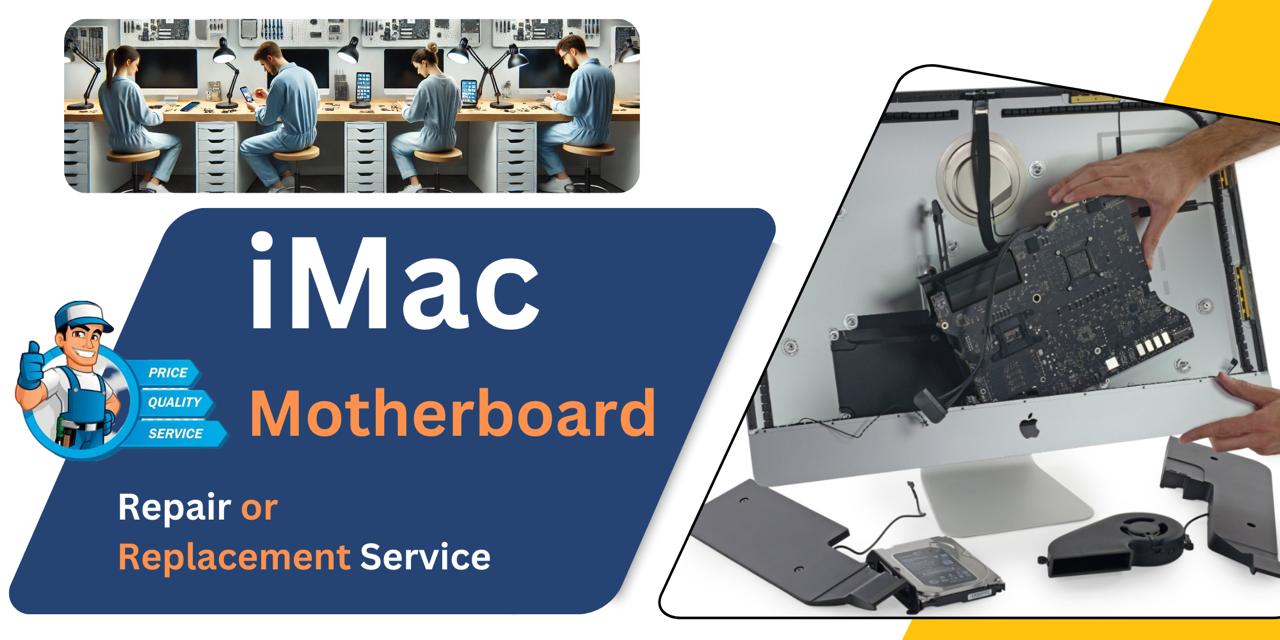
iMac 27 Inch 2019 Motherboard
At iCare Apple, we offer expert iMac 27 Inch 2019 Motherboard repair and replacement services in Bangladesh. From diagnosis to final testing, we ensure a professional solution with original parts. Trust us for reliable service, skilled technicians, and careful handling of your device every step of the way.
MotherBoard
- 1 Year - Replacement Guaranty
- 30 Days - Money back Guaranty
- Replacement Time - 1 Hour
- Service Charge Included
- 24/7 support
How to Identify When Your iMac 27 Inch 2019 Motherboard Needs Replacement
Here are four signs that your iMac 27 Inch 2019 Motherboard may need replacement:
Frequent Crashes or Freezing
If your iMac often crashes or freezes without reason, Motherboard failure could be the cause.
No Power or Boot Issues
When the iMac doesn’t power on or fails to boot, it may indicate a faulty Motherboard.
Unusual Beeping Sounds
Repeated beep codes during startup often signal Motherboard problems needing immediate attention.
Peripheral Malfunctions
If USB ports, audio jacks, or other connections stop working, the Motherboard might be damaged.
Our iMac 27 Inch 2019 Motherboard Replacement Process
Diagnosis
We thoroughly check your iMac to identify Motherboard issues and assess repair or replacement needs.
Client Approval
After identifying the problem, we explain the condition, cost, estimated timeline, and whether repair is possible or replacement is necessary.
Professional Repair or Replacement
Our certified technicians use original parts to repair or replace the Motherboard with precision.
Final Testing and Delivery
We perform comprehensive tests to ensure full functionality before returning your iMac in optimal condition.

Why Choose iCare Apple for iMac 27 Inch 2019 Motherboard Repair and Replacement!?
Choose iCare Apple for iMac 27 Inch 2019 Motherboard repair or replacement because we offer certified technicians, genuine parts, and transparent service. We provide accurate diagnosis, clear communication, and reliable solutions to ensure your iMac’s performance is restored efficiently and safely in Bangladesh.
Top Benefits of iMac 27 Inch 2019 Motherboard Repair and Replacement at iCare Apple
Certified Technicians
Our iMac replacements are handled by certified technicians who ensure precision, safe handling, and expert service, delivering reliable performance and long-term satisfaction for every repair.
Original & High-Quality Parts
We use original parts for all iMac replacements, ensuring durability, perfect compatibility, and optimal performance to restore your device just like the factory standard.
Quick and Efficient Service
Our quick and efficient service ensures your iMac Motherboard is repaired or replaced promptly, minimizing downtime while maintaining the highest quality and performance standards.

Tips & Tricks
• Keep Your iMac Dust-Free
Dust accumulation can cause overheating and short circuits. Use compressed air to clean vents and surrounding areas regularly.
• Avoid Liquid Exposure
Keep your iMac away from water, beverages, or damp environments. Moisture can permanently damage the Motherboard circuits.
• Ensure Proper Ventilation
Place your iMac in a well-ventilated space. Avoid blocking air vents to help maintain optimal temperature.
• Use a Surge Protector
Power surges can fry the Motherboard. Always connect your iMac through a reliable surge protector.
• Shut Down Properly
Avoid forced shutdowns or unplugging while active. Proper shutdown prevents sudden voltage drops damaging internal components.
• Update Software Regularly
Apple firmware and macOS updates often include system optimizations. They can indirectly protect the Motherboard from instability.
• Don’t Overload USB Ports
Connecting multiple high-power devices can strain the logic board. Use a powered hub if needed.
• Avoid Overheating
Heavy tasks generate heat—monitor temperatures using software and avoid excessive multitasking without breaks.
• Be Gentle During Transport
Rough handling can dislodge internal connections. Move your iMac carefully to protect the Motherboard and other parts.
• Get It Checked Periodically
Let experts like us inspect your iMac if you notice performance drops or random shutdowns. Early diagnosis can save the board.
Proper care and routine maintenance can significantly extend your iMac’s Motherboard lifespan and ensure smooth performance.
What Our Customers Are Saying About Our iMac 27 Inch 2019 Motherboard Repair and Replacement Service
Shahriar Hasan
My iMac suddenly stopped turning on, and iCare Apple identified it was a Motherboard issue. They replaced it within the promised time and now it runs perfectly.
Lubna Mehzabin
The team at iCare Apple was transparent and professional during my iMac Motherboard replacement. I'm satisfied with the service and performance.
Farhan Jamil
I was worried about losing my data, but iCare Apple guided me well before the Motherboard replacement. The process was smooth and timely.
Tania Karim
iCare Apple did a great job replacing my iMac’s Motherboard. Their communication, service, and delivery were impressive throughout.
Your Trust is Our Strength
Why Timely iMac Motherboard Repair and Replacement is Essential
Timely iMac 27 Inch 2019 Motherboard repair or replacement prevents complete system failure and data loss. Ignoring early signs can lead to hardware damage and costly downtime. At iCare Apple, we ensure efficient diagnosis and fast solutions to restore your iMac’s performance and reliability before the problem escalates.
Visit iCare Apple in Dhaka for Professional iMac Repairs
Located at the heart of Dhaka, iCare Apple offers top-notch repair services for all iMac models. Our team is committed to providing quality repairs, and we stand by our work. So, if your iMac 27 Inch 2019 needs a Motherboard Repair and Replacement Service, visit iCare Apple and experience professional service from trusted experts.
Ensure the longevity and performance of your iMac 27 Inch 2019 by opting for quality Motherboard Repair and Replacement Services at iCare Apple.
FAQ
1. How do I know if my iMac Motherboard needs replacement?
Signs include no power, frequent crashes, no display, or malfunctioning ports despite troubleshooting.
2. Do you use original Motherboards for replacement?
Yes, we use original Motherboards to ensure full performance and reliability.
3. Can a Motherboard be repaired instead of replaced?
Depending on the damage, minor issues can be repaired; otherwise, a full replacement is recommended.
4. How long does the Motherboard repair or replacement take?
Few hours or several business days depending on the issue and part availability.
5. Will my data be safe during Motherboard repair or replacement?
Motherboard replacement causes complete data loss, even repairs carry some risk, so always secure your important data before service.
6. Can you diagnose Motherboard issues without disassembling the iMac?
Some symptoms can be checked externally, but full diagnosis requires internal inspection.
7. What causes Motherboard failure in iMac 27 Inch 2019?
Common causes include overheating, power surges, liquid damage, and hardware aging or defects.
8. What happens if I ignore Motherboard issues?
Ignoring issues can cause complete system failure and increase repair costs significantly.