

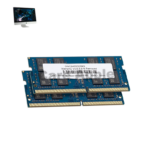
iMac 27 Inch 2019 RAM
At iCare Apple, we provide expert iMac 27 Inch 2019 RAM upgrading and replacement services in Bangladesh. We ensure compatibility, use original parts, and offer professional installation to boost your iMac’s performance. Trust us for reliable, fast, and affordable RAM solutions to keep your device running smoothly.
RAM
- 1 Year - Replacement Guaranty
- 30 Days - Money back Guaranty
- Replacement Time - 1 Hour
- Service Charge Included
- 24/7 support
How to Identify When Your iMac 27 Inch 2019 RAM Needs Replacement
Here are four signs that your iMac 27 Inch 2019 RAM may need replacement:
Frequent System Crashes or Freezes
If your iMac often crashes or freezes during use, faulty RAM might be the cause affecting system stability.
Slow Performance with Basic Tasks
Noticeable slowdowns even with simple applications can indicate your RAM is failing or insufficient.
Unexpected Restart or Blue Screen
Random restarts or kernel panics often point to damaged or failing RAM modules.
Error Messages During Boot
If your iMac shows memory-related errors or beeps during startup, it’s a clear sign your RAM needs checking or replacement.
Our iMac 27 Inch 2019 RAM Replacement Process
Diagnosis
We carefully check your iMac to assess current RAM status and identify upgrade or replacement needs.
Client Approval
After diagnosis, we explain the condition, cost, estimated timeline, and options for upgrading or replacing the RAM.
Professional Installation
Our technicians perform RAM upgrading or replacement using original, compatible modules, ensuring proper installation and system safety.
Testing & Delivery
We thoroughly test your iMac’s performance and stability after the upgrade before returning it to you in perfect working condition.

Why Choose iCare Apple for iMac 27 Inch 2019 RAM Upgrading & Replacement!?
Choose iCare Apple for iMac 27 Inch 2019 RAM upgrading or replacement service because we provide expert service with original, compatible parts. Our skilled technicians ensure precise installation and thorough testing for optimal performance. We prioritize customer satisfaction with fast, reliable, and affordable solutions across Bangladesh.
Top Benefits of iMac 27 Inch 2019 RAM Upgrading & Replacement at iCare Apple
Certified Technicians
Our iMac replacements are handled by certified technicians who ensure precision, safe handling, and expert service, delivering reliable performance and long-term satisfaction for every repair.
Original & High-Quality Parts
We use original parts for all iMac replacements, ensuring durability, perfect compatibility, and optimal performance to restore your device just like the factory standard.
Quick and Efficient Service
Our quick and efficient service ensures your iMac RAM is replaced or upgraded promptly, minimizing downtime while maintaining the highest quality and performance standards.

Tips & Tricks
• Avoid Physical Damage
Handle your iMac gently to prevent shocks or drops. Physical impacts can damage RAM modules and cause failures.
• Keep Software Updated
Regularly update macOS to ensure better memory management. Updates can fix bugs that cause memory leaks.
• Limit Background Apps
Close unused applications running in the background. This reduces RAM load and improves system speed.
• Restart Regularly
Restart your iMac occasionally to clear temporary memory. This refresh helps maintain RAM efficiency.
• Use Compatible RAM Modules
If upgrading, always use RAM compatible with iMac 27 Inch 2019. Incompatible RAM can cause crashes or errors.
• Avoid Overclocking
Do not attempt to overclock RAM, as it can reduce lifespan. Running RAM at manufacturer settings ensures stability.
• Monitor Memory Usage
Use Activity Monitor to check RAM usage. Identify heavy apps and manage them to avoid slowdowns.
• Keep Your System Cool
Ensure proper ventilation to avoid overheating. High temperatures can degrade RAM performance over time.
• Run Regular Diagnostics
Use Apple Diagnostics or third-party tools to test RAM health. Early detection prevents unexpected failures.
• Back Up Important Data
Always back up your files regularly. RAM issues can lead to system crashes risking data loss.
Proper RAM care optimizes performance and extends your iMac’s reliability and lifespan.
What Our Customers Are Saying About Our iMac 27 Inch 2019 RAM Upgrading & Replacement Service
Aminul Haque
iCare Apple upgraded my iMac’s RAM quickly and professionally. The performance boost is noticeable, and the service was excellent.
Farhana Islam
I got my iMac RAM replaced at iCare Apple. The team was clear about the process and delivered on time with great results.
Jahidul Islam
The RAM upgrade from iCare Apple improved my iMac speed significantly. They handled the process smoothly and with care.
Rumana Akter
iCare Apple provided fast and reliable RAM replacement for my iMac. Their expertise made the whole experience hassle-free.
Your Trust is Our Strength
Why Timely iMac 27 Inch 2019 RAM Upgrading & Replacement is Essential
Timely iMac 27 Inch 2019 RAM upgrading or replacement is essential to maintain smooth performance and prevent system slowdowns. Delaying upgrades can cause crashes and reduce productivity. Early action ensures your iMac runs efficiently, supports new software, and extends the device’s overall lifespan for better user experience.
Visit iCare Apple in Dhaka for Professional iMac Repairs
Located at the heart of Dhaka, iCare Apple offers top-notch repair services for all iMac models. Our team is committed to providing quality repairs, and we stand by our work. So, if your iMac 27 Inch 2019 needs a RAM upgrading and replacement service, visit iCare Apple and experience professional service from trusted experts.
Ensure the longevity and performance of your iMac 27 Inch 2019 by opting for quality RAM upgrading and replacement services at iCare Apple.
FAQ
1. Can the RAM of iMac 27 Inch 2019 be upgraded?
Yes, the iMac 27 Inch 2019 allows RAM upgrades through dedicated access slots. We professionally handle the process at iCare Apple.
2. How much RAM can I upgrade to in my iMac 27 Inch 2019?
You can upgrade up to 128GB of RAM depending on your needs. We’ll help you choose the right configuration.
3. Do you use original RAM for replacement or upgrading?
Yes, we use original RAM compatible with your iMac for optimal stability and performance.
4. How do I know if my iPhone XS Loud Speaker needs replacement?
How long does the RAM replacement process take? RAM replacement or upgrading usually takes few hours or 1 or 2 business days depending on availability.
5. Will upgrading RAM improve overall speed?
Yes, more RAM enables faster multitasking and smoother application performance.
6. How do I know if my iMac RAM needs replacement?
Frequent crashes, freezing, or slow performance may indicate faulty RAM.
7. Can faulty RAM damage other parts of my iMac?
It can lead to performance issues, but timely replacement prevents further complications.
8. How do I contact iCare Apple for RAM upgrade service?
You can reach us via Facebook, WhatsApp, call, or visit directly.