
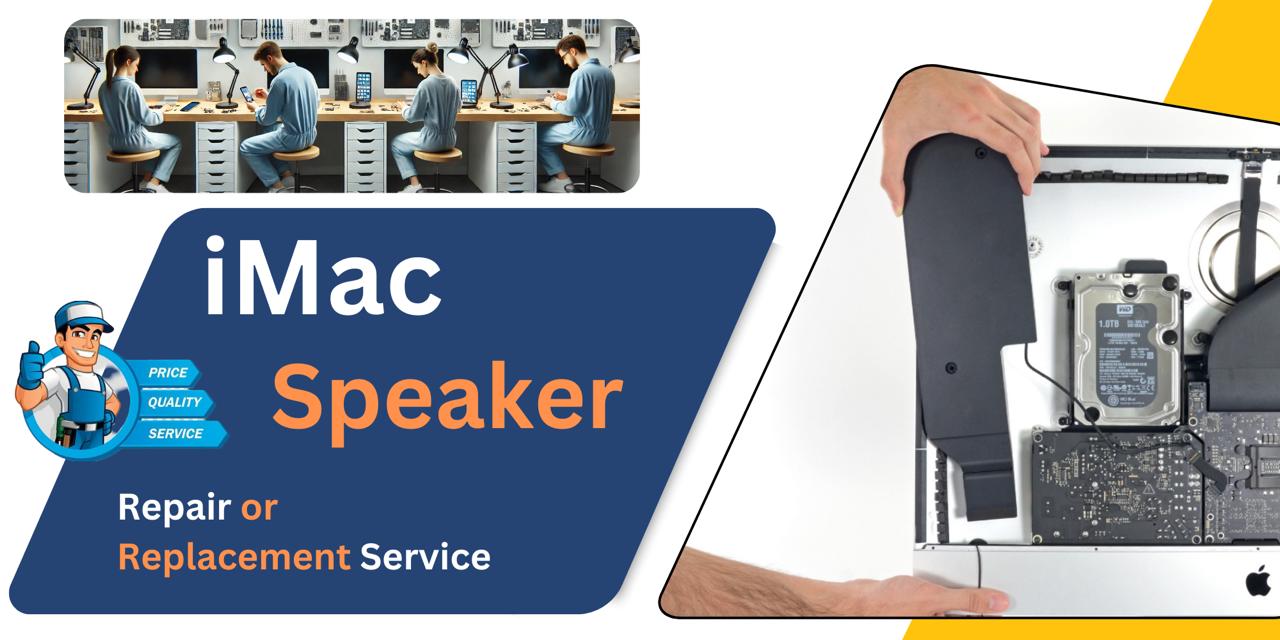
iMac 27 Inch 2020 Speaker
At iCare Apple in Bangladesh, we offer reliable iMac 27 Inch 2020 Speaker repair and replacement services. Whether your sound is distorted, too low, or completely gone, we diagnose the issue and restore crisp audio performance with care. Trust us for professional service and quality parts every time.
Speaker
- 1 Year - Replacement Guaranty
- 30 Days - Money back Guaranty
- Replacement Time - 1 Hour
- Service Charge Included
- 24/7 support
How to Identify When Your iMac 27 Inch 2020 Speaker Needs Replacement
Here are four signs that your iMac 27 Inch 2020 Speaker may need replacement:
Distorted Sound Output
If you hear crackling, buzzing, or unclear audio during normal use, the speaker may be failing.
Low or No Volume
When your iMac’s sound becomes very faint or stops completely even at high volume, it’s a clear sign of speaker damage.
Sound Cutting In and Out
Intermittent audio or sound dropouts while watching videos or listening to music indicate a faulty connection or failing speaker.
No Startup Chime
If your iMac doesn’t play the Apple startup chime, it could be due to a non-functional internal speaker needing replacement.

Our iMac 27 Inch 2020 Speaker Repair & Replacement Process
Diagnosis:
We carefully inspect your iMac to identify any speaker issues such as distortion, low volume, or no sound.
Client Approval:
After diagnosis, we explain the problem, repair options, cost, and estimated timeline for repair or replacement.
Repair or Replacement:
Based on your approval, we repair or replace the speaker using original parts to restore clear sound.
Final Testing:
We thoroughly test the speaker to ensure perfect audio performance before returning your device.

Why Choose iCare Apple for iMac 27 Inch 2020 Speaker Repair & Replacement!?
Choose iCare Apple for iMac 27 Inch 2020 Speaker repair or replacement because we use original parts, skilled technicians, and follow a detailed diagnostic process. We ensure reliable audio restoration with transparent pricing, fast turnaround, and professional support to get your iMac sounding perfect again in Bangladesh.
Top Benefits of iMac 27 Inch 2020 Speaker Repair & Replacement at iCare Apple
Certified Technicians
Our iMac replacements are handled by certified technicians who ensure precision, safe handling, and expert service, delivering reliable performance and long-term satisfaction for every repair.
Original & High-Quality Parts
We use original parts for all iMac replacements, ensuring durability, perfect compatibility, and optimal performance to restore your device just like the factory standard.
Quick and Efficient Service
Our quick and efficient service ensures your iMac Speaker is repaired or replaced promptly, minimizing downtime while maintaining the highest quality and performance standards.

Tips & Tricks
• Avoid Dust Exposure
Keep your workspace clean and dust-free. Dust accumulation can block speaker vents and degrade sound quality.
• Clean Gently
Use a soft brush or microfiber cloth to clean the speaker area. Avoid liquids or sprays directly on the speaker.
• Control Volume Levels
Avoid using maximum volume for long periods. High volume can stress speaker components over time.
• Keep Away from Magnets
Magnetic fields can interfere with speaker functionality. Don’t place magnetic objects near your iMac.
• Avoid Physical Impact
Don’t tap or place heavy items near the speaker area. Sudden impact can damage the speaker’s internal components.
• Use Quality Audio Sources
Poor audio files can produce distorted sound. Use high-quality sources to protect speaker integrity.
• Check for Software Conflicts
Ensure macOS and sound drivers are updated. Outdated software can affect speaker output or cause static.
• Use External Speakers Carefully
If using external audio systems, ensure proper output settings. Misconfigured audio routing can affect internal speakers.
• Avoid Moist Environments
Humidity or moisture can damage speaker parts. Keep your iMac in a dry and cool environment.
• Inspect Periodically
Listen for crackling, distortion, or loss of clarity. Early detection of issues helps avoid major damage.
Proper care and attention to usage conditions can greatly extend the lifespan and performance of your iMac Speaker.
What Our Customers Are Saying About Our iMac 27 Inch 2020 Speaker Repair & Replacement Service
Sumonto Saha
I trusted iCare Apple for my iMac Speaker repair and they delivered excellent results. Highly recommended for quality service.
Ezaz Haque
iCare Apple fixed my iMac Speaker quickly and professionally. The sound quality is now crystal clear.
Nabila Khondoker
Great service for my iMac 27 Inch 2020 Speaker replacement. Very satisfied with their timely and honest work.
Salman Ali
The Speaker repair at iCare Apple was smooth and efficient. I appreciate their clear communication throughout the process.
Your Trust is Our Strength
Why Timely iMac Speaker Replacement is Essential
Timely repair or replacement of your iMac 27 Inch 2020 Speaker is essential to avoid worsening sound issues and potential damage to other components. Prompt service ensures clear audio quality, prevents further complications, and maintains your iMac’s overall performance, helping you enjoy uninterrupted, high-quality sound experience.
Visit iCare Apple in Dhaka for Professional iMac Repairs
Located at the heart of Dhaka, iCare Apple offers top-notch repair services for all iMac models. Our team is committed to providing quality repairs, and we stand by our work. So, if your iMac 27 Inch 2020 needs a Speaker repair or replacement, visit iCare Apple and experience professional service from trusted experts.
Ensure the longevity and performance of your iMac 27 Inch 2020 by opting for quality Speaker repair or replacement services at iCare Apple.
FAQ
1. Do you use original parts for Speaker replacement?
Yes, we use original parts to ensure the best sound quality.
2. How long does the Speaker repair or replacement take?
Typically, the process takes few hours or 1-3 business days depending on part availability.
3. Can software updates fix Speaker issues?
Some sound problems may be software-related, but hardware repair is needed for physical Speaker damage.
4. Is it possible to repair the Speaker without replacement?
Minor issues can sometimes be repaired, but often replacement is the best solution.
5. What causes Speaker damage in iMacs?
Common causes include physical impact, dust buildup, and liquid exposure.
6. Can loud volume damage the Speaker?
Yes, prolonged use at maximum volume can wear out the Speaker.
7. Can water damage be repaired on iMac Speakers?
Water damage often requires replacement and thorough cleaning.
8. Do you test Speakers before returning the iMac?
Yes, we perform detailed tests to ensure sound quality.