
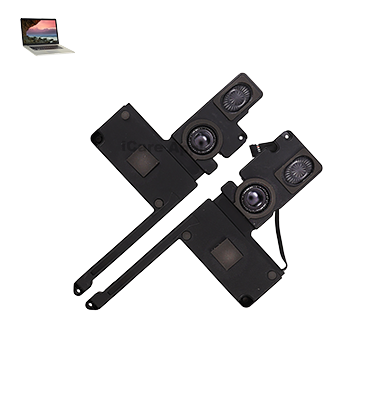
MacBook Pro (2015) A1398 Speaker
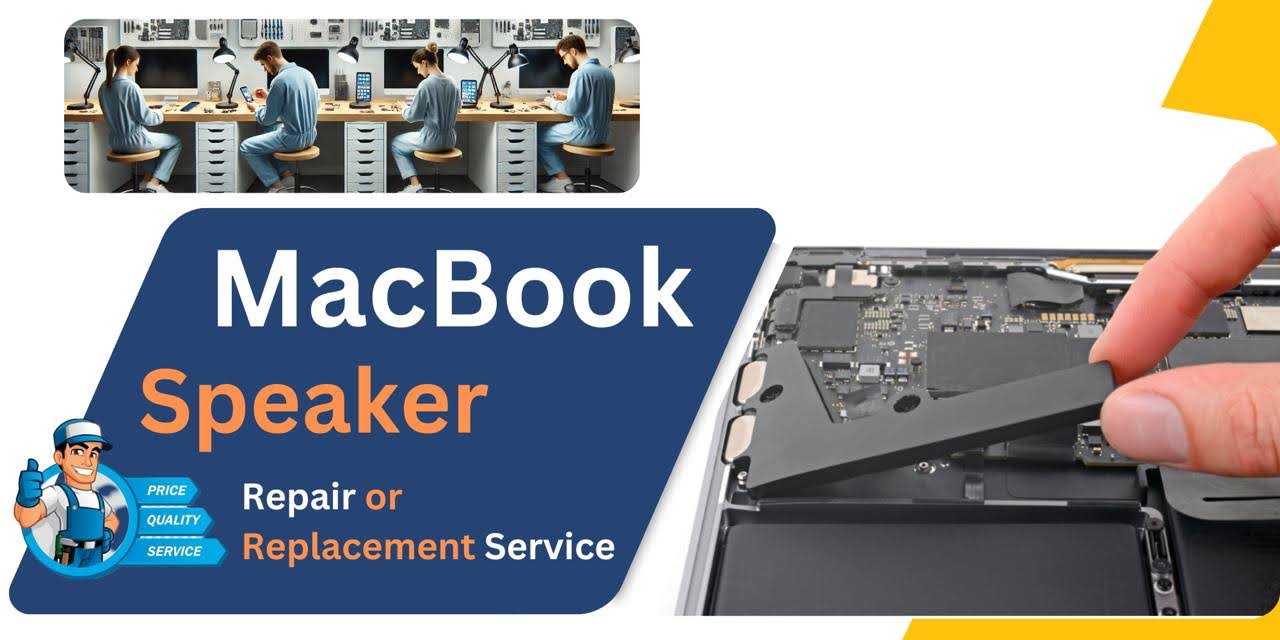
At iCare Apple, we provide expert MacBook Pro (2015) A1398 Speaker replacement services in Bangladesh. Our skilled technicians ensure high-quality replacement parts are used, restoring clear and vibrant sound to your device. Trust us for fast, reliable, and affordable Speaker repairs to get your MacBook performing like new again.
How to Identify When Your MacBook Pro (2015) A1398 Speaker Needs Replacement
Here are four signs that your MacBook Pro (2015) A1398 Speaker may need replacement:
Distorted Sound:
The audio may sound muffled, crackling, or distorted even at low volumes.
No Sound:
The Speakers produce no sound at all, even when the volume is turned up.
Unusual Static Noise:
You hear consistent static or buzzing noises coming from the Speakers.
Low Volume Output:
The volume is unusually low, and adjusting the settings doesn’t resolve the issue.
Our MacBook Pro (2015) A1398 Speaker Replacement Process
1. Diagnosis:
We start by diagnosing the Speaker issue to confirm if a replacement is necessary.
2. Parts Sourcing:
Once the problem is identified, we source high-quality, compatible Speaker parts.
3. Replacement:
Our technicians carefully remove the damaged Speaker and install the new one with precision.
4. Testing:
After installation, we thoroughly test the new Speaker to ensure optimal sound quality and functionality.

Choose iCare Apple for your MacBook Pro (2015) A1398 Speaker replacement due to our expert technicians, high-quality replacement parts, and quick service. We ensure clear, vibrant sound restoration and minimal downtime, providing reliable, affordable repairs to enhance your device’s performance and audio quality.
✌️Top Benefits of MacBook Pro (2015) A1398 Speaker Replacement at iCare Apple
Certified Technicians
Our technicians are certified and highly skilled, ensure repairs for your MacBook Pro (2015) A1398. We guarantee top-notch service for all Speaker replacements.
Original & High-Quality Parts
We use genuine Apple parts for MacBook Speaker replacements, ensuring optimal performance, durability, and preserving your MacBook's original quality for long-lasting results.
Quick and Efficient Service
At iCare Apple, we prioritize quick and efficient service, minimizing downtime. Our experienced team provides rapid, reliable Speaker repairs, so you can get back to using your MacBook without delay.

Tips & Tricks for MacBook Pro (2015) A1398 Speaker
👍 Optimize Sound Settings:
Adjust the sound settings in System Preferences to optimize the audio output according to your preferences. Explore options such as equalizer settings and sound effects to tailor the sound to your liking.
👍 Positioning Matters:
The placement of your MacBook Pro can significantly affect the audio experience. For best results, place your laptop on a flat surface to allow the Speakers to resonate freely and avoid muffling the sound.
👍 Use External Speakers or Headphones:
Consider connecting external Speakers or headphones for an enhanced audio experience, especially when listening to music, watching movies, or gaming. Bluetooth or wired options are available, depending on your preference.
👍 Explore Third-Party Audio Apps:
Experiment with third-party audio applications available on the Mac App Store to enhance your audio experience. These apps may offer advanced sound processing features, equalization options, or custom audio profiles.
👍 Adjust Volume Levels Carefully:
Be mindful of volume levels, especially when using headphones or external Speakers. Excessive volume can cause hearing damage over time, so it’s important to find a comfortable listening level.
👍 Utilize Sound Enhancements:
Take advantage of built-in sound enhancements, such as Dolby Audio or surround sound modes, when available. These features can provide a more immersive listening experience for movies, games, or multimedia content.
👍 Monitor Speaker Health:
Regularly monitor the health of your MacBook Pro’s Speakers to ensure they’re functioning optimally. If you notice any distortion, rattling, or other abnormalities, it may indicate a problem that requires attention.
👍 Avoid Overloading Speakers:
Avoid playing audio at maximum volume for extended periods, as this can strain the Speakers and potentially lead to damage over time. Instead, aim for a moderate volume level that still provides an enjoyable listening experience.
👍 Calibrate Audio Output:
Use calibration tools or software to fine-tune the audio output of your MacBook Pro’s Speakers. These tools can help adjust sound levels, balance, and frequency response for a more accurate and pleasing listening experience.
👍 Keep Software Updated:
Ensure your MacBook Pro’s operating system and audio drivers are up to date to prevent compatibility issues and ensure optimal performance of the Speakers. Regular software updates may also include improvements to audio quality or stability.
By implementing these tips and tricks, you can maximize the performance and enjoyment of the Speakers on your MacBook Pro (2015) A1398 for a better audio experience overall.
What Our Customers Are Saying About Our MacBook Pro (2015) A1398 Speaker Replacement Service
Rakib Rahman
iCare Apple fixed my MacBook Pro Speaker quickly and professionally. The sound quality is amazing now!
Nahar Ahmed
The Speaker replacement was flawless. My MacBook sounds as good as new, thanks to iCare Apple.
Farhanul Karim
Excellent service for my MacBook Speaker replacement. Fast and reliable, I’m really satisfied!
Shahid Alam
iCare Apple restored my MacBook’s audio perfectly. The whole process was smooth and efficient.
Your Trust is Our Strength
Why Timely MacBook Speaker Replacement is Essential
Timely MacBook Pro (2015) A1398 Speaker replacement is essential to restore clear audio and prevent further damage. Ignoring Speaker issues can lead to poor sound quality or complete audio failure, affecting productivity and media consumption. Prompt replacement ensures optimal performance, enhancing your MacBook’s audio experience.
Visit iCare Apple in Dhaka for Professional MacBook Repairs
Located at the heart of Dhaka, iCare Apple offers top-notch repair services for all MacBook models. Our team is committed to providing quality repairs, and we stand by our work. So, if your MacBook Pro (2015) A1398 needs a Speaker replacement, visit iCare Apple and experience professional service from trusted experts.
Ensure the longevity and performance of your MacBook Pro (2015) A1398 by opting for quality Speaker replacement services at iCare Apple.
FAQ
1. Can I replace just one Speaker if only one is damaged?
Yes, we can replace the damaged Speaker individually.
2. How much does the Speaker replacement cost?
The cost varies; please contact us for exact quote based on inspection.
3. Will my MacBook’s sound be as good as new after the replacement?
Yes, the new Speaker will restore your MacBook’s audio quality to its original standard.
4. Is the replacement done with original Apple parts?
We use high-quality, compatible parts for Speaker replacements.
5. Can I continue using my MacBook with a broken Speaker?
It’s possible but not recommended, as it affects the overall user experience.
6. How do I know if my MacBook needs a Speaker replacement?
If you notice distorted audio, no sound, or low volume, it’s time to get a diagnosis.
7. What causes MacBook speakers to stop working?
Speakers can fail due to physical damage, water exposure, software issues, or internal hardware malfunction.
8. Can I get my MacBook’s speaker repaired instead of replacing it?
In most cases, replacement is the more reliable solution as repairing speakers often doesn’t guarantee long-lasting results.