

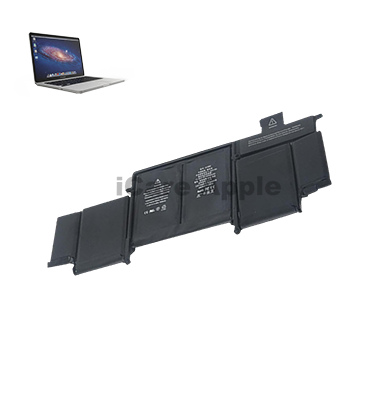
MacBook Pro (2015) A1502 Battery
If you need a MacBook Pro (2015) A1502 Battery replacement, iCare Apple in Bangladesh is here to help. We offer fast, reliable service with original parts to ensure your MacBook performs like new. Our expert technicians provide a one-year replacement guarantee for any Battery replacement service. Visit us today!
How to Identify When Your MacBook Pro (2015) A1502 Battery Needs Replacement
Here are four signs to identify when your MacBook Pro (2015) A1502 Battery needs replacement:
Rapid Battery Drain:
If your Battery depletes quickly despite light usage, it may be losing its ability to hold charge.
Frequent Shutdowns:
Unexpected shutdowns, even with sufficient Battery life left, indicate a failing Battery.
Battery Not Charging:
If your MacBook shows it’s charging but the Battery percentage doesn’t increase, it could be a sign of Battery failure.
Swollen Battery:
A visibly swollen Battery or the MacBook case bulging is a clear indication that the Battery needs immediate replacement.
Our MacBook Pro (2015) A1502 Battery Replacement Process
1. Diagnosis:
We first run a thorough diagnostic to confirm the Battery issue.
2. Estimate:
We provide a transparent, affordable price for the Battery replacement.
3. Battery Replacement:
Our expert technicians replace the old Battery with original parts to ensure optimal performance.
4. Testing & Quality Check:
After installation, we perform a complete check to ensure the new Battery works perfectly, offering a one-year replacement guarantee for peace of mind.

Choose iCare Apple for your MacBook Pro (2015) A1502 Battery replacement for reliable service, original parts, and expert technicians. We offer fast repairs, a one-year replacement guarantee, and a convenient location in Dhaka. Trust us to restore your MacBook’s performance at an affordable price with guaranteed satisfaction.
✌️Top Benefits of MacBook Pro (2015) A1502 Battery Replacement at iCare Apple
Certified Technicians
Our technicians are certified and highly skilled, ensure repairs for your MacBook Pro (2015) A1502. We guarantee top-notch service for all Battery replacements.
Original & High-Quality Parts
We use genuine Apple parts for MacBook Battery replacements, ensuring optimal performance, durability, and preserving your MacBook's original quality for long-lasting results.
Quick and Efficient Service
At iCare Apple, we prioritize quick and efficient service, minimizing downtime. Our experienced team provides rapid, reliable Battery repairs, so you can get back to using your MacBook without delay.

Tips & Tricks for MacBook Pro (2015) A1502 Battery
👍 Calibrate the Battery:
Calibrating the Battery periodically helps maintain accurate Battery level readings and ensures optimal performance. To calibrate the Battery, fully charge it, then use your MacBook Pro on Battery power until it shuts down automatically. Charge it fully again without interruption.
👍 Update macOS:
Keep your MacBook Pro’s operating system up to date with the latest macOS updates from Apple. These updates often include optimizations and improvements that can help enhance Battery efficiency.
👍 Manage Energy Settings:
Adjust the energy settings in System Preferences to optimize Battery life. Customize settings such as display brightness, sleep duration, and energy-saving features to minimize power consumption when running on Battery power.
👍 Monitor Battery Health:
Use the Battery menu icon in the menu bar or the Battery section in System Preferences to monitor the health of your MacBook Pro’s Battery. Keep an eye on the maximum capacity and cycle count to assess the overall health of the Battery.
👍 Optimize Display Settings:
Reduce display brightness and disable unnecessary features like automatic graphics switching when running on Battery power to conserve energy. Lowering the screen brightness can significantly extend Battery life.
👍 Close Unused Applications:
Close unused applications and background processes to reduce CPU usage and minimize Battery drain. Use Activity Monitor to identify and quit resource-intensive apps that may be consuming power unnecessarily.
👍 Enable Power Nap:
Power Nap allows your MacBook Pro to perform certain background tasks, such as checking for email and software updates, even while it’s asleep. Enable Power Nap in Energy Saver preferences to stay productive while conserving Battery life.
👍 Use Safari for Web Browsing:
Safari is optimized for energy efficiency and typically consumes less power than other web browsers. Use Safari for web browsing on your MacBook Pro to prolong Battery life.
👍 Limit External Device Usage:
Disconnect or turn off external devices such as USB peripherals, Bluetooth devices, and external displays when not in use to reduce power consumption and extend Battery life.
👍 Hibernate Instead of Sleep:
When you’re not using your MacBook Pro for an extended period, consider hibernating it instead of putting it to sleep. Hibernation mode conserves more power by writing the contents of RAM to the disk, allowing you to resume your work later with minimal Battery drain.
By incorporating these tips and tricks into your Battery usage habits, you can maximize the Battery life and longevity of your MacBook Pro (2015) A1502.
What Our Customers Are Saying About Our MacBook Pro (2015) A1502 Battery Replacement Service
Rahul Ameen
The Battery replacement for my MacBook Pro was quick and professional. Great service and a reliable team at iCare Apple.
Nisha Anwar
iCare Apple provided excellent service for my MacBook Pro Battery replacement. Fast, efficient, and original parts used.
Faruk Ahmed
I got my MacBook Pro Battery replaced at iCare Apple. The process was smooth, and the Battery works like new.
Md Azhar Khan
Amazing service at iCare Apple for my MacBook Pro Battery. They replaced it quickly and gave a warranty for the new Battery.
Your Trust is Our Strength
Why Timely MacBook Battery Replacement is Essential
Timely MacBook Pro (2015) A1502 Battery replacement is essential to ensure optimal performance, avoid sudden shutdowns, and prevent further damage to internal components. A deteriorating Battery can lead to slower speeds, charging issues, and decreased Battery life, affecting productivity. Replacing it promptly ensures long-term functionality and reliability.
Visit iCare Apple in Dhaka for Professional MacBook Repairs
Located at the heart of Dhaka, iCare Apple offers top-notch repair services for all MacBook models. Our team is committed to providing quality repairs, and we stand by our work. So, if your MacBook Pro M2 (2022) A2338 needs a Battery replacement, visit iCare Apple and experience professional service from trusted experts.
Ensure the longevity and performance of your MacBook Pro M2 (2022) A2338 by opting for quality Battery replacement services at iCare Apple.
FAQ
1. How do I know if my MacBook Pro Battery needs replacement?
If your Battery drains quickly, causes shutdowns, or doesn’t charge properly, it may need replacement.
2. Do you use original batteries for MacBook Pro (2015) A1502?
Yes, we use original parts for all our repairs.
3. Is there a warranty for the replaced Battery?
Yes, we offer a limited replacement guarantee on all Battery replacements.
4. How much does the Battery replacement cost for MacBook Pro (2015) A1502?
The cost varies; please contact us for exact quote.
5. What should I do if my MacBook Pro (2015) A1502 Battery is swollen?
Bring it to iCare Apple immediately for safe removal and replacement.
6. Is there a charge for the diagnosis process before the Battery replacement?
Yes, there is a diagnosis charge, but we apply it to the total repair cost.
7. Can I track the status of my MacBook repair?
Yes, we provide updates throughout the repair process.
8. Why should I choose iCare Apple for my MacBook Pro (2015) A1502 Battery replacement?
We offer premium service, use original parts, and provide fast, reliable repairs at an affordable price.