
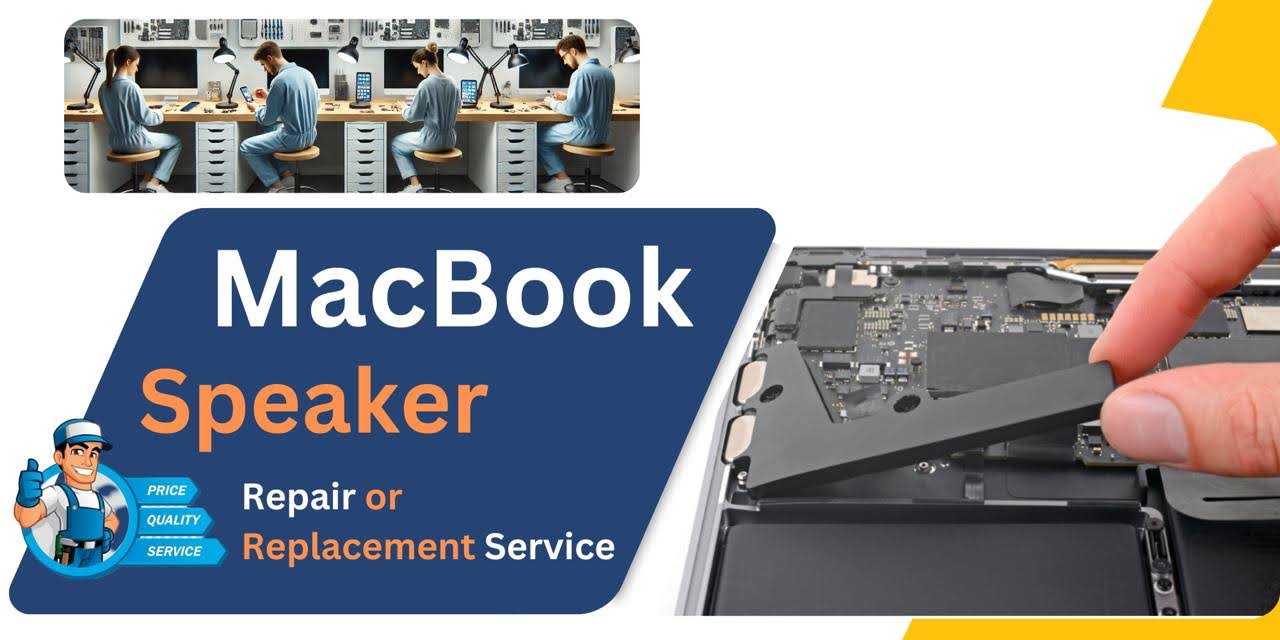
MacBook Pro (2015) A1502 Speaker
At iCare Apple, we offer expert MacBook Pro (2015) A1502 Speaker replacement services in Bangladesh. Our skilled technicians use original parts for reliable, long-lasting repairs. We ensure fast, same-day service with a one-year warranty, delivering high-quality results at an affordable price. Visit our Dhaka center for efficient repairs.
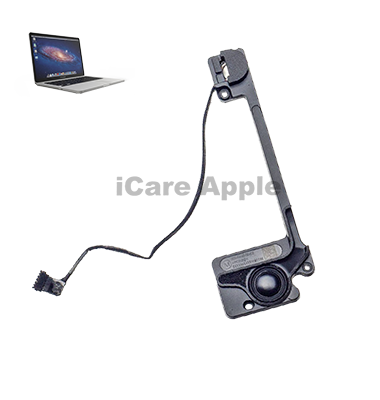
How to Identify When Your MacBook Pro (2015) A1502 Speaker Needs Replacement
Here are four signs that your MacBook Pro (2015) A1502 Speaker may need replacement:
No Sound:
If there’s no sound or the volume is distorted even after adjusting settings, the Speaker may be damaged.
Crackling or Distorted Sound:
Constant crackling or muffled sound suggests the Speaker is failing.
Audio Cuts Out:
If the audio intermittently cuts out or stops completely, the Speaker could be the issue.
Low Sound Quality:
Noticeable reduction in sound quality, such as low volume or tinny sound, may indicate Speaker damage.
Our MacBook Pro (2015) A1502 Speaker Replacement Process
1. Diagnosis:
Our technicians perform a detailed diagnostic to identify the issue with your Speaker.
2. Estimate:
We provide an affordable and transparent price estimate for the replacement service.
3. Speaker Replacement:
Using original parts, we carefully replace the faulty Speaker with a new one.
4. Testing:
After the replacement, we conduct thorough testing to ensure your MacBook’s audio functions perfectly, ensuring high-quality sound.

Choose iCare Apple for MacBook Pro (2015) A1502 Speaker replacement due to our expert technicians, original parts, and fast, reliable service. We provide same-day repairs, a one-year warranty, and affordable pricing. With over 20 years of experience, we ensure high-quality repairs for your MacBook at our Dhaka location.
✌️Top Benefits of MacBook Pro (2015) A1502 Speaker Replacement at iCare Apple
Certified Technicians
Our technicians are certified and highly skilled, ensure repairs for your MacBook Pro (2015) A1502. We guarantee top-notch service for all Speaker replacements.
Original & High-Quality Parts
We use genuine Apple parts for MacBook Speaker replacements, ensuring optimal performance, durability, and preserving your MacBook's original quality for long-lasting results.
Quick and Efficient Service
At iCare Apple, we prioritize quick and efficient service, minimizing downtime. Our experienced team provides rapid, reliable Speaker repairs, so you can get back to using your MacBook without delay.

Tips & Tricks for MacBook Pro (2015) A1502 Speaker
👍 Keep Speakers Clean:
Regularly clean the speaker grilles and surrounding areas with a soft, dry brush or compressed air to remove dust, debris, and other particles that may affect sound quality.
👍 Avoid Blocking Speakers:
Ensure that the speaker grilles are not obstructed by objects, such as papers or other devices, which can block sound output and reduce audio clarity. Position your MacBook Pro on a flat surface to allow sound to project freely.
👍 Adjust Sound Settings:
Customize sound settings in System Preferences to optimize audio output according to your preferences. Adjust settings such as volume, balance, and equalizer settings to enhance the listening experience for different types of audio content.
👍 Use External Speakers or Headphones:
Consider using external speakers or headphones for improved audio quality and louder volume output, especially when watching movies, listening to music, or participating in video calls.
👍 Enable Sound Enhancements:
macOS offers built-in sound enhancements, such as bass boost and ambient noise reduction, which can enhance the audio experience. Explore these options in System Preferences > Sound > Output to customize sound settings to your liking.
👍 Avoid Overloading Speakers:
Avoid playing audio at maximum volume for extended periods, as this can lead to distortion, reduced sound quality, and potential damage to the speakers. Use a comfortable listening volume to prevent strain on the speakers.
👍 Update Audio Drivers:
Keep your MacBook Pro’s audio drivers up to date with the latest macOS updates from Apple. Updating audio drivers can help resolve compatibility issues, improve audio performance, and fix software-related glitches.
👍 Use Audio Equalizer:
Experiment with audio equalizer settings to adjust frequency levels and enhance the sound quality of your MacBook Pro’s speakers. Many audio equalizer apps are available for macOS, allowing you to customize audio settings according to your preferences.
👍 Monitor Sound Quality:
Pay attention to changes in sound quality, volume output, or any unusual noises coming from the speakers. Sudden changes or distortions in sound may indicate speaker issues that require further investigation or repair.
👍 Protect Speakers from Moisture:
Avoid exposing your MacBook Pro’s speakers to moisture or liquid spills, as this can damage the speaker components and affect sound quality. Be cautious when using your laptop near water or liquids to prevent accidental damage to the speakers.
By following these tips and tricks, you can maintain the optimal performance and longevity of the Speakers on your MacBook Pro (2015) A1502.
What Our Customers Are Saying About Our MacBook Pro (2015) A1502 Speaker Replacement Service
Ariful Islam
The speaker replacement for my MacBook was flawless, and iCare Apple delivered fast and professional service.
Mehrima Ritu
iCare Apple provided exceptional service while replacing my MacBook’s speaker. Quick, reliable, and efficient!
Rifat Chowdhury
The speaker on my MacBook was replaced within hours. Great service at iCare Apple—highly recommended!
Sajidul Hossain
iCare Apple took care of my MacBook speaker issue swiftly. Professional service with a personal touch!
Your Trust is Our Strength
Why Timely MacBook Speaker Replacement is Essential
Timely MacBook Pro (2015) A1502 Speaker replacement is essential to maintain sound clarity and prevent further damage. Delaying repairs can lead to more severe issues, affecting overall performance. Replacing the Speaker promptly ensures your MacBook functions optimally, preserving audio quality and enhancing the overall user experience.
Visit iCare Apple in Dhaka for Professional MacBook Repairs
Located at the heart of Dhaka, iCare Apple offers top-notch repair services for all MacBook models. Our team is committed to providing quality repairs, and we stand by our work. So, if your MacBook Pro (2015) A1502 needs a Speaker replacement, visit iCare Apple and experience professional service from trusted experts.
Ensure the longevity and performance of your MacBook Pro (2015) A1502 by opting for quality Speaker replacement services at iCare Apple.
FAQ
1. Do you use original parts for replacement?
Yes, we use original parts for the Speaker replacement.
2. How much does the Speaker replacement cost?
The cost varies depending on the condition of the MacBook and parts. Contact us for exact quote.
3. What if my Speaker is only partially damaged?
We’ll diagnose and determine whether replacement or repair is needed.
4. Will the replacement fix audio distortion issues?
Yes, replacing the Speaker will resolve distortion or no sound issues.
5. How can I know if my Speaker needs replacement?
Signs include no sound, distortion, crackling noises, or low sound quality.
6. Can you fix water-damaged Speakers?
Yes, we can inspect and replace water-damaged Speakers.
7. How do I know if I need a Speaker replacement or a repair?
We diagnose your MacBook and advise the best course of action.
8. How do I maintain my new Speaker after replacement?
Avoid exposure to extreme conditions, and use your MacBook in a dry, clean environment for optimal performance.