
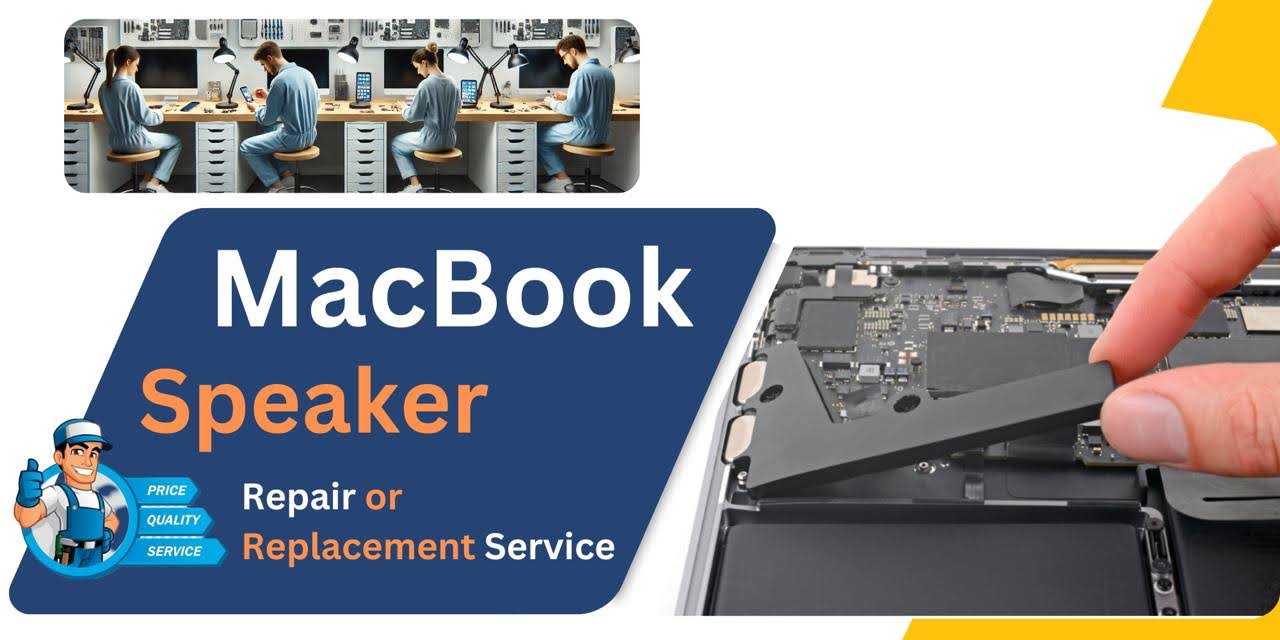
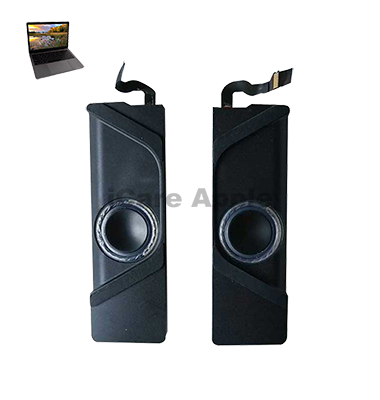
MacBook Pro (2017) A1706 Speaker
We offer MacBook Pro (2017) A1706 Speaker replacement services in Bangladesh. If your Speakers produce distorted sound, crackling noise, or no audio, our expert technicians ensure a high-quality replacement. Visit us for a fast, reliable, and professional service to restore your MacBook’s sound quality to its original clarity.
How to Identify When Your MacBook Pro (2017) A1706 Speaker Needs Replacement
Here are four signs that your MacBook Pro (2017) A1706 Speaker may need replacement:
Distorted or Crackling Sound
If the sound becomes distorted, crackling, or garbled, it’s a sign the Speakers may need replacement.
No Sound at All
When the Speakers produce no audio despite volume adjustments or setting changes.
Low Volume
If the sound is unusually quiet even at full volume.
Uneven Sound Output
When one Speaker is louder than the other or produces different tones.
Our MacBook Pro (2017) A1706 Speaker Replacement Process
1. Diagnosis
We assess the Speaker issue, checking for distortion, no sound, or low volume.
2. Disassembly
Our technicians carefully open the MacBook, ensuring no damage to other components while accessing the faulty Speakers.
3. Speaker Replacement
We replace the damaged Speaker with a high-quality, compatible part for optimal sound performance.
4. Testing & Quality Check
After installation, we thoroughly test the new Speaker for clarity, volume, and overall sound quality before returning your MacBook in perfect condition.

We offer expert MacBook Pro (2017) A1706 Speaker replacement with high-quality parts and skilled technicians. Our team ensures precise installation, restoring your MacBook’s audio quality. We provide fast, reliable service with competitive pricing, so you can trust us for efficient and professional Speaker repairs and replacements.
✌️Top Benefits of MacBook Pro (2017) A1706 Speaker Replacement at iCare Apple
Certified Technicians
Our technicians are certified and highly skilled, ensure repairs for your MacBook Pro (2017) A1706. We guarantee top-notch service for all Speaker replacements.
Original & High-Quality Parts
We use genuine Apple parts for MacBook Speaker replacements, ensuring optimal performance, durability, and preserving your MacBook's original quality for long-lasting results.
Quick and Efficient Service
At iCare Apple, we prioritize quick and efficient service, minimizing downtime. Our experienced team provides rapid, reliable Speaker repairs, so you can get back to using your MacBook without delay.

Tips & Tricks for MacBook Pro (2017) A1706 Speaker
👍 Keep the Speaker Grilles Clean:
Regularly clean the speaker grilles to remove dust, debris, and other particles that may obstruct sound output. Use a soft, dry brush or compressed air to gently clean the grilles without damaging the speaker components.
👍 Adjust Sound Settings:
Customize the sound settings on your MacBook Pro to suit your preferences and environment. Adjust the volume, balance, and equalization settings in the macOS system preferences to optimize audio playback for different types of content.
👍 Use External Speakers or Headphones:
For enhanced audio quality and volume, consider using external speakers or headphones with your MacBook Pro. Connect compatible speakers or headphones to the headphone jack or Thunderbolt 3 ports for a more immersive listening experience.
👍 Optimize Audio Output:
Select the appropriate audio output device in the macOS sound settings to ensure that sound is routed correctly to the built-in speakers or external audio devices. This can help prevent audio playback issues and ensure consistent sound output.
👍 Avoid Blocking Speaker Grilles:
Avoid obstructing the speaker grilles on your MacBook Pro with objects or surfaces, as this can impede sound transmission and reduce audio clarity. Position your laptop on a flat, hard surface to allow unobstructed sound projection from the speakers.
👍 Use Sound Enhancement Apps:
Explore third-party sound enhancement apps or audio equalizer software to further customize and enhance the audio output on your MacBook Pro. These apps offer additional features such as bass boost, virtual surround sound, and audio presets for different genres.
👍 Update Audio Drivers:
Keep your MacBook Pro’s audio drivers up to date by installing the latest macOS updates from Apple. Updated audio drivers may include bug fixes, performance improvements, and enhancements for the built-in speakers and audio subsystem.
👍 Reduce Background Noise:
Minimize background noise and distractions in your environment to improve the clarity and intelligibility of audio playback on your MacBook Pro. Consider using noise-canceling headphones or adjusting your workspace to reduce ambient noise levels.
👍 Avoid Extreme Volume Levels:
Refrain from listening to audio at excessively high volume levels for prolonged periods, as this can cause hearing damage and reduce speaker longevity. Use the volume controls on your MacBook Pro to adjust the volume to a comfortable level.
👍 Practice Good Maintenance:
Practice good maintenance habits to prolong the lifespan of the speakers on your MacBook Pro. Avoid exposing the speakers to liquids, extreme temperatures, or physical damage, and handle your laptop with care to prevent accidental damage to the speaker components.
By following these tips and tricks, you can optimize the Speaker performance on your MacBook Pro (2017) A1706.
What Our Customers Are Saying About Our MacBook Pro (2017) A1706 Speaker Replacement Service
Ahsan Rahman
The Speaker in my MacBook Pro started crackling, but iCare Apple replaced it quickly. Now the sound is crystal clear again!
Mahiya Sultana
I was impressed by the professionalism at iCare Apple. They replaced my MacBook Speaker and restored the audio quality in no time.
Imran Hossain
My MacBook’s sound was completely gone, but after visiting iCare Apple, the Speaker was replaced, and the sound is perfect.
Razia Parveen
Excellent service from iCare Apple. They replaced my MacBook Pro Speaker and the audio is now flawless with no distortion.
Your Trust is Our Strength
Why Timely MacBook Speaker Replacement is Essential
Timely MacBook Pro (2017) A1706 Speaker replacement is essential to maintain high-quality audio performance. A malfunctioning Speaker can affect your overall experience, making it difficult to enjoy music, videos, or calls. Delaying the replacement may cause further damage, so acting quickly ensures optimal sound quality and prevents costly repairs.
Visit iCare Apple in Dhaka for Professional MacBook Repairs
Located at the heart of Dhaka, iCare Apple offers top-notch repair services for all MacBook models. Our team is committed to providing quality repairs, and we stand by our work. So, if your MacBook Pro (2017) A1706 needs a Speaker replacement, visit iCare Apple and experience professional service from trusted experts.
Ensure the longevity and performance of your MacBook Pro (2017) A1706 by opting for quality Speaker replacement services at iCare Apple.
FAQ
1. When should I replace my MacBook Pro (2017) A1706 Speaker?
If the Speaker produces distorted sound, crackling, or no sound at all, it’s time for a replacement.
2. How long does the Speaker replacement take?
The process typically takes a few hours, depending on the workload and availability of parts.
3. Do you use original replacement Speakers?
We use high-quality compatible replacement Speakers for optimal performance.
4. Will my data be affected during Speaker replacement?
No, Speaker replacement does not affect your data, but we recommend backing it up.
5. How much does Speaker replacement cost?
Pricing depends on the part availability; contact us for the latest rates.
6. Do you offer a warranty for the new Speaker?
Yes, we offer a limited warranty on the replaced Speaker.
7. Can I get same-day Speaker replacement service?
Yes, we offer same-day service if the replacement part is available.
8. Will replacing the speaker improve sound quality?
Yes, replacing the speaker will restore full sound functionality and improve sound quality.