

MacBook Pro (2017) A1707 Display
At iCare Apple in Bangladesh, we provide expert repair and replacement services for the MacBook Pro (2017) A1707 Display. Our skilled technicians ensure precise diagnostics and high-quality parts for a seamless repair process. Trust us to restore your MacBook’s Display to its original performance and clarity.
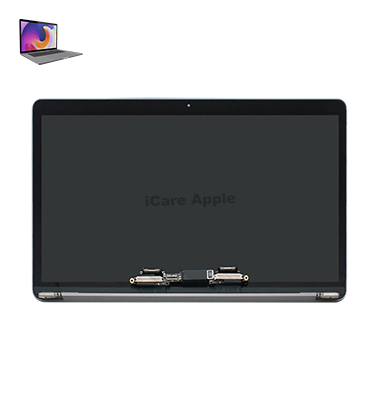
How to Identify When Your MacBook Pro (2017) A1707 Display Needs Replacement
Here are four signs that indicate your MacBook Pro (2017) A1707 Display may need replacement:
Flickering or Dimming Screen:
Persistent screen flickering or dimming even after adjusting brightness can signal Display issues.
Dead Pixels:
If you notice black spots or unresponsive areas on the screen, it may indicate damaged pixels.
Cracked or Shattered Glass:
Physical damage, such as cracks or shattered glass, means the Display needs replacement.
Color Distortion:
If the colors on your screen appear off or distorted, it could be a sign that the Display is failing.
Our MacBook Pro (2017) A1707 Display Replacement Process
1. Diagnosis:
We perform a thorough diagnostic to identify Display issues accurately.
2. Cost Estimation:
After assessing the problem, we provide a transparent cost estimate for the repair or replacement.
3. Replacement/Repair:
Using high-quality parts, we carefully replace the damaged Display or fix the issue.
4. Final Testing:
We test the new Display to ensure it’s working perfectly before handing the device back, ensuring optimal performance and customer satisfaction.

Why Choose iCare Apple for MacBook Pro (2017) A1707 Display Repair & Replacement?
Choose iCare Apple for your MacBook Pro (2017) A1707 Display repair and replacement for our expert technicians, high-quality parts, and fast, reliable service. We ensure your device’s Display is restored to perfect condition, offering professional care with customer satisfaction as our priority. Trust us for seamless repairs.
Top Benefits of MacBook Pro (2017) A1707 Display Repair & Replacement at iCare Apple
Certified Technicians
Our technicians are certified and highly skilled, ensure repairs for your MacBook Pro M2 (2022) A2338. We guarantee top-notch service for all Display replacements.
Original & High-Quality Parts
We use genuine Apple parts for MacBook Display replacements, ensuring optimal performance, durability, and preserving your MacBook's original quality for long-lasting results.
Quick and Efficient Service
At iCare Apple, we prioritize quick and efficient service, minimizing downtime. Our experienced team provides rapid, reliable Display repairs, so you can get back to using your MacBook without delay.

Tips & Tricks for MacBook Pro (2017) A1707 Display
👍 Calibrate Display Colors:
Use macOS’s built-in Display calibration tool to adjust the color profile of your MacBook Pro’s Display to your liking. This can help ensure accurate color reproduction and enhance your viewing experience.
👍 Enable Night Shift:
Night Shift is a feature in macOS that adjusts the color temperature of your Display to reduce blue light exposure during evening hours. Enabling Night Shift can help improve sleep quality and reduce eye strain when using your MacBook Pro at night.
👍 Adjust Brightness Manually:
While macOS includes automatic brightness adjustment based on ambient light, manually adjusting the Display brightness to suit your preferences and lighting conditions can further enhance your viewing comfort and battery life.
👍 Use External Displays:
If you require more screen real estate or a larger viewing area, consider connecting an external Display to your MacBook Pro (2017) A1707. This can expand your workspace and improve productivity, especially for multitasking or creative work.
👍 Clean the Display Regularly:
Keep the Display of your MacBook Pro clean by gently wiping it with a microfiber cloth to remove dust, smudges, and fingerprints. Avoid using harsh chemicals or abrasive materials that could damage the screen.
👍 Avoid Direct Sunlight:
Direct sunlight can cause glare and reduce visibility on your MacBook Pro’s Display. Whenever possible, position your laptop away from direct sunlight to minimize glare and ensure optimal viewing conditions.
👍 Adjust Display Resolution:
macOS allows you to adjust the Display resolution of your MacBook Pro to suit your preferences and workflow. Experiment with different resolution settings to find the one that offers the best balance between clarity and screen real estate.
👍 Use Full-Screen Mode:
Take advantage of full-screen mode in compatible applications to maximize the use of your MacBook Pro’s Display. This can help reduce distractions and improve focus, especially when working on tasks that require your full attention.
👍 Enable Screen Mirroring:
Screen mirroring allows you to mirror your MacBook Pro’s Display to an external monitor or Apple TV. This can be useful for presentations, sharing content with others, or enjoying multimedia content on a larger screen.
👍 Adjust Font and Display Settings:
macOS offers various font and Display settings that allow you to customize the appearance of text and graphics on your MacBook Pro’s Display. Experiment with different font sizes, scaling options, and text smoothing settings to find the setup that works best for you.
By implementing these tips and tricks, you can take care of the Display on your MacBook Pro (2017) A1707.
What Our Customers Are Saying About Our MacBook Pro (2017) A1707 Display Repair & Replacement Service
Rimi Akter
The team at iCare Apple quickly fixed my MacBook Pro (2017) Display. Excellent service and the Display works perfectly now!
Shanta Mehzabin
I was impressed with the quick repair of my MacBook Pro Display at iCare Apple. Great customer service and reliable work!
Shafayet Hossen
iCare Apple replaced my MacBook Pro Display seamlessly. The process was smooth, and I’m happy with the results!
Tilok Kumar
I had a great experience with iCare Apple’s Display replacement service. They were professional, and my MacBook looks brand new!
Your Trust is Our Strength
Why Timely MacBook Display Repair or Replacement is Essential
Timely MacBook Pro (2017) A1707 Display repair or replacement is essential to prevent further damage, maintain performance, and ensure productivity. Delaying repairs can lead to more costly issues, including internal damage. Prompt attention ensures your device functions properly, extending its lifespan and preserving your user experience.
Visit iCare Apple in Dhaka for Professional MacBook Repairs
Located at the heart of Dhaka, iCare Apple offers top-notch repair services for all Macbook models. Our team is committed to providing quality repairs, and we stand by our work. So, if your MacBook Pro (2017) A1707 needs a Display repair or replacement, visit iCare Apple and experience professional service from trusted experts.
Ensure the longevity and performance of your MacBook Pro (2017) A1707 by opting for quality Display repair or replacement services at iCare Apple.
FAQ
1. How long does it take to repair my MacBook Pro (2017) A1707 Display?
Repair typically takes 2-3 business days, depending on the issue.
2. Will my data be lost during the Display replacement?
Display replacement does not affect data, but we recommend backing up your files.
3. Do you use original parts for Display replacement?
Yes, we use high-quality parts for all Display repairs and replacements.
4. How much does MacBook Pro (2017) A1707 Display repair cost?
Costs vary based on the issue; we provide a estimate after diagnostic testing.
5. Can I get a warranty for my Display repair?
Yes, we offer a warranty on parts and labor for Display repairs.
6. Do you offer on-site Display repairs?
Currently, all repairs are done in our Lab at our facility.
7. Is my MacBook Pro covered for repairs under warranty?
We are not authorized service provider, so Apple warranty coverage may not apply.
8. How can I book a Display repair service?
You can book a service by calling us or visiting our store directly.