

MacBook Pro (2016) A1708 Display
At iCare Apple, we provide expert MacBook Pro (2016) A1708 Display repair and replacement services. Our skilled technicians ensure fast, reliable fixes with high-quality parts, restoring your MacBook’s screen to optimal condition. Trust us for professional service and superior results in Bangladesh. Contact us for your Display repair today!
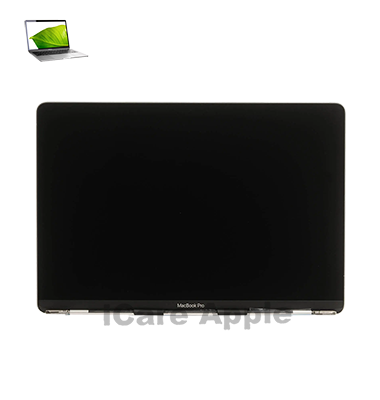
How to Identify When Your MacBook Pro (2016) A1708 Display Needs Replacement
Here are four signs that your MacBook Pro (2016) A1708 Display may need replacement:
Cracked or Shattered Screen:
Visible cracks or damage to the Display surface.
Flickering or Distorted Image:
Constant flickering, discoloration, or pixel issues on the screen.
Unresponsive Touch or Display Area:
Sections of the screen that don’t respond to touch or Display anything.
Backlight Failure:
The screen appears dim or has no backlight despite being powered on.
Our MacBook Pro (2016) A1708 Display Replacement Process
1. Diagnosis:
We perform a detailed assessment to determine if the Display needs repair or full replacement.
2. Consultation:
We provide a transparent estimate of the cost and time required for the repair.
3. Repair/Replacement:
Our skilled technicians carefully repair or replace the Display with high-quality parts.
4. Testing:
After the repair, we run extensive tests to ensure the Display functions perfectly and the screen quality is restored.

Why Choose iCare Apple for MacBook Pro (2016) A1708 Display Replacement ⁉️
Choose iCare Apple for MacBook Pro (2016) A1708 Display repair and replacement because we offer expert service, high-quality parts, and skilled technicians. We provide fast, reliable repairs, restoring your screen to its original condition with care and precision. Trust us for professional and efficient service every time!
✌️Top Benefits of MacBook Pro (2016) A1708 Display Replacement at iCare Apple
Certified Technicians
Our technicians are certified and highly skilled, ensure repairs for your MacBook Pro (2016) A1708. We guarantee top-notch service for all Display replacements.
Original & High-Quality Parts
We use genuine Apple parts for MacBook Display replacements, ensuring optimal performance, durability, and preserving your MacBook's original quality for long-lasting results.
Quick and Efficient Service
At iCare Apple, we prioritize quick and efficient service, minimizing downtime. Our experienced team provides rapid, reliable Display repairs, so you can get back to using your MacBook without delay.

Tips & Tricks for MacBook Pro (2016) A1708 Display
👍 Adjust Display Brightness:
Use the brightness controls on your MacBook Pro to adjust the display brightness according to your preference and ambient lighting conditions. Lower the brightness in dimly lit environments to reduce eye strain, and increase it in well-lit areas for better visibility.
👍 Calibrate Display Colors:
Calibrate the display colors using built-in macOS settings or third-party calibration tools to ensure accurate color reproduction. Proper calibration can help enhance image quality and ensure consistency across different devices.
👍 Enable Night Shift:
Use the Night Shift feature in macOS to adjust the color temperature of the display automatically based on the time of day. Enabling Night Shift can help reduce eye strain and improve sleep quality by reducing exposure to blue light at night.
👍 Use True Tone Technology:
If available on your MacBook Pro model, enable True Tone technology to automatically adjust the display’s color temperature based on ambient lighting conditions. True Tone technology provides a more natural viewing experience by matching the display to the surrounding environment.
👍 Customize Display Resolution:
Adjust the display resolution settings in macOS to optimize screen real estate and readability according to your preferences. Higher resolutions offer sharper text and graphics, while lower resolutions can improve performance and battery life.
👍 Enable Dark Mode:
Take advantage of Dark Mode in macOS to reduce eye strain and improve readability, especially in low-light environments. Dark Mode displays content with dark backgrounds and light text, which can be easier on the eyes, particularly during extended use.
👍 Use Split View:
Utilize Split View to multitask more efficiently by working with two apps side by side on the display. Dragging an app to the edge of the screen activates Split View, allowing you to adjust the split between the two apps for optimal productivity.
👍 Adjust Font Size:
Customize the font size and text scaling settings in macOS to improve readability and accessibility. Increase the font size if text appears too small or decrease it to fit more content on the screen.
👍 Clean the Display Regularly:
Keep the display clean and free from dust, smudges, and fingerprints by gently wiping it with a soft, lint-free cloth. Avoid using harsh chemicals or abrasive materials that could damage the display’s surface.
👍 Use External Displays:
Expand your workspace and enhance productivity by connecting external displays to your MacBook Pro. Use the display settings in macOS to customize resolution, scaling, and arrangement for seamless multi-monitor setup.
By incorporating these tips and tricks into your usage of the Display on your MacBook Pro (2016) A1708, you can optimize image quality, readability, and overall user experience.
What Our Customers Are Saying About Our MacBook Pro (2016) A1708 Display Replacement Service
Fahad Hossain
iCare Apple fixed my MacBook's Display quickly, and now it's like brand new. Great service and fast turnaround!
Shanta Begum
The Display replacement was done professionally, and my MacBook looks perfect. Highly satisfied with the service!
Mehedi Hasan
Excellent service at iCare Apple for my MacBook Pro screen repair. Fast, efficient, and friendly staff!
Rina Sultana
My MacBook’s Display was repaired with great care. I’m impressed with the quality and speed of the service!
Your Trust is Our Strength
Why Timely MacBook Display Replacement is Essential
Timely MacBook Pro (2016) A1708 Display repair and replacement is essential to avoid further damage, such as screen flickering or pixel failure. Ignoring issues can lead to more costly repairs and decreased productivity. A prompt fix ensures optimal performance, protects internal components, and extends the lifespan of your device.
Visit iCare Apple in Dhaka for Professional MacBook Repairs
Located at the heart of Dhaka, iCare Apple offers top-notch repair services for all MacBook models. Our team is committed to providing quality repairs, and we stand by our work. So, if your MacBook Pro (2016) A1708 needs a Display replacement, visit iCare Apple and experience professional service from trusted experts.
Ensure the longevity and performance of your MacBook Pro (2016) A1708 Display by opting for quality Display replacement services at iCare Apple.
FAQ
1. How long does the Display repair take?
It typically takes 2-3 hours depending on the Availablity.
2. Is the replacement Display original?
Yes, we use high-quality, genuine replacement Displays.
3. Do I need to back up my data before repair?
It’s recommended to back up your data as a precaution.
4.How can I book a Display repair appointment?
You can book through phone, WhatsApp, or our website.
5. Does the repair come with a warranty?
Yes, we offer a limited warranty on all Display repairs.
6. Can the Display be repaired if cracked?
Yes, we can either repair or replace a cracked Display.
7. How do I know if my Display needs replacement?
We conduct a diagnostic check to assess whether replacement is necessary.
8. Will my MacBook look like new after the Display replacement?
Yes, we ensure the Display looks and functions like new after replacement.