
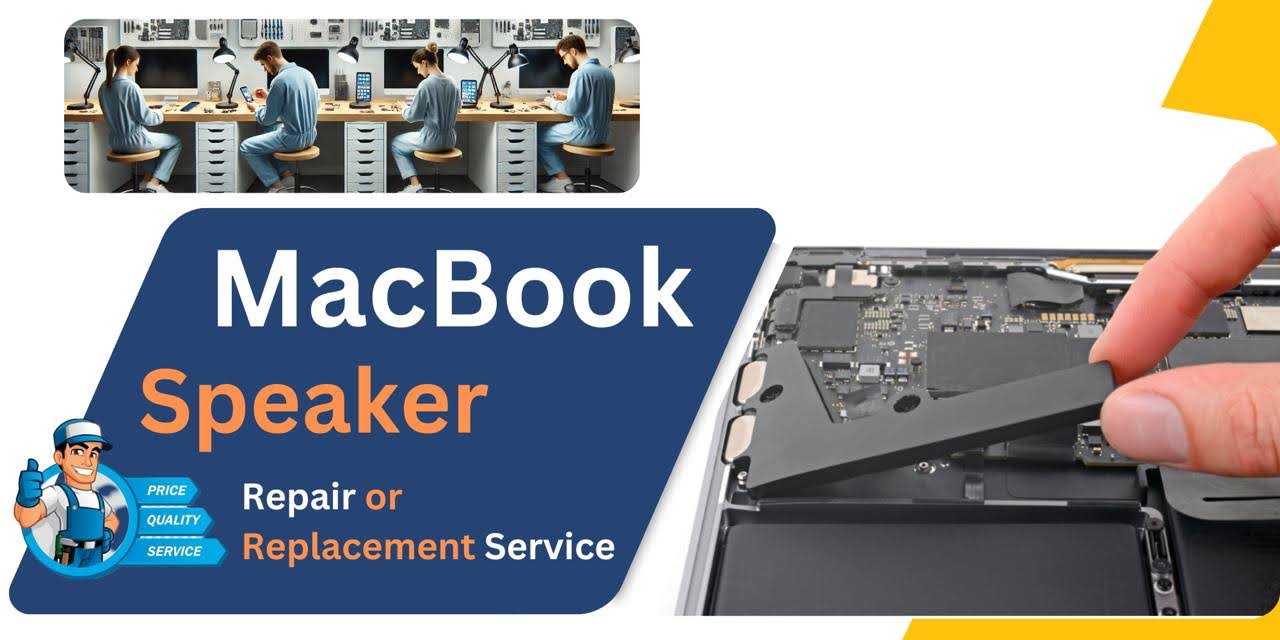
MacBook Pro (2016) A1708 Speaker
At iCare Apple, we offer expert MacBook Pro M2 (2022) A2338 Display replacement services in Bangladesh. Our certified technicians use high-quality parts to restore your MacBook’s Display, ensuring crisp visuals and optimal performance. Visit us for fast, reliable, and professional service to keep your device like new!
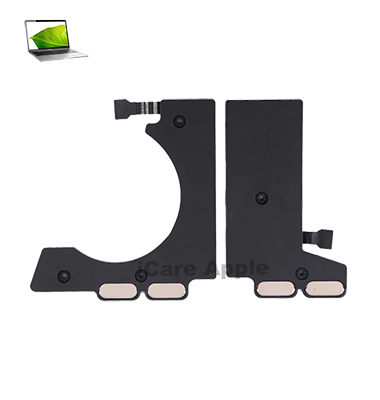
How to Identify When Your MacBook Pro (2016) A1708 Speaker Needs Replacement
Here’s how to know when your MacBook Pro (2016) A1708 Speaker needs replacement:
Distorted or Muffled Sound:
Audio quality is unclear, crackling, or muffled even at full volume.
No Sound:
There’s no audio output, even when the volume is turned up.
Intermittent Sound:
The sound cuts in and out during playback.
Unusual Noise:
You hear buzzing, static, or other abnormal noises coming from the Speaker.
Our MacBook Pro (2016) A1708 Speaker Replacement Process
1. Diagnosis:
Our experts assess your MacBook Pro M2 (2022) A2338 to identify the Display issue and provide a clear solution.
2. Quote and Approval:
After diagnosis, we provide a transparent cost estimate for the replacement service, and proceed only after your approval.
3. Display Replacement:
Using genuine, high-quality parts, our certified technicians carefully replace the damaged Display, ensuring a perfect fit and functionality.
4. Testing and Handover:
We thoroughly test the new Display for performance and quality, ensuring everything works smoothly before handing your MacBook back to you.

Choose iCare Apple for your MacBook Pro M2 (2022) A2338 Display replacement due to our skilled technicians, genuine Apple parts, and fast, efficient service. We provide a seamless repair experience, ensuring your device’s performance and Display quality are restored to their original condition, backed by excellent customer support.
✌️Top Benefits of MacBook Pro (2016) A1708 Speaker Replacement at iCare Apple
Certified Technicians
Our technicians are certified and highly skilled, ensure repairs for your MacBook Pro (2016) A1708 . We guarantee top-notch service for all display replacements.
Original & High-Quality Parts
We use genuine Apple parts for MacBook display replacements, ensuring optimal performance, durability, and preserving your MacBook's original quality for long-lasting results.
Quick and Efficient Service
At iCare Apple, we prioritize quick and efficient service, minimizing downtime. Our experienced team provides rapid, reliable display repairs, so you can get back to using your MacBook without delay.

Tips & Tricks for MacBook Pro (2016) A1708 Speaker
• Adjust Brightness for Better Battery Life:
Lowering your display brightness can help save battery life, especially when you’re on the go.
• Enable Night Shift:
Use Night Shift to reduce blue light exposure during evening hours to improve sleep quality.
• Enable True Tone:
The True Tone feature automatically adjusts the white balance based on your environment for more natural viewing.
• Use Retina Display to Enhance Clarity:
With Retina display, ensure text and images appear sharp by keeping your resolution settings at their default high resolution.
• Use Display Scaling for Better Productivity:
Adjust display scaling to optimize the workspace, making it easier to work with multiple windows and applications.
• Enable Dark Mode:
Switch to Dark Mode for a visually soothing experience, especially in low-light conditions.
• Use Hot Corners for Display Management:
Set up Hot Corners to trigger various functions like screen locking, notifications, or launching apps with a simple mouse move.
• Calibrate Your Display for Accuracy:
Calibrate the display regularly to ensure color accuracy, especially if you’re working on design or photo editing tasks.
• Turn Off Motion:
Disable motion effects in settings to reduce screen distractions and improve focus while working.
• Use External Displays for Multitasking:
If you need more screen real estate, connect your MacBook Pro to external displays for improved multitasking capabilities.
Taking care of your MacBook Pro M2 (2022) A2338 Display through these tips not only enhances your experience but also helps prolong the longevity of the device’s screen.
What Our Customers Are Saying About Our MacBook Pro (2016) A1708 Speaker Replacement Service
John Malik
The Display replacement for my MacBook Pro M2 (2022) A2338 at iCare Apple was flawless. The team was fast, and my laptop is as good as new!
Sarah Karim
iCare Apple provided excellent service for my MacBook Display replacement. Quick, efficient, and high-quality work—I’m really happy with the results!
Reza Chowdhury
I’m impressed by the professionalism of iCare Apple. My MacBook Pro’s Display was replaced seamlessly, and it’s working perfectly now.
Monira Rahman
Fantastic service at iCare Apple! The team replaced my MacBook’s Display swiftly, and now it looks and works like it just came out of the box.
Your Trust is Our Strength
Why Timely MacBook Speaker Replacement is Essential
Timely MacBook Pro (2016) A1708 Speaker replacement is essential to restore optimal audio quality and prevent further damage. Ignoring audio issues can lead to a complete Speaker failure, affecting your MacBook’s performance. Replacing the Speaker promptly ensures clear sound and enhances your overall user experience, avoiding more expensive repairs later.
Visit iCare Apple in Dhaka for Professional MacBook Repairs
Located at the heart of Dhaka, iCare Apple offers top-notch repair services for all MacBook models. Our team is committed to providing quality repairs, and we stand by our work. So, if your MacBook Pro (2016) A1708
needs a Speaker replacement, visit iCare Apple and experience professional service from trusted experts.
Ensure the longevity and performance of your MacBook Pro (2016) A1708
by opting for quality Speaker replacement services at iCare Apple.
FAQ
1. How long does the Speaker replacement take?
It typically takes 2-3 hours, depending on the availability.
2. Do you use original MacBook Speakers for replacement?
We use high-quality, compatible Speakers for replacements to ensure optimal performance.
3. Do I need to back up my data before the replacement?
Data backup is not required, as the replacement only affects the Speaker.
4. How can I book a Speaker replacement appointment?
You can book an appointment via phone, WhatsApp, or our website.
5. Does the Speaker replacement come with a warranty?
Yes, we offer a warranty on all Speaker replacements.
6. What are the signs my Speaker needs replacement?
Distorted, muffled sound, no sound, or intermittent audio are signs that the Speaker needs replacement.
7. Can I replace the Speaker myself?
We recommend professional service to avoid damage and ensure the best results.
8. Will my MacBook's sound quality improve after the replacement?
Yes, the new Speaker will restore clear and high-quality sound to your MacBook.