
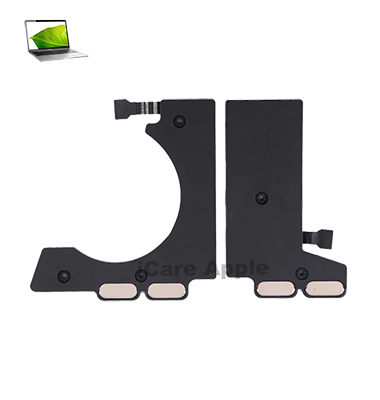
MacBook Pro (2017) A1708 Speaker
If you’re experiencing sound issues with your MacBook Pro (2017) A1708, we offer reliable Speaker replacement services at iCare Apple in Bangladesh. Our expert technicians ensure high-quality replacement, restoring clear audio and enhancing your device’s performance. Trust us for efficient and professional service.
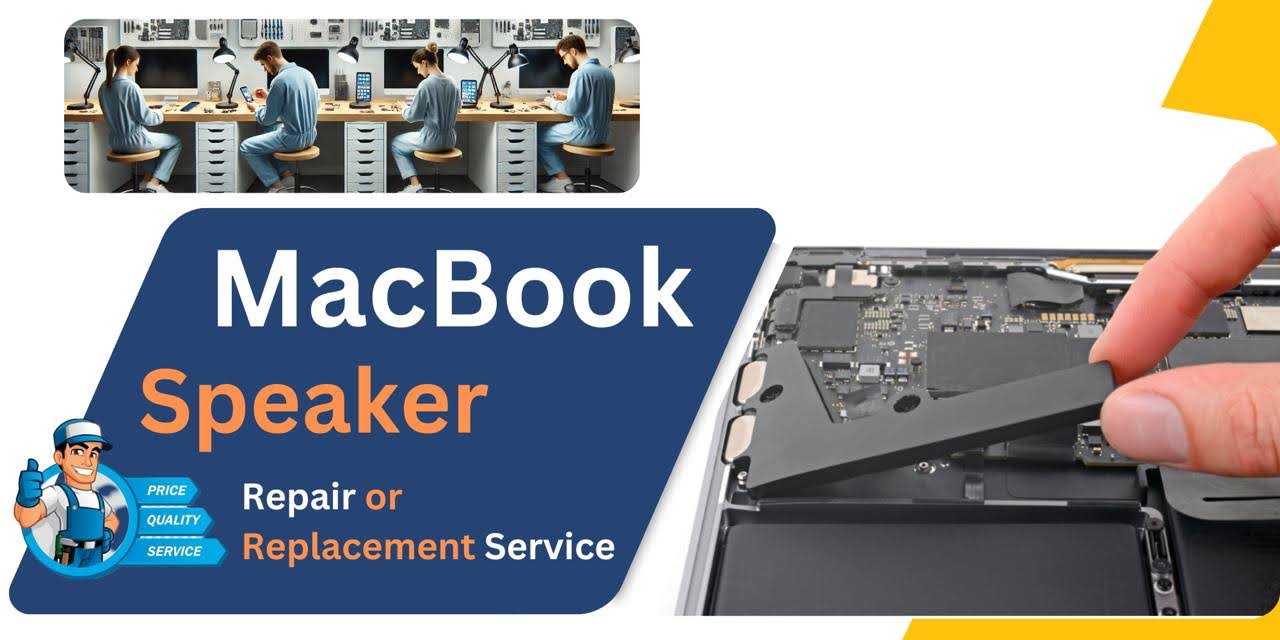
How to Identify When Your MacBook Pro (2017) A1708 Speaker Needs Replacement
Here are four signs that your MacBook Pro (2017) A1708 Speaker may need replacement:
Distorted Sound:
If the sound is muffled, crackling, or distorted even at low volumes.
No Sound:
The Speaker fails to produce any sound when the volume is turned up.
Uneven Sound Output:
One Speaker produces sound while the other remains silent.
Buzzing or Hissing:
Continuous buzzing or hissing noise, especially when there’s no audio playing.
Our MacBook Pro (2017) A1708 Speaker Replacement Process
1. Diagnosis:
Our technicians evaluate your device to confirm Speaker issues and check for underlying problems.
2. Quote & Approval:
We provide an estimate for the repair, ensuring transparency in cost.
3. Replacement:
Using genuine parts, we replace the faulty Speaker with a high-quality replacement.
4. Testing & Handover:
After installation, we thoroughly test the new Speaker to ensure optimal performance and return the device to you fully restored.

Choose iCare Apple for your MacBook Pro (2017) A1708 Speaker replacement for our expert technicians, high-quality parts, and quick, reliable service. We ensure thorough diagnostics and provide efficient, cost-effective solutions to restore your device’s sound quality, backed by a customer-friendly approach and warranty for peace of mind.
✌️Top Benefits of MacBook Pro (2017) A1708 Speaker Replacement at iCare Apple
Certified Technicians
Our technicians are certified and highly skilled, ensure repairs for your MacBook Pro (2017) A1708. We guarantee top-notch service for all Speaker replacements.
Original & High-Quality Parts
We use genuine Apple parts for MacBook Speaker replacements, ensuring optimal performance, durability, and preserving your MacBook's original quality for long-lasting results.
Quick and Efficient Service
At iCare Apple, we prioritize quick and efficient service, minimizing downtime. Our experienced team provides rapid, reliable Speaker repairs, so you can get back to using your MacBook without delay.

Tips & Tricks for MacBook Pro (2017) A1708 Speaker
👍 Update macOS:
Ensure that your MacBook Pro’s operating system is up to date. Apple regularly releases updates that include improvements to audio drivers and system-level optimizations, which can enhance Speaker performance.
👍 Adjust Equalizer Settings:
Use the built-in equalizer settings in macOS to customize the sound profile of your MacBook Pro’s Speakers. You can access the equalizer settings in System Preferences > Sound > Output > Select the Built-in Speakers > Equalizer.
👍 Optimize Audio Output:
Connect your MacBook Pro to high-quality external Speakers or headphones for an improved audio experience, especially when listening to music or watching movies. You can connect external Speakers via Bluetooth or the headphone jack.
👍 Use Audio Enhancements:
Explore third-party audio enhancement software or plugins to further enhance the audio quality of your MacBook Pro’s Speakers. Some software offers features like virtual surround sound, bass boost, and audio equalization.
👍 Clean Speaker Grilles:
Periodically clean the Speaker grilles of your MacBook Pro to remove dust, dirt, and debris that may accumulate over time. Use a soft brush or compressed air to gently clean the Speaker grilles without causing damage.
👍 Avoid Covering Speakers:
Avoid covering the Speaker grilles of your MacBook Pro with objects or accessories, as this can obstruct airflow and degrade sound quality. Keep the area around the Speakers clear for optimal audio performance.
👍 Use Audio Control Panel:
Take advantage of the audio control panel in macOS to adjust volume, balance, and other audio settings. You can access the audio control panel by clicking the volume icon in the menu bar or navigating to System Preferences > Sound.
👍 Enable Sound Effects:
Customize the sound effects settings in macOS to add auditory feedback for system events such as notifications, alerts, and key presses. You can enable sound effects in System Preferences > Sound > Sound Effects.
👍 Experiment with Spatial Audio:
If your MacBook Pro supports spatial audio technologies such as Dolby Atmos or spatial audio in supported apps, experiment with different settings to enhance the immersive experience with your Speakers.
👍 Monitor Audio Levels:
Avoid listening to audio at excessively high volume levels for extended periods, as this can potentially damage your hearing and strain the Speakers. Use the volume limiter feature in macOS to set a maximum volume level to protect your ears and Speakers.
By incorporating these tips and tricks into your use of the Speakers on your MacBook Pro A1708 (2017), you can optimize audio quality, enhance the listening experience of your laptop’s built-in audio capabilities.
What Our Customers Are Saying About Our MacBook Pro (2017) A1708 Speaker Replacement Service
Inaya Ibnat
The team at iCare Apple quickly fixed my MacBook Pro's Speaker. It sounds better than ever!
Rifat Shayan
Amazing service! They replaced the Speaker of my MacBook Pro (2017) A1708 perfectly and in no time.
Shabnam Akter
I got my MacBook’s Speaker replaced at iCare Apple, and I’m so happy with the sound quality now.
Md Nirob
iCare Apple did an excellent job replacing the Speaker on my MacBook Pro. Super fast and efficient!
Your Trust is Our Strength
Why Timely MacBook Speaker Replacement is Essential
Timely replacement of your MacBook Pro (2017) A1708 Speaker is crucial to ensure clear sound quality and prevent further damage to the device. A malfunctioning Speaker can affect productivity, communication, and overall user experience. Replacing it promptly can also help avoid additional repairs and maintain your device’s performance.
Visit iCare Apple in Dhaka for Professional MacBook Repairs
Located at the heart of Dhaka, iCare Apple offers top-notch repair services for all MacBook models. Our team is committed to providing quality repairs, and we stand by our work. So, if your MacBook Pro (2017) A1708 needs a Speaker replacement, visit iCare Apple and experience professional service from trusted experts.
Ensure the longevity and performance of your MacBook Pro (2017) A1708 by opting for quality Speaker replacement services at iCare Apple.
FAQ
1. Is the Speaker replacement service guaranteed?
Yes, we offer a warranty on the replacement service.
2. How can I book an appointment for Speaker replacement?
You can book an appointment by calling or visiting our website.
3. Do I need to back up my data before the repair?
We recommend backing up your data, although it is not mandatory for this repair.
4. Is the replacement process expensive?
We offer competitive pricing for the Speaker replacement service.
5. Do you use original parts for Speaker replacement?
Yes, we use high-quality parts to ensure reliable performance.
6. What if the Speaker issue is not resolved after the replacement?
We will re-evaluate and provide a solution under warranty.
7. Can I replace the Speaker myself?
We highly recommend professional service to avoid any damage during the replacement.
8. Can a faulty speaker be repaired instead of replaced?
If possible, we attempt repairs; otherwise, replacement is the best solution.