

MacBook Pro (2018) A1989 Display
At iCare Apple in Bangladesh, we provide expert MacBook Pro (2018) A1989 Display repair and replacement services. Whether your screen is cracked, flickering, or unresponsive, our skilled technicians use high-quality parts to restore your MacBook’s Display. Visit us for fast, reliable, and professional service to bring your MacBook back to life!
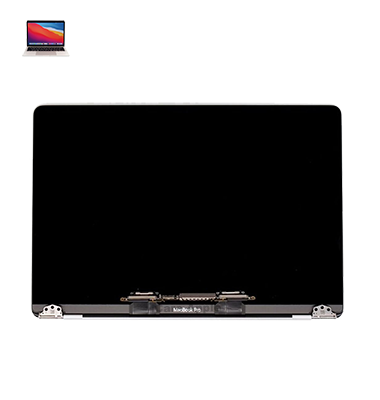
How to Identify When Your MacBook Pro (2018) A1989 Display Needs Replacement
Here are four signs that your MacBook Pro (2018) A1989 Display may need replacement:
Cracked or Damaged Screen
Visible cracks, dents, or damage to the Display that affect visibility.
Flickering or Distorted Images
Constant flickering, lines, or color distortion on the screen, even after rebooting.
Unresponsive Touch
The Display doesn’t respond to touch or has areas that are unresponsive.
Screen Darkening or No Display
The screen remains black or dims significantly, despite adjusting brightness or powering on the device.
Our MacBook Pro (2018) A1989 Display Replacement Process
1. Diagnosis
We begin by thoroughly inspecting your MacBook’s Display for cracks, flickering, or other issues.
2. Disassembly & Safe Removal
Our technicians carefully disassemble your MacBook to safely remove the damaged Display.
3. New Display Installation
We install a high-quality replacement Display, ensuring it meets Apple standards for optimal performance.
4. Testing & Final Check
After installation, we test the new Display to ensure it functions perfectly before handing your MacBook back to you.

Choose iCare Apple for MacBook Pro (2018) A1989 Display repair and replacement in Bangladesh for expert service, high-quality parts, and skilled technicians. We offer fast, reliable solutions for cracked, flickering, or unresponsive Displays, ensuring your MacBook’s screen is restored to perfect condition. Trust us for efficient, professional repairs.
✌️Top Benefits of MacBook Pro (2018) A1989 Display Replacement at iCare Apple
Certified Technicians
Our technicians are certified and highly skilled, ensure repairs for your MacBook Pro (2018) A1989. We guarantee top-notch service for all Display replacements.
Original & High-Quality Parts
We use genuine Apple parts for MacBook Display replacements, ensuring optimal performance, durability, and preserving your MacBook's original quality for long-lasting results.
Quick and Efficient Service
At iCare Apple, we prioritize quick and efficient service, minimizing downtime. Our experienced team provides rapid, reliable Display repairs, so you can get back to using your MacBook without delay.

Tips & Tricks for MacBook Pro (2018) A1989 Display
👍 Calibrate Display Settings:
Adjust the Display settings in macOS to suit your preferences and workspace environment. You can customize brightness, color temperature, and Display resolution to enhance visibility and reduce eye strain.
👍 Enable True Tone (if available):
True Tone technology automatically adjusts the color temperature of the Display based on ambient lighting conditions, providing a more natural viewing experience. Enable True Tone in System Preferences under Display settings.
👍 Use Night Shift:
Reduce eye strain during nighttime use by enabling Night Shift, which shifts the Display colors to warmer tones to reduce blue light exposure. Schedule Night Shift to activate automatically at sunset or customize the schedule to your preference.
👍 Clean the Display Regularly:
Keep the Display clean from dust, fingerprints, and smudges by gently wiping it with a soft, lint-free cloth. Avoid using harsh chemicals or abrasive materials that could damage the screen coating.
👍 Avoid Direct Sunlight:
Minimize exposure to direct sunlight, as it can cause glare and reflections on the Display, making it difficult to see the content. Position the MacBook Pro away from windows or use window blinds to control incoming light.
👍 Optimize Viewing Angle:
Adjust the viewing angle of the Display to reduce glare and reflections. Tilt the screen slightly backward or forward to find the optimal position that minimizes glare and provides comfortable viewing.
👍 Utilize Split View:
Maximize productivity by using Split View to work with two apps side by side. Drag windows to the edges of the screen to automatically resize them, allowing you to multitask efficiently without constantly switching between apps.
👍 Customize Desktop Background:
Personalize your desktop background with a high-resolution image or wallpaper that complements the Display aesthetics. Choose images with vibrant colors and contrast to showcase the Display’s capabilities.
👍 Enable Screen Saver:
Prevent screen burn-in and prolong the lifespan of the Display by enabling a screen saver. Set up a screen saver to activate after a specified period of inactivity in System Preferences under Desktop & Screen Saver settings.
👍 Connect External Display:
Expand your workspace and productivity by connecting an external Display to the MacBook Pro. Use Thunderbolt 3 ports to connect compatible Displays and extend or mirror your desktop for additional screen real estate.
By implementing these tips and tricks, you can optimize the Display of your MacBook Pro (2018) A1989 for improved visibility, comfort, and productivity in various usage scenarios.
What Our Customers Are Saying About Our MacBook Pro (2018) A1989 Display Replacement Service
Sakib Rahman
iCare Apple fixed my MacBook Pro A1989 Display quickly and efficiently. The new screen works flawlessly now, highly satisfied with the service.
Ruma Sultana
Excellent service! My MacBook’s Display was replaced in no time, and it looks like new again. Truly reliable technicians.
Imran Hossain
Got my MacBook Pro A1989 Display repaired at iCare Apple. The technicians were professional, and the screen works perfectly now.
Shaila Akter
Very impressed with the Display replacement service at iCare Apple. My MacBook’s screen is now flawless, and the service was fast and affordable.
Your Trust is Our Strength
Why Timely MacBook Display Replacement is Essential
Timely MacBook Pro (2018) A1989 Display repair and replacement is essential to avoid further damage, such as screen malfunction or internal component issues. A damaged Display can impact productivity, affect visuals, and make your MacBook unusable. Addressing Display issues quickly ensures smooth functionality and prevents costly repairs down the line.
Visit iCare Apple in Dhaka for Professional MacBook Repairs
Located at the heart of Dhaka, iCare Apple offers top-notch repair services for all Macbook models. Our team is committed to providing quality repairs, and we stand by our work. So, if your MacBook Pro (2018) A1989
needs a Display replacement, visit iCare Apple and experience professional service from trusted experts.
Ensure the longevity and performance of your MacBook Pro (2018) A1989
by opting for quality Display replacement services at iCare Apple.
FAQ
1. How long does the Display repair take?
The repair typically takes a few hours to a day, depending on the issue.
2. Is the replacement Display genuine?
Yes, we use high-quality, genuine replacement Displays for your MacBook.
3. Can I get my screen replaced if it's cracked?
Yes, we replace cracked screens with new, fully functional Displays.
4. Do I need an appointment for the repair?
Appointments are preferred, but walk-ins are also accepted.
5. Will my data be lost during the repair?
No, the Display replacement process does not affect your data.
6. How much does the Display replacement cost?
The cost varies, so we recommend contacting us for an accurate estimate.
7. Can I replace the Display myself?
We recommend professional repair to avoid damage to internal components.
8. Does iCare Apple provide a warranty on Display repairs?
Yes, we offer a warranty on both the replacement Display and our services.