
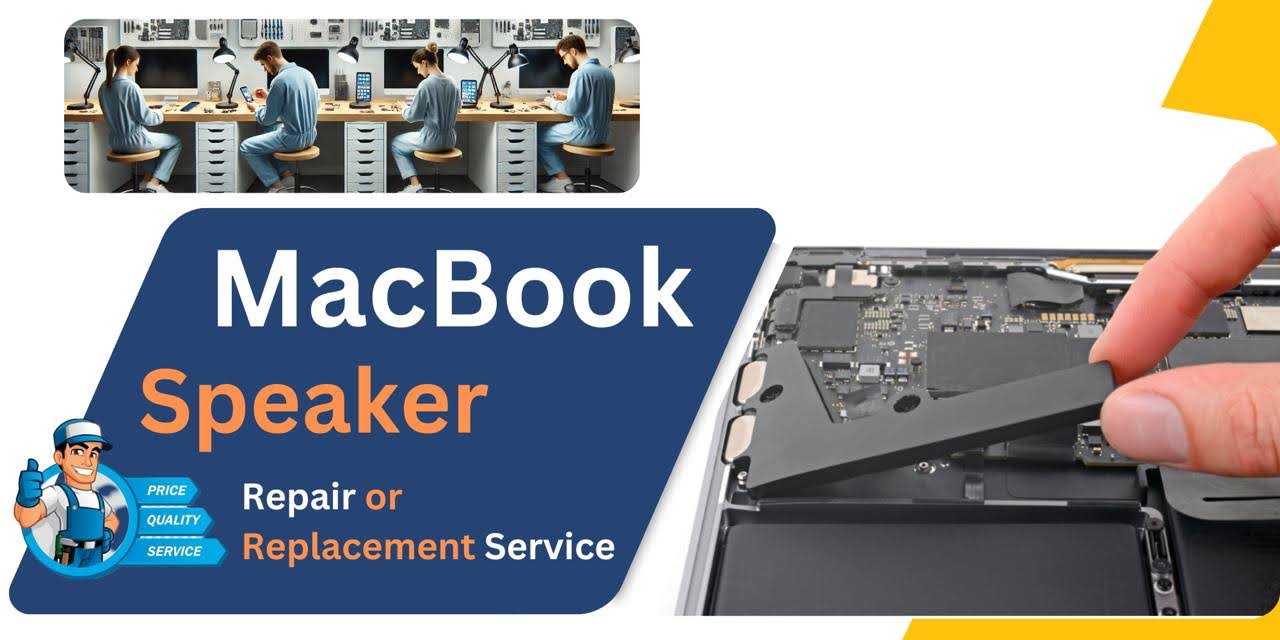
MacBook Pro (2018) A1989 Speaker
At iCare Apple in Bangladesh, we offer expert MacBook Pro (2018) A1989 Speaker replacement services. If you’re experiencing low sound quality or no sound at all, our skilled technicians can replace the Speaker with high-quality parts, restoring your MacBook’s audio performance efficiently and professionally.
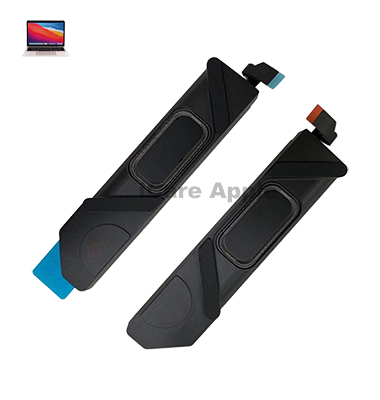
How to Identify When Your MacBook Pro (2018) A1989 Speaker Needs Replacement
Here are four signs that your MacBook Pro (2018) A1989 Speaker may need replacement:
No Sound Output
If your MacBook produces no sound despite volume settings and Speakers being unmuted.
Distorted Audio
When sound is crackling, distorted, or fuzzy even at low volumes.
Low Volume
Sound remains very faint or inaudible even at maximum volume.
Uneven Sound
Audio is louder from one side, while the other remains quiet or muffled.
Our MacBook Pro (2018) A1989 Speaker Replacement Process
1. Diagnosis
We first assess the Speaker issue to confirm the need for replacement.
2. Disassembly
Our technicians carefully open the MacBook to access the Speaker.
3. Speaker Replacement
We replace the faulty Speaker with a high-quality, genuine part.
4. Testing
After reassembly, we test the audio system to ensure optimal sound performance before returning your device.

Choose iCare Apple for MacBook Pro (2018) A1989 Speaker replacement because we offer fast, reliable service with high-quality replacement parts. Our skilled technicians ensure your MacBook’s sound performance is restored to its best, providing you with a hassle-free experience and a warranty on all our repair services.
✌️Top Benefits of MacBook Pro (2018) A1989 Speaker Replacement at iCare Apple
Certified Technicians
Our technicians are certified and highly skilled, ensure repairs for your MacBook Pro (2018) A1989. We guarantee top-notch service for all Speaker replacements.
Original & High-Quality Parts
We use genuine Apple parts for MacBook Speaker replacements, ensuring optimal performance, durability, and preserving your MacBook's original quality for long-lasting results.
Quick and Efficient Service
At iCare Apple, we prioritize quick and efficient service, minimizing downtime. Our experienced team provides rapid, reliable Speaker repairs, so you can get back to using your MacBook without delay.

Tips & Tricks for MacBook Pro (2018) A1989 Speaker
👍 Adjust Audio Settings:
Explore the Sound preferences in macOS to customize audio settings such as output volume, balance, and equalizer presets. You can access these settings by going to System Preferences > Sound.
👍 Enable Sound Enhancements:
macOS offers built-in sound enhancements such as Bass Boost and Treble Boost, which can enhance the audio output from your MacBook Pro’s Speakers. Experiment with these enhancements to find the best settings for your preferences.
👍 Use External Speakers or Headphones:
For improved audio quality or to enjoy a more immersive listening experience, consider connecting external Speakers or headphones to your MacBook Pro. This can be especially useful for activities like watching movies or listening to music.
👍 Update macOS:
Ensure that your MacBook Pro is running the latest version of macOS, as Apple often releases updates that include enhancements and bug fixes related to audio performance. You can check for updates by going to System Preferences > Software Update.
👍 Avoid Blocking the Speakers:
The Speakers of the MacBook Pro are located on the sides of the keyboard. Avoid blocking them with your hands or other objects while using the laptop, as this can obstruct sound output and reduce audio quality.
👍 Optimize Speaker Placement:
When using your MacBook Pro on a flat surface, ensure that the Speakers are not covered or obstructed by the surface. Elevating the laptop slightly can help optimize Speaker placement and improve sound projection.
👍 Use Audio Equalizer Apps:
Explore third-party audio equalizer apps available for macOS that allow you to fine-tune audio settings and apply custom EQ presets. These apps can help you achieve the desired sound signature for different types of audio content.
👍 Experiment with Sound Sources:
Test the Speakers with various types of audio content, including music, movies, podcasts, and games. This will help you understand the capabilities of the Speakers and how they perform across different sound sources.
👍 Adjust Volume Levels Carefully:
Avoid listening to audio at excessively high volume levels for extended periods, as this can potentially damage the Speakers and affect audio quality over time. Use the volume controls responsibly to protect your hearing and prolong Speaker lifespan.
👍 Regular Maintenance:
Keep the Speaker grilles clean and free from dust and debris to maintain optimal sound quality. Use a soft brush or compressed air to gently clean the grilles and prevent accumulation of dirt that can affect audio performance.
By implementing these tips and tricks, you can optimize the performance of the Speakers on your MacBook Pro (2018) A1989 and enjoy an enhanced audio experience for various multimedia activities.
What Our Customers Are Saying About Our MacBook Pro (2018) A1989 Speaker Replacement Service
Rina Khan
The Speaker replacement for my MacBook was quick and seamless. I’m extremely happy with iCare Apple’s service.
Farhan Ahmed
iCare Apple replaced my MacBook Speaker with ease, and now the sound is crystal clear. Great service overall!
Nishat Rahman
My MacBook’s Speaker issue was fixed in no time. Excellent customer support and fast service at iCare Apple.
Soma Hossain
Fantastic service from iCare Apple. They replaced my MacBook Speaker and restored the sound perfectly. Very satisfied!
Your Trust is Our Strength
Why Timely MacBook Speaker Replacement is Essential
Timely replacement of the MacBook Pro (2018) A1989 Speaker is crucial to prevent further audio issues like distortion or complete failure. Ignoring Speaker problems can lead to poor sound quality, affecting your work or entertainment experience. Prompt replacement ensures optimal audio performance, preventing costly repairs in the future.
Visit iCare Apple in Dhaka for Professional MacBook Repairs
Located at the heart of Dhaka, iCare Apple offers top-notch repair services for all Macbook models. Our team is committed to providing quality repairs, and we stand by our work. So, if your MacBook Pro (2018) A1989
needs a Speaker replacement, visit iCare Apple and experience professional service from trusted experts.
Ensure the longevity and performance of your MacBook Pro (2018) A1989
by opting for quality Speaker replacement services at iCare Apple.
FAQ
1. How long does Speaker replacement take?
It usually takes a few hours to complete the Speaker replacement process.
2. Do you use original parts for Speaker replacement?
Yes, we use high-quality, genuine parts for all Speaker replacements.
3. Is my data safe during the Speaker replacement?
Yes, your data remains unaffected during the Speaker replacement process.
4. Can you fix distorted audio?
Yes, we can replace the Speaker to resolve any distortion issues.
5. How can I know if my Speaker needs replacement?
Symptoms include no sound, distorted audio, or low volume despite maximum settings.
6. Is there a warranty on the replacement Speaker?
Yes, we provide a warranty on all Speaker replacements performed.
7. How much does the Speaker replacement cost?
The cost varies based on the condition of your MacBook; contact us for an estimate.
8. Will the sound quality improve after replacement?
Yes, replacing the Speaker restores the sound quality to its original state.