

MacBook Pro (2019) A2141 Display
We provide expert MacBook Pro (2019) A2141 Display repair and replacement services in Bangladesh. Whether your screen is cracked, flickering, or unresponsive, our skilled technicians ensure a hassle-free solution. Using high-quality parts, we restore your Display’s clarity and functionality quickly. Visit iCare Apple for reliable MacBook Display repair.
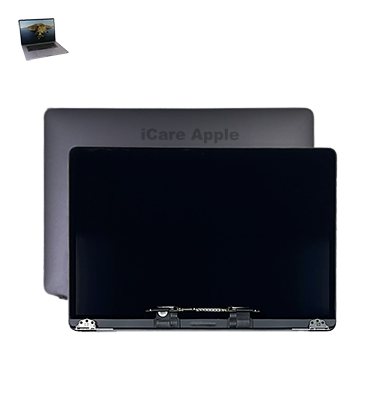
How to Identify When Your MacBook Pro (2019) A2141 Display Needs Replacement
Here are four signs that your MacBook Pro (2019) A2141 Display may need replacement:
Cracked or Broken Screen
Visible cracks or physical damage on the screen surface.
Flickering Display
Screen flickers or has flashing lines, even after rebooting.
Color Distortion
Colors appear faded, blurry, or have strange hues.
Unresponsive Touch or Display
The screen remains black, unresponsive, or fails to Display anything after powering on.
Our MacBook Pro (2019) A2141 Display Replacement Process
1. Diagnosis:
We begin by thoroughly examining the Display to identify the issue.
2. Cost Estimate:
After diagnosis, we provide a clear and upfront cost estimate for the replacement.
3. Display Replacement:
Using genuine parts, we replace your MacBook’s Display with precision.
4. Testing:
We test the new Display to ensure perfect functionality and quality before returning your device.

Choose iCare Apple for your MacBook Pro (2019) A2141 Display repair & replacement because we offer expert technicians, original parts, and quick turnaround time. Our high-quality services ensure your MacBook’s Display is restored to its original condition with a focus on customer satisfaction and reliability.
✌️Top Benefits of MacBook Pro (2019) A2141 Display Replacement at iCare Apple
Certified Technicians
Our technicians are certified and highly skilled, ensure repairs for your MacBook Pro (2019) A2141. We guarantee top-notch service for all Display replacements.
Original & High-Quality Parts
We use genuine Apple parts for MacBook Display replacements, ensuring optimal performance, durability, and preserving your MacBook's original quality for long-lasting results.
Quick and Efficient Service
At iCare Apple, we prioritize quick and efficient service, minimizing downtime. Our experienced team provides rapid, reliable Display repairs, so you can get back to using your MacBook without delay.

Tips & Tricks for MacBook Pro (2019) A2141 Display
👍 Adjust Brightness:
Utilize the brightness controls to adjust the Display brightness according to ambient lighting conditions. Lower the brightness in dimly lit environments to reduce eye strain, and increase it in well-lit areas for better visibility.
👍 Enable Night Shift:
Enable Night Shift in System Preferences to reduce blue light exposure during evening hours. This feature adjusts the color temperature of the Display to warmer tones, which may promote better sleep quality.
👍 Customize Resolution:
Customize the Display resolution in System Preferences to suit your preferences and workflow. Opt for higher resolutions for sharper text and images, or lower resolutions for larger on-screen elements and increased performance.
👍 Calibrate Color:
Use Display calibration tools or built-in settings to calibrate color accuracy for tasks such as photo editing or graphic design. Adjust color temperature, gamma, and white balance settings to achieve the desired color accuracy.
👍 Clean Regularly:
Clean the Display surface regularly with a soft, lint-free cloth to remove dust, fingerprints, and smudges. Avoid using harsh chemicals or abrasive materials that may damage the Display coating.
👍 Avoid Screen Burn-in:
Prevent screen burn-in by avoiding prolonged Display of static images or high-contrast content. Use screen savers or set the Display to sleep mode when not in use for extended periods.
👍 Use True Tone:
Enable True Tone in System Preferences to automatically adjust the Display color temperature based on ambient lighting conditions. This feature provides a more natural viewing experience by matching the Display color to the surrounding environment.
👍 Enable ProMotion:
If available, enable ProMotion technology to take advantage of the higher refresh rates supported by the Display. This results in smoother motion, reduced motion blur, and improved responsiveness, especially when scrolling or interacting with content.
👍 Utilize Split View:
Take advantage of Split View to multitask efficiently by placing two apps side by side on the Display. Drag an app to the edge of the screen until it enters Split View mode, then select another app to fill the remaining space.
👍 Adjust Screen Timeouts:
Customize screen timeout settings in System Preferences to conserve battery life and prevent screen burn-in. Set shorter timeouts for periods of inactivity to automatically dim or turn off the Display, reducing power consumption.
What Our Customers Are Saying About OurMacBook Pro (2019) A2141 Display Replacement Service
Rakib Hasan
Got my MacBook Pro (2019) A2141 display replaced at iCare Apple. Excellent service, fast repair, and great quality.
Likhon Shikdar
The display replacement for my MacBook Pro was done professionally. The team ensured a smooth process with no issues.
Any Patwari
iCare Apple provided a flawless display replacement service. My screen looks brand new, and the service was quick.
Shimul De
Very satisfied with the MacBook Pro A2141 display replacement. The staff was helpful, and the repair was done perfectly.
Your Trust is Our Strength
Why Timely MacBook Display Replacement is Essential
Timely MacBook Pro (2019) A2141 Display repair or replacement is crucial to prevent further damage, ensure optimal screen quality, and maintain productivity. Ignoring issues like flickering or dead pixels can worsen, leading to higher repair costs. Immediate attention helps avoid long-term problems, ensuring your device’s longevity and performance.
Visit iCare Apple in Dhaka for Professional MacBook Repairs
Located at the heart of Dhaka, iCare Apple offers top-notch repair services for all Macbook models. Our team is committed to providing quality repairs, and we stand by our work. So, if your MacBook Pro (2019) A2141
needs a Display replacement, visit iCare Apple and experience professional service from trusted experts.
Ensure the longevity and performance of your MacBook Pro (2019) A2141
by opting for quality Display replacement services at iCare Apple.
FAQ
1. How long does the MacBook Pro (2019) A2141 Display repair take at iCare Apple?
The repair typically takes 2-3 hours, depending on the severity of the issue.
2. Is the replacement Display for MacBook Pro (2019) A2141 original?
Yes, we use genuine Apple parts for replacement.
3. How can I book a MacBook Pro (2019) A2141 Display replacement at iCare Apple?
You can book online, by calling, or visiting our service center.
4. Is there a warranty on the Display replacement?
Yes, we offer a warranty on both parts and service.
5. What if the screen flickers or shows discoloration?
This is often a sign of a faulty Display that requires replacement.
6. Will I lose my data during the Display replacement?
No, your data will remain intact during the replacement process.
7. Can I walk in for a Display replacement, or is an appointment required?
While appointments are recommended, we accept walk-ins based on availability.
8. Do you offer a diagnosis service for Display issues?
Yes, we offer a diagnostic service to determine if Display replacement is needed.