
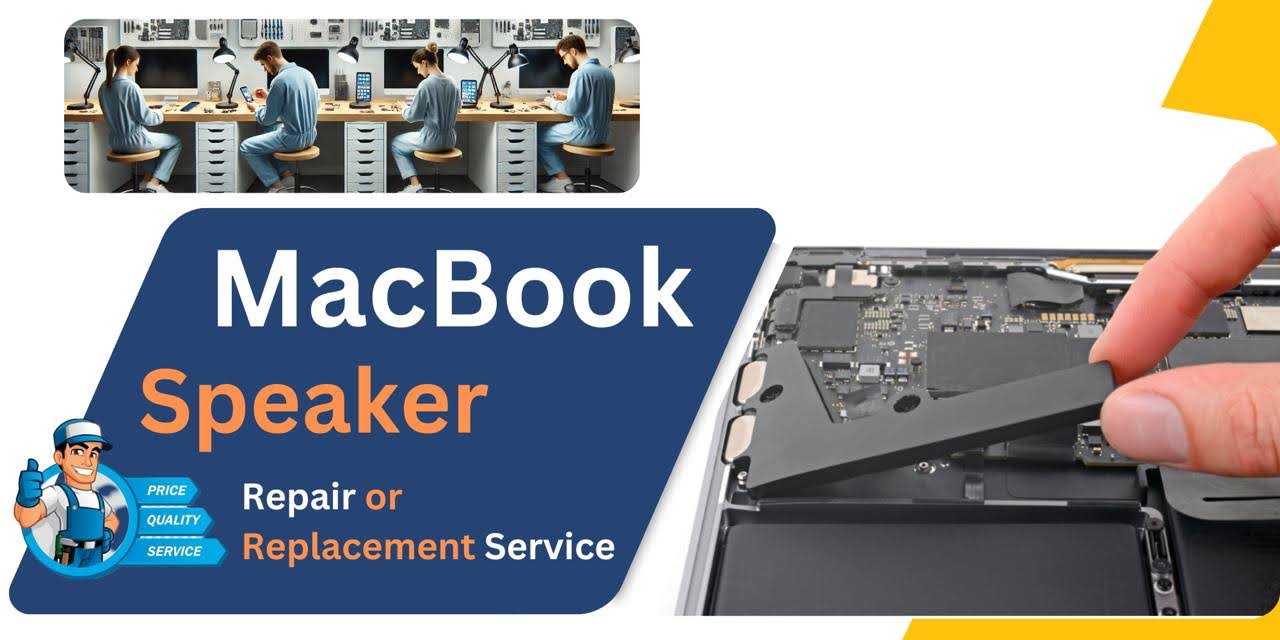
MacBook Pro (2019) A2141 Speaker
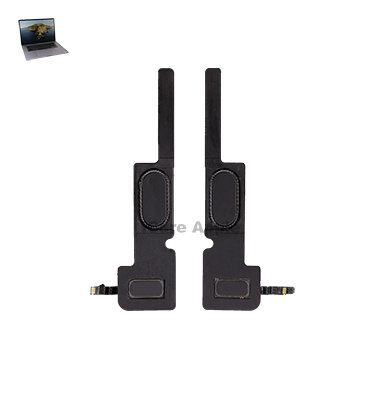
At iCare Apple in Bangladesh, we offer reliable MacBook Pro (2019) A2141 Speaker replacement services. If your MacBook’s sound quality is poor, distorted, or there’s no sound at all, our expert technicians will efficiently replace the Speaker with genuine parts, restoring your device’s audio performance.
How to Identify When Your MacBook Pro (2019) A2141 Speaker Needs Replacement
Here are four signs your MacBook Pro (2019) A2141 Speaker may need replacement:
Distorted Sound:
Unclear or muffled audio, even at full volume, indicates potential Speaker damage.
No Sound:
Complete loss of sound output, despite volume settings being correct.
Crackling or Popping:
Unusual noises like crackling or popping during audio playback.
Low Volume:
Sound output significantly lower than usual, even at maximum volume.
Our MacBook Pro (2019) A2141 Speaker Replacement Process
1. Diagnosis:
Our technicians perform a thorough check to confirm the Speaker issue.
2. Quote:
We provide a transparent cost estimate for the replacement service.
3. Replacement:
We replace the damaged Speaker with high-quality, genuine parts.
4. Testing:
After installation, we test the Speakers to ensure perfect functionality.

Choose iCare Apple for your MacBook Pro (2019) A2141 Speaker replacement because we offer expert technicians, high-quality parts, and quick, reliable service. We ensure customer satisfaction with transparent pricing and efficient solutions, making us your trusted partner for all MacBook repairs in Bangladesh.
✌️Top Benefits of MacBook Pro (2019) A2141 Speaker Replacement at iCare Apple
Certified Technicians
Our technicians are certified and highly skilled, ensure repairs for your MacBook Pro (2019) A2141. We guarantee top-notch service for all Speaker replacements.
Original & High-Quality Parts
We use genuine Apple parts for MacBook Speaker replacements, ensuring optimal performance, durability, and preserving your MacBook's original quality for long-lasting results.
Quick and Efficient Service
At iCare Apple, we prioritize quick and efficient service, minimizing downtime. Our experienced team provides rapid, reliable Speaker repairs, so you can get back to using your MacBook without delay.

Tips & Tricks for MacBook Pro (2019) A2141 Speaker
👍 Keep the Speaker Grilles Clean:
Regularly clean the Speaker grilles of your MacBook Pro (2019) A2141 to prevent dust and debris buildup, which can affect sound quality. Use a soft brush or compressed air to remove any particles from the Speaker openings.
👍 Adjust Sound Settings:
Experiment with sound settings in System Preferences to customize the audio output according to your preferences. You can adjust the equalizer settings, balance, and volume levels to optimize sound quality for different types of content.
👍 Use External Speakers or Headphones:
For enhanced audio performance or privacy, consider using external Speakers or headphones with your MacBook Pro (2019) A2141. High-quality Speakers or headphones can provide better sound reproduction and immersive listening experience.
👍 Avoid Blocking Speaker Grilles:
Ensure that the Speaker grilles of your MacBook Pro (2019) A2141 are not blocked or obstructed by objects, as this can impede sound transmission and reduce audio quality. Position your laptop on a flat surface to allow for unrestricted airflow from the Speakers.
👍 Update Audio Drivers:
Keep your macOS and audio drivers up to date to ensure compatibility with the latest software updates and enhancements. Updating audio drivers can help resolve compatibility issues and improve overall audio performance.
👍 Use Audio Enhancement Software:
Explore third-party audio enhancement software that offers additional features and customization options for your MacBook Pro (2019) A2141 Speakers. These software solutions may provide advanced equalizer settings, surround sound effects, and audio enhancement algorithms.
👍 Optimize Sound Placement:
Experiment with the placement of your MacBook Pro (2019) A2141 to optimize sound projection and clarity. Positioning your laptop on a hard surface can help reflect sound waves and improve audio dispersion.
👍 Turn Off Sound Enhancements:
Disable sound enhancements or processing effects that may be enabled by default in macOS settings. These enhancements can sometimes distort audio or affect sound quality, particularly for music playback or critical listening.
👍 Use AirPlay for Wireless Audio:
Take advantage of AirPlay technology to stream audio wirelessly from your MacBook Pro (2019) A2141 to compatible Speakers or audio systems. AirPlay allows for seamless audio playback across multiple devices and provides flexibility in audio output options.
👍 Calibrate Sound Output:
Calibrate sound output using built-in macOS tools or third-party calibration software to ensure accurate sound reproduction and balanced audio levels. Adjusting sound settings and equalizer presets can help tailor the audio output to your preferences and listening environment.
What Our Customers Are Saying About Our MacBook Pro (2019) A2141 Speaker Replacement Service
Mohammad Ali
The Speaker replacement service at iCare Apple was fast and efficient. My MacBook Pro is working like new again!
Ayesha Khan
I was impressed with the professionalism of the team. The sound quality of my MacBook Pro is perfect after the Speaker replacement.
Rafiul Ruhan
The technician quickly identified the problem and replaced the Speaker within an hour. Highly recommend iCare Apple for any repairs.
Nurul Haque
My MacBook's Speaker problem was resolved in no time. I’m very satisfied with the service at iCare Apple!
Your Trust is Our Strength
Why Timely MacBook Speaker Replacement is Essential
Timely replacement of your MacBook Pro (2019) A2141 Speaker ensures optimal sound quality and prevents further damage. Ignoring Speaker issues can lead to distorted audio or complete failure, affecting productivity. Replacing the Speaker promptly maintains performance and enhances your overall MacBook experience, preventing potential long-term damage.
Visit iCare Apple in Dhaka for Professional MacBook Repairs
Located at the heart of Dhaka, iCare Apple offers top-notch repair services for all Macbook models. Our team is committed to providing quality repairs, and we stand by our work. So, if your MacBook Pro (2019) A2141
needs a Speaker replacement, visit iCare Apple and experience professional service from trusted experts.
Ensure the longevity and performance of your MacBook Pro (2019) A2141
by opting for quality Speaker replacement services at iCare Apple.
FAQ
1. How long does the Speaker replacement take?
It usually takes 1-2 hours, depending on the issue and availability of parts.
2. Is the replacement service covered by a warranty?
Yes, we offer a warranty on the replacement Speaker and service.
3. How do I know if my Speaker needs replacement?
Signs include distorted or no sound, low volume, or crackling noises.
4. Can I replace just one Speaker?
Yes, we can replace individual Speakers based on the issue.
5. Do I need to book an appointment for the replacement?
It is recommended to book an appointment for faster service, but walk-ins are welcome.
6. Will my data be safe during the Speaker replacement?
Yes, we ensure the safety of your data throughout the repair process.
7. Do you use original parts for the replacement?
Yes, we use high-quality, genuine parts for the Speaker replacement.
8. Is there any risk of damaging my MacBook during the replacement?
Our technicians follow strict procedures to ensure no damage occurs during the replacement.