

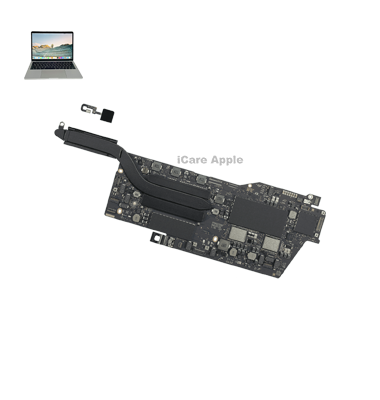
MacBook Pro (2019) A2159 MotherBoard
At iCare Apple, we offer expert MacBook Pro (2019) A2159 Track Pad replacement services in Bangladesh. Our certified technicians ensure your Track Pad is replaced with high-quality parts, restoring smooth functionality and responsiveness. Visit us today for reliable service and quick repairs. Your satisfaction is guaranteed!
How to Identify When Your MacBook Pro (2019) A2159 Track Pad Needs Replacement
Here are four signs that your MacBook Pro (2019) A2159 Track Pad may need replacement:
Unresponsiveness:
The Track Pad stops responding to touch or gestures.
Erratic Movement:
Cursor movement is jumpy or unsteady.
Physical Damage:
Cracks, dents, or visible damage on the Track Pad surface.
Clicking Issues:
The Track Pad doesn’t register clicks or responds inconsistently.
Our MacBook Pro (2019) A2159 Track Pad Replacement Process
1. Diagnosis:
Our technicians assess the Track Pad to confirm the issue and provide a transparent service quote.
2. Part Sourcing:
We source high-quality, genuine replacement parts.
3. Replacement:
The faulty Track Pad is carefully replaced, ensuring full compatibility with your MacBook.
4. Testing:
We rigorously test the new Track Pad to ensure it functions flawlessly, offering you a smooth and responsive experience.

Choose iCare Apple for your MacBook Pro (2019) A2159 Track Pad replacement for our expert technicians, high-quality parts, fast service, and customer-centric approach. We ensure precision in repairs and guarantee satisfaction, offering a seamless experience backed by years of expertise in Apple product servicing.
✌️Top Benefits of MacBook Pro (2019) A2159 Track Pad Replacement at iCare Apple
Certified Technicians
Our technicians are certified and highly skilled, ensure repairs for your MacBook Pro (2019) A2159. We guarantee top-notch service for all Track Pad replacements.
Original & High-Quality Parts
We use genuine Apple parts for MacBook Track Pad replacements, ensuring optimal performance, durability, and preserving your MacBook's original quality for long-lasting results.
Quick and Efficient Service
At iCare Apple, we prioritize quick and efficient service, minimizing downtime. Our experienced team provides rapid, reliable Track Pad repairs, so you can get back to using your MacBook without delay.

Tips & Tricks for MacBook Pro (2019) A2159 Track Pad
👍 Customize Gesture Preferences:
Explore the Track Pad settings in System Preferences to customize gesture preferences according to your preferences and workflow. Adjust tracking speed, enable/disable specific gestures, and fine-tune sensitivity settings to optimize your Track Pad experience.
👍 Learn Multi-Touch Gestures:
Familiarize yourself with multi-touch gestures supported by the Track Pad, such as scrolling, zooming, swiping between desktops, and activating Mission Control. Mastering these gestures can significantly improve your productivity and efficiency when navigating macOS.
👍 Experiment with Force Touch:
Experiment with Force Touch technology, which allows you to perform additional actions by pressing firmly on the Track Pad. Use Force Touch to access contextual menus, preview files, or enable Quick Look for a convenient way to interact with content.
👍 Enable Tap to Click:
Enable the “Tap to Click” option in Track Pad settings to perform clicks by tapping on the Track Pad surface instead of physically pressing down on it. This can reduce strain on your fingers and provide a more fluid and effortless clicking experience.
👍 Practice Two-Finger Scrolling:
Practice two-finger scrolling to quickly navigate through web pages, documents, and other content. Mastering two-finger scrolling can save time and make it easier to navigate long documents or websites.
👍 Utilize Three-Finger Gestures:
Take advantage of three-finger gestures for additional functionality, such as swiping between full-screen apps, activating Mission Control, or triggering App Exposé. Customize three-finger gestures in Track Pad settings to suit your workflow.
👍 Use Gestures for Window Management:
Use multi-touch gestures for efficient window management. Swipe up with three fingers to enter Mission Control, swipe left or right with three fingers to switch between full-screen apps, and swipe down with three fingers to reveal the desktop.
👍 Practice Pinch-to-Zoom:
Practice pinch-to-zoom gestures to zoom in and out on photos, maps, documents, and other content. Pinch outward with two fingers to zoom in and pinch inward to zoom out. This gesture provides precise control over magnification levels.
👍 Try Rotate Gestures:
Experiment with rotate gestures to rotate images, documents, and other content. Place two fingers on the Track Pad and rotate them clockwise or counterclockwise to rotate the selected item. This gesture is useful for image editing and document viewing.
👍 Keep Track Pad Clean and Dry:
Maintain the cleanliness and dryness of the Track Pad surface to ensure optimal performance. Periodically clean the Track Pad with a soft, lint-free cloth and avoid using it with wet or oily fingers to prevent interference with Track Pad functionality.
What Our Customers Are Saying About Our MacBook Pro (2019) A2159 Track Pad Replacement Service
Nabila Akter
I’m impressed with the quick and efficient Track Pad replacement service at iCare Apple. Very reliable!
Fahim Chowdhury
iCare Apple handled my MacBook Track Pad issue swiftly. The new Track Pad works perfectly!
Sumaiya Chowdhury
My MacBook's Track Pad was replaced in no time. Excellent service and great attention to detail.
Arif Hossain
The Track Pad replacement process at iCare Apple was fast and hassle-free. Highly satisfied with the professional service.
Your Trust is Our Strength
Why Timely MacBook Track Pad Replacement is Essential
Timely replacement of the MacBook Pro (2019) A2159 Track Pad is essential to maintain smooth navigation and prevent further damage. Delaying the replacement can lead to unresponsive or malfunctioning features, disrupting productivity. By addressing Track Pad issues promptly, you ensure optimal performance and extend your device’s lifespan.
Visit iCare Apple in Dhaka for Professional MacBook Repairs
Located at the heart of Dhaka, iCare Apple offers top-notch repair services for all Macbook models. Our team is committed to providing quality repairs, and we stand by our work. So, if your MacBook Pro (2019) A2159
needs a Track Pad replacement, visit iCare Apple and experience professional service from trusted experts.
Ensure the longevity and performance of your MacBook Pro (2019) A2159
by opting for quality Track Pad replacement services at iCare Apple.
FAQ
1. What is the cost of MacBook Pro (2019) A2159 Track Pad replacement?
The cost varies based on the issue, but we provide affordable pricing for quality service.
2. How long does the replacement take?
The replacement process typically takes 1 to 2 hours depending on the service demand.
3. Is the Track Pad replacement done with genuine parts?
Yes, we use genuine and high-quality replacement parts for all repairs.
4. Can I wait while my Track Pad is being replaced?
Yes, our in-house repairs are done quickly, and you can wait during the service.
5. Do you offer warranty for Track Pad replacements?
Yes, we offer a warranty on all our Track Pad replacements for peace of mind.
6. Do I need to make an appointment for Track Pad replacement?
No, you can walk in, but booking an appointment ensures faster service.
7. How do I know if my Track Pad needs replacing?
If the Track Pad is unresponsive, sticky, or frequently malfunctions, it may need replacement.
8. Do you offer diagnostic services?
Yes, we offer diagnostics to evaluate the issue before proceeding with the replacement.