
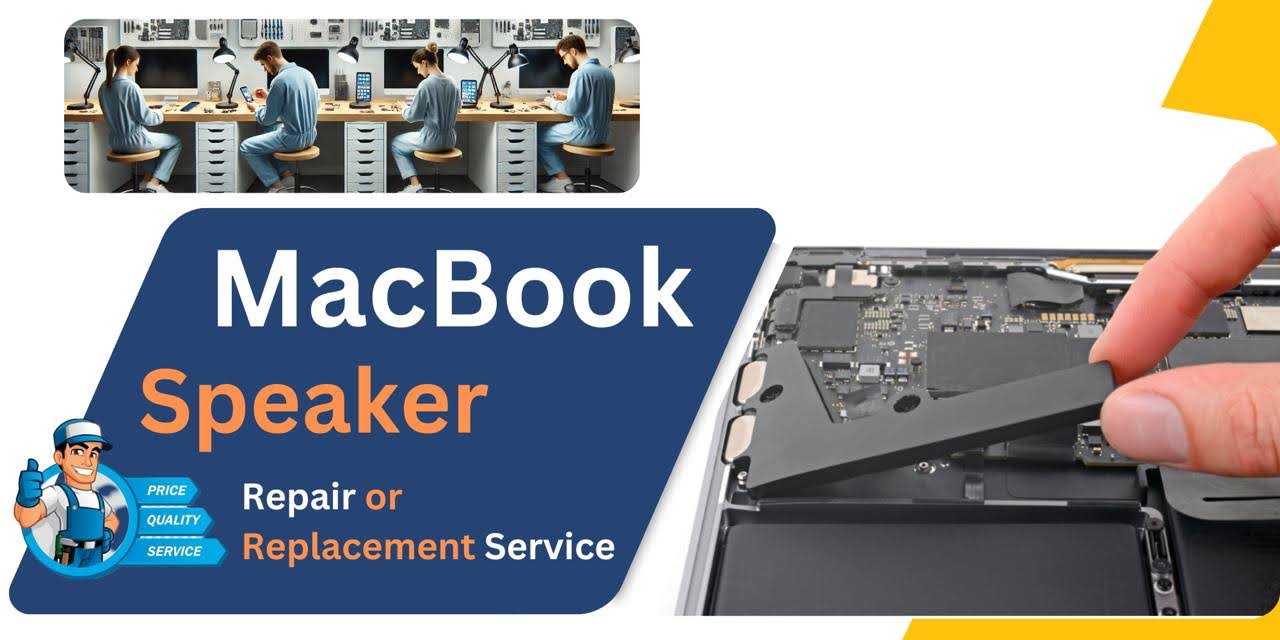
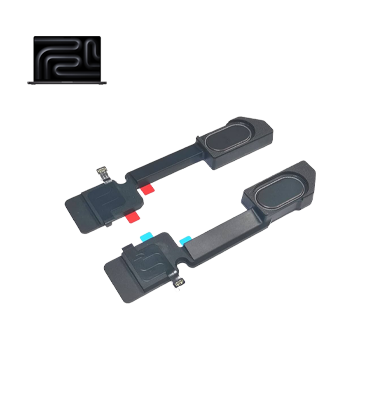
MacBook Pro M2 (2023) A2780 Speaker
At iCare Apple, we offer professional MacBook Pro M2 (2023) A2780 Speaker replacement services. Our skilled technicians ensure high-quality repairs, restoring your MacBook's audio performance. We provide a quick turnaround time, warranty on services, and use genuine parts to guarantee long-lasting results. Visit us for efficient Speaker replacement!
Speaker
- 1 Year - Replacement Guaranty
- 30 Days - Money back Guaranty
- Replacement Time - 1 Hour
- Service Charge Included
- 24/7 support
How to Identify When Your MacBook Pro M2 (2023) A2780 Speaker Needs Replacement
Here are four signs that your MacBook Pro M2 (2023) A2780 Speaker may need replacement:
Distorted Sound:
If the audio is muffled, crackling, or distorted, even at low volumes, it may indicate Speaker damage.
No Sound:
Complete silence or no audio output, even when the volume is turned up, suggests a faulty Speaker.
Audio Imbalance:
If one Speaker is much quieter or louder than the other, it’s a sign of Speaker malfunction.
Rattling or Buzzing Noises:
Any unusual rattling or buzzing sounds when playing audio can be a sign of internal Speaker damage.
Our MacBook Pro M2 (2023) A2780 Speaker Replacement Process
1. Diagnosis:
Our technicians perform a thorough diagnostic to confirm Speaker issues.
2. Disassembly:
We carefully open your MacBook, ensuring no damage to internal components.
3. Speaker Replacement:
We replace the faulty Speaker with a genuine part, restoring optimal audio performance.
4. Testing & Quality Check:
After the replacement, we test the Speakers to ensure proper functionality and quality, offering a warranty on the service.

Choose iCare Apple for your MacBook Pro M2 (2023) A2780 Speaker replacement for expert service, quick turnaround, and genuine parts. Our skilled technicians ensure high-quality repairs, restoring your MacBook’s audio performance. We provide a warranty, offering peace of mind with every repair. Visit iCare Apple for reliable service!
✌️Top Benefits of MacBook Pro M2 (2023) A2780 Speaker Replacement at iCare Apple
Certified Technicians
Our technicians are certified and highly skilled, ensure repairs for your MacBook Pro M2 (2023) A2780. We guarantee top-notch service for all Speaker replacements.
Original & High-Quality Parts
We use genuine Apple parts for MacBook Speaker replacements, ensuring optimal performance, durability, and preserving your MacBook's original quality for long-lasting results.
Quick and Efficient Service
At iCare Apple, we prioritize quick and efficient service, minimizing downtime. Our experienced team provides rapid, reliable Speaker repairs, so you can get back to using your MacBook without delay.

Tips & Tricks for MacBook Pro M2 (2023) A2780 Speaker
• Keep Volume Levels Moderate:
Avoid maxing out the volume to prevent Speaker strain and distortion.
• Avoid Liquid Spills:
Keep liquids away from your MacBook to prevent Speaker damage from spills.
• Use Soft Surfaces:
Place your MacBook on soft surfaces to reduce vibrations that can damage the Speaker.
• Clean Regularly:
Dust and debris can clog the Speaker; gently clean the Speaker grilles using a soft cloth.
• Avoid Overheating:
Prevent your MacBook from overheating by ensuring proper ventilation.
• Use External Speakers:
For louder audio, use external Speakers to reduce strain on your built-in Speakers.
• Turn Off When Not in Use:
Turn off your MacBook when not in use to preserve Speaker performance.
• Monitor Audio Settings:
Use audio settings to maintain balanced sound output without overloading the Speakers.
• Avoid Playing at Maximum Volume:
High volume for prolonged periods can wear out the Speakers faster.
• Keep Software Updated:
Ensure your macOS is up-to-date for optimized audio performance and Speaker management.
By following these tips, you can significantly extend the lifespan of your MacBook Pro M2 (2023) A2780 Speaker and maintain its optimal performance.
What Our Customers Are Saying About Our MacBook Pro M2 (2023) A2780 Speaker Replacement Service
Fariha Karim
The Speaker replacement for my MacBook Pro M2 was fast and efficient. iCare Apple’s service exceeded my expectations!
Shahed Khan
I was impressed with the quick turnaround and professional service at iCare Apple. My MacBook’s sound is as good as new!
Kazi Rashed
iCare Apple provided excellent service for my MacBook Pro Speaker replacement. The audio quality is perfect now!
Niloy Das
Great experience with iCare Apple. The Speaker replacement was done smoothly, and my MacBook sounds amazing now!
Your Trust is Our Strength
Why Timely MacBook Speaker Replacement is Essential
Timely MacBook Pro M2 (2023) A2780 Speaker replacement is essential to maintain clear audio quality and prevent further damage. Delaying the replacement can worsen sound distortion, reduce performance, and potentially affect other internal components. Addressing Speaker issues early ensures optimal function and extends the lifespan of your MacBook.
Visit iCare Apple in Dhaka for Professional MacBook Repairs
Located at the heart of Dhaka, iCare Apple offers top-notch repair services for all MacBook models. Our team is committed to providing quality repairs, and we stand by our work. So, if your MacBook Pro M2 (2023) A2780 needs a Speaker replacement, visit iCare Apple and experience professional service from trusted experts.
Ensure the longevity and performance of your MacBook Pro M2 (2023) A2780 by opting for quality Speaker replacement services at iCare Apple.
FAQ
1. How do I know if my MacBook Pro M2 (2023) A2780 Speaker needs replacement?
Distorted, muffled, or no sound are common signs your Speaker needs replacement.
2. Is the replacement Speaker original?
We provide high-quality compatible parts ensuring excellent performance and reliability.
3. How much does MacBook Speaker replacement cost?
Costs vary—contact us directly for accurate pricing and service details.
4. Do you offer a warranty on Speaker replacement service?
Yes, we offer a limited warranty on our replacement services for peace of mind.
5. Can I replace the Speaker myself?
It is recommended to have professionals handle the replacement to avoid further damage.
6. Can Speaker issues be fixed without replacement?
In some cases, cleaning or minor repairs can fix issues, but replacement might be necessary for severe damage.
7. How can I prevent further Speaker damage?
Avoid exposure to liquids, impacts, and ensure your MacBook stays in a clean, safe environment.
8. Can I listen to audio through headphones if the Speaker is broken?
Yes, headphones or external Speakers can still work if the internal Speaker is damaged.